The gap
Deployments fail because a new setting was added to .env.example but not to staging or production, and the usual way to compare env files is to open them, which puts secrets on screens and in logs.
Developer tools
A command-line checker that compares .env.example with your real env files by key name only, reports missing, extra, empty and duplicate keys, and never prints a value.
Coming soon
Not published on its store yet, so there is no buy or download link. PN Scripts does not take payment for it here.
The gap
Deployments fail because a new setting was added to .env.example but not to staging or production, and the usual way to compare env files is to open them, which puts secrets on screens and in logs.
What it is
Keytally compares the files by key names only, lists exactly what is missing, extra, empty or duplicated with line numbers, and returns an exit code a CI pipeline can stop on.
How you use it
Catch configuration drift before a deploy without exposing a single secret.
For teams that keep configuration in env files, Keytally is a small, dependency-free check that can run anywhere, including CI logs, because it is built never to output a value.
Use it when
Built for
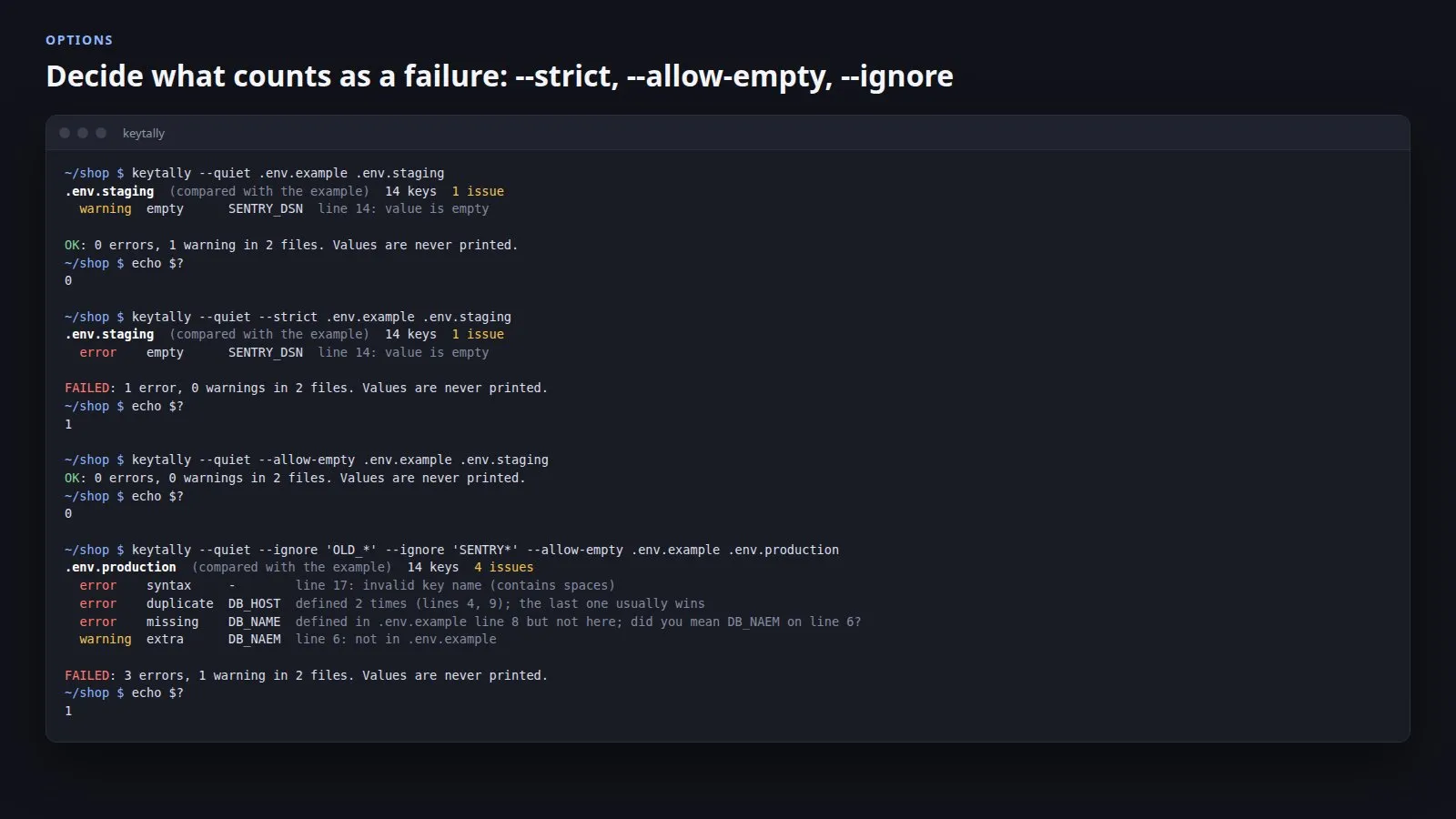
Run keytally in a project folder and it picks the template (.env.example, .env.sample, .env.template or .env.dist) and checks .env and every .env.* file against it; you can also name the files. Keys in the template but not in a file are errors, keys the template does not know are warnings, empty values are warnings, and keys defined twice or lines that are not KEY=value are errors. Every finding has a line number, missing keys point to the template line, and a likely misspelling in the file is named.
Values are looked at only to tell empty from non-empty and are not stored. Syntax errors use fixed descriptions such as missing = or unterminated double quote and name a key only when one can be read safely. A test runs all output formats over fixtures filled with marker values and fails if any marker appears in standard output or standard error.
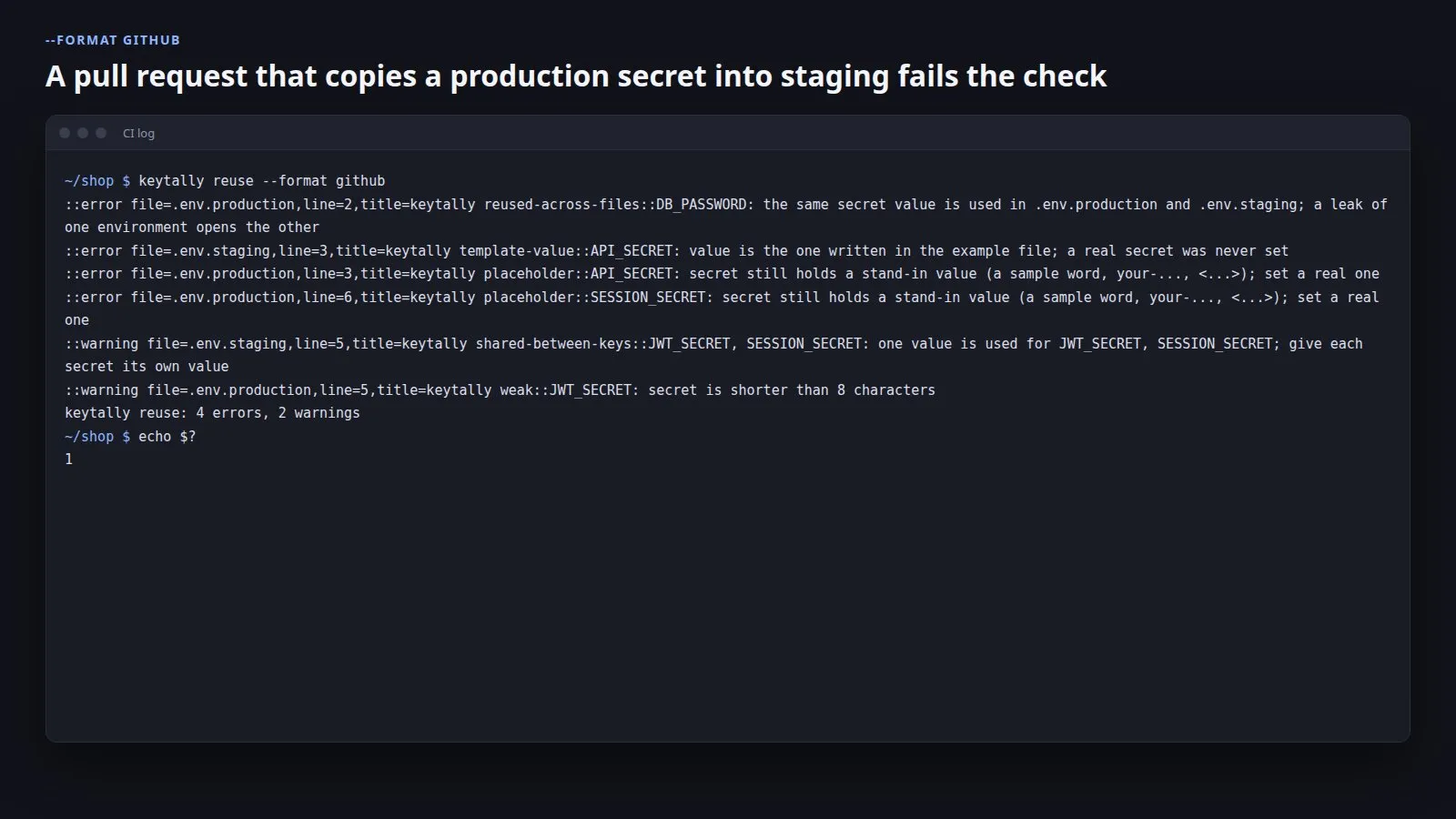
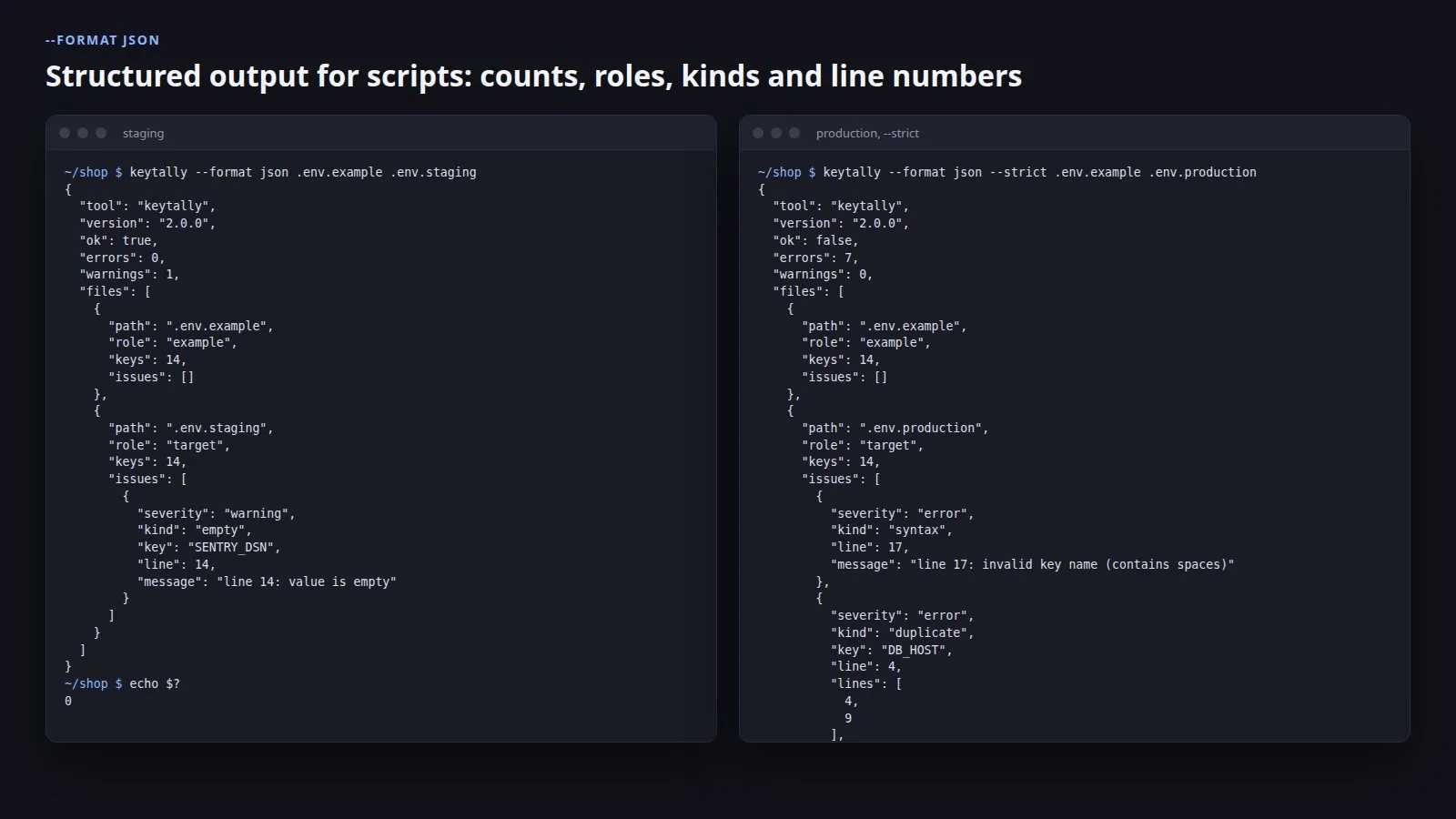
The text report groups findings per file with errors first and ends with a one-line result. JSON gives counts, the role of each file and every finding with its kind, key and line. The github format writes workflow commands so each finding appears as an annotation on the right line of the right file.
By default only errors fail the run. --strict makes warnings fail too, --empty-is-error is stricter about empty values, --allow-empty and --no-extra switch those checks off, and --ignore leaves out keys by pattern, such as local-only settings. Exit code 1 means problems were found and 2 means the command or a file could not be used.
1 of 5
| Platform or runtime | Supported versions | Tested up to |
|---|---|---|
| Linux amd64 | kernel 3.2 (Go 1.26 minimum) or newer | Ubuntu 24.04, kernel 6.8 |
| Linux arm64 | kernel 3.2 (Go 1.26 minimum) or newer | built, not run |
| macOS arm64 | macOS 12 (Go 1.26 minimum) or newer | built, not run |
| Windows amd64 | Windows 10 (Go 1.26 minimum) or newer | built, not run |
It is finished and tested. It is not on sale yet; this page will say where to get it when it is.
Coming soon
Not published on its store yet, so there is no buy or download link. PN Scripts does not take payment for it here.