
The gap
Hosted assistants send every question to someone else's servers and start each session knowing nothing about your work. A local chat window keeps your data at home, but it cannot open a file, remember a project or do anything for you.

AI
PN Scripts Assistant learns your projects and documents, answers from that memory and does real work with about 80 built-in tools. The model can run in Ollama on your machine, the memory is one encrypted file on your disk, and in private mode nothing from your conversations leaves the computer.
Source code on GitHub under the MIT license.
The gap
Hosted assistants send every question to someone else's servers and start each session knowing nothing about your work. A local chat window keeps your data at home, but it cannot open a file, remember a project or do anything for you.
What it is
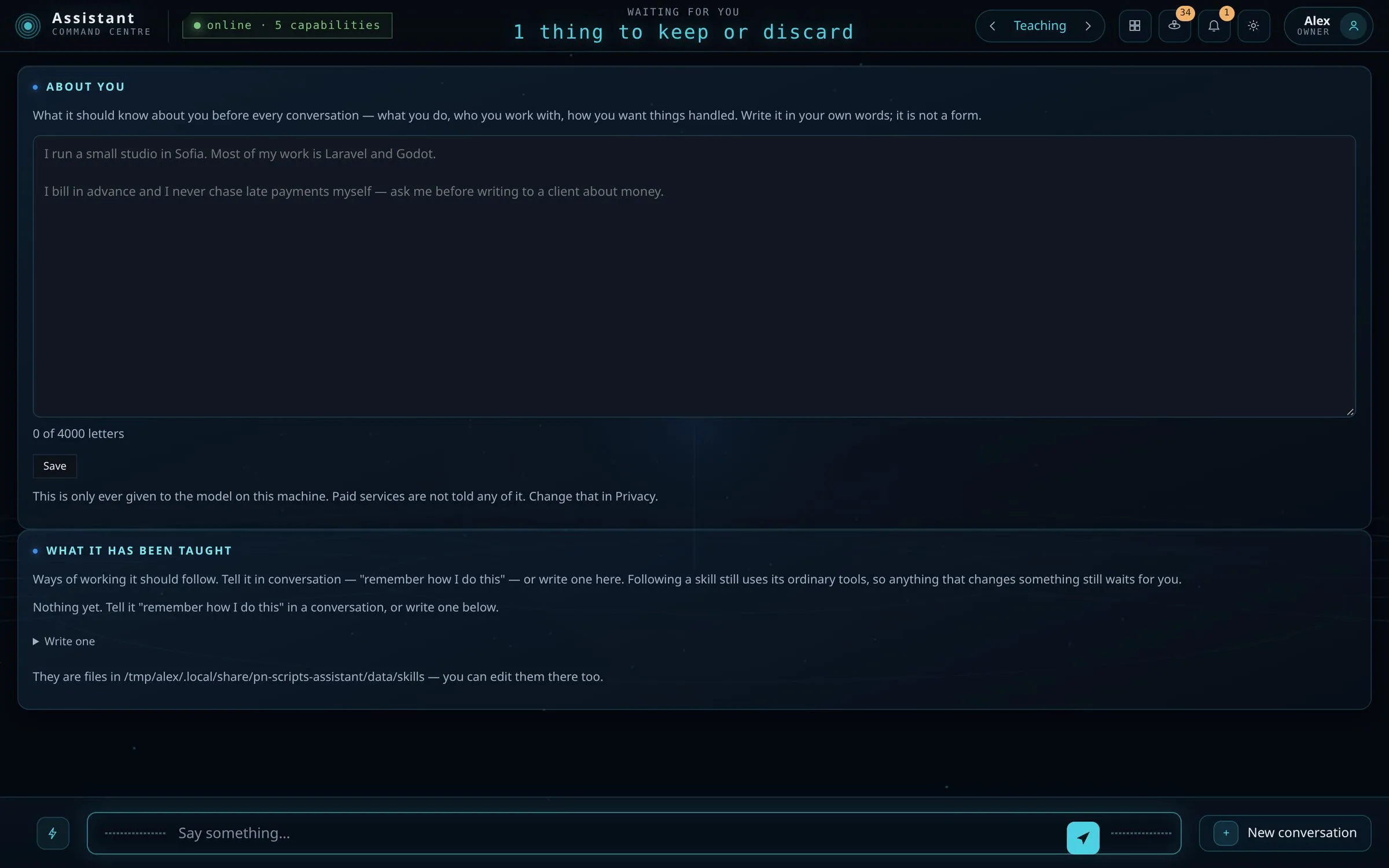
One Go program and one SQLite file. It uses a model you run in Ollama, learns from the folders you point it at, keeps the facts it can check and asks you about the ones it inferred. When a question needs action, it uses its tools under the permission level you set.
How you use it
Install Ollama and the release for your system. The first run asks where to keep the memory and which model to use, and the doctor tool installs what is missing.
Ollama runs the language model. PN Scripts Assistant adds long-term memory, tools, permissions, privacy modes, voice and the interface, and keeps what it learns on your disk.
Everything below can run on your computer: choose private mode and nothing from your conversations leaves it. The interface is served on 127.0.0.1 only.
Type in the window. On Linux you can also say "Assistant" and speak.
It searches its memory by meaning, with embeddings from nomic-embed-text in Ollama, and adds what is relevant to the prompt.
Ollama runs the chat model on 127.0.0.1:11434. The setup picks one for your hardware, for example qwen2.5-coder:7b on a computer without a GPU.
It calls a built-in tool or an MCP server's, under your permission setting. Every call is recorded.
An extractor proposes facts from the conversation, a validator checks them and a curator stores them. Inferred facts wait for your approval.
A local model on its own forgets you after every chat. PN Scripts Assistant keeps what it learns about your projects, documents and conversations, and uses it in every answer.
Point it at your projects and documents and it reads them. A fact about a file is checked against the disk before it is kept.
Facts it drew from a conversation wait in a list until you accept or reject them. Facts it can verify are kept on their own.
The memory map draws every memory in 3D, placed by real embedding similarity and coloured by where it came from: projects, documents, conversations and websites.
Everything is in brain.sqlite, in a folder marked with .brain-root.json. It finds that folder on any mounted drive, so the memory can live on an external disk. The command-line tool can move it and checks every byte.
There is no screen yet for editing a single fact. The command-line tool can tidy the memory, start over or move it.

v0.10.0 has about 110 built-in tools and 137 built-in skills in English and Bulgarian, among them a Chrome of its own to drive, Thunderbird's mail folders to read, proofreading, translation with your own glossary, research with checked sources, exact calculations with tables, an invoice register and PDF forms; it follows the skill folders of other agents on your computer too, and any MCP server you connect adds its own tools. Every message it reads for you is checked for scams first.
Reads, searches, writes and edits files and documents. A file it changed can be put back.
Runs programs directly, without a shell, for up to three hours. Root is asked for through the system's own password dialog. With BRAIN_CONFINE=1, commands on Linux run under Landlock confinement.
In research or open mode it searches with DuckDuckGo, or Brave Search with your key, and reads pages. With BRAIN_CONFINE=1 it refuses private network addresses.
Diary and reminders, email over SMTP and IMAP once you set it up, and Home Assistant lights, switches, climate, covers, fans and locks. On Linux it can also open apps, type and click.
Nothing is asked by default, and every call is recorded; changed files are kept so they can be put back. Choose "ask every time" or "ask about the rest" in Permissions, or set BRAIN_CONFINE=1, to confirm first. A tool you refused by name stays refused.
Since v0.3.0 the permission level and the privacy mode are independent: each is read as you set it.
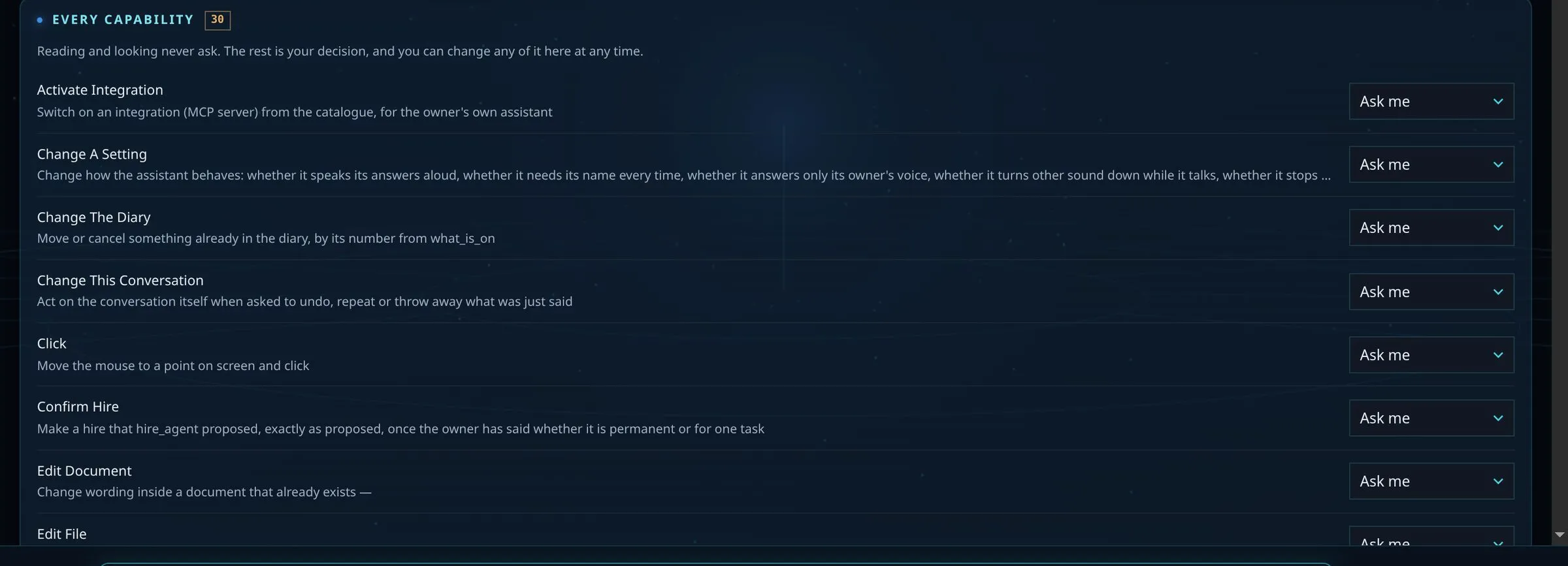
The mode decides what may leave the computer. Since v0.4.0 open is the default and nothing is asked before it acts, but every tool call is still recorded. Choose private, or set BRAIN_CONFINE=1, on a machine where that matters; an unknown mode is read as private. The "look online" setting checks for updates and model lists and can be switched off.
private
Stays on this machine
Your messages, the memory, your files and the model. The chat model and embeddings run in Ollama on this computer.
Leaves this machine
Nothing from your conversations. Web tools are hidden.
research
Stays on this machine
Your conversations, the memory and the model.
Leaves this machine
Search queries, to DuckDuckGo or Brave Search, and requests for the pages it reads.
open Default · your API key
Stays on this machine
The memory database itself.
Leaves this machine
Your messages, the memory recalled for that turn and your profile, sent to the hosted provider you chose, such as Anthropic, OpenAI, Google or Mistral; the web may be read.
Voice runs on the computer: whisper.cpp turns speech into text, and Piper, espeak-ng or speech-dispatcher reads the answer aloud. Listening works on Linux.
Say "Assistant" and ask. The microphone stays off until you turn it on.
It listens until you stop talking, answers, reads the answer aloud and listens again.
A spoken request can use the same tools as a typed one, under the same permission setting. By default it can change something without asking; set Permissions to ask if you want to confirm first.
An optional voiceprint lets it answer only you. Echo cancellation through PipeWire is available and off by default.
Listening, echo cancellation and the voiceprint are Linux only. On Windows you type.
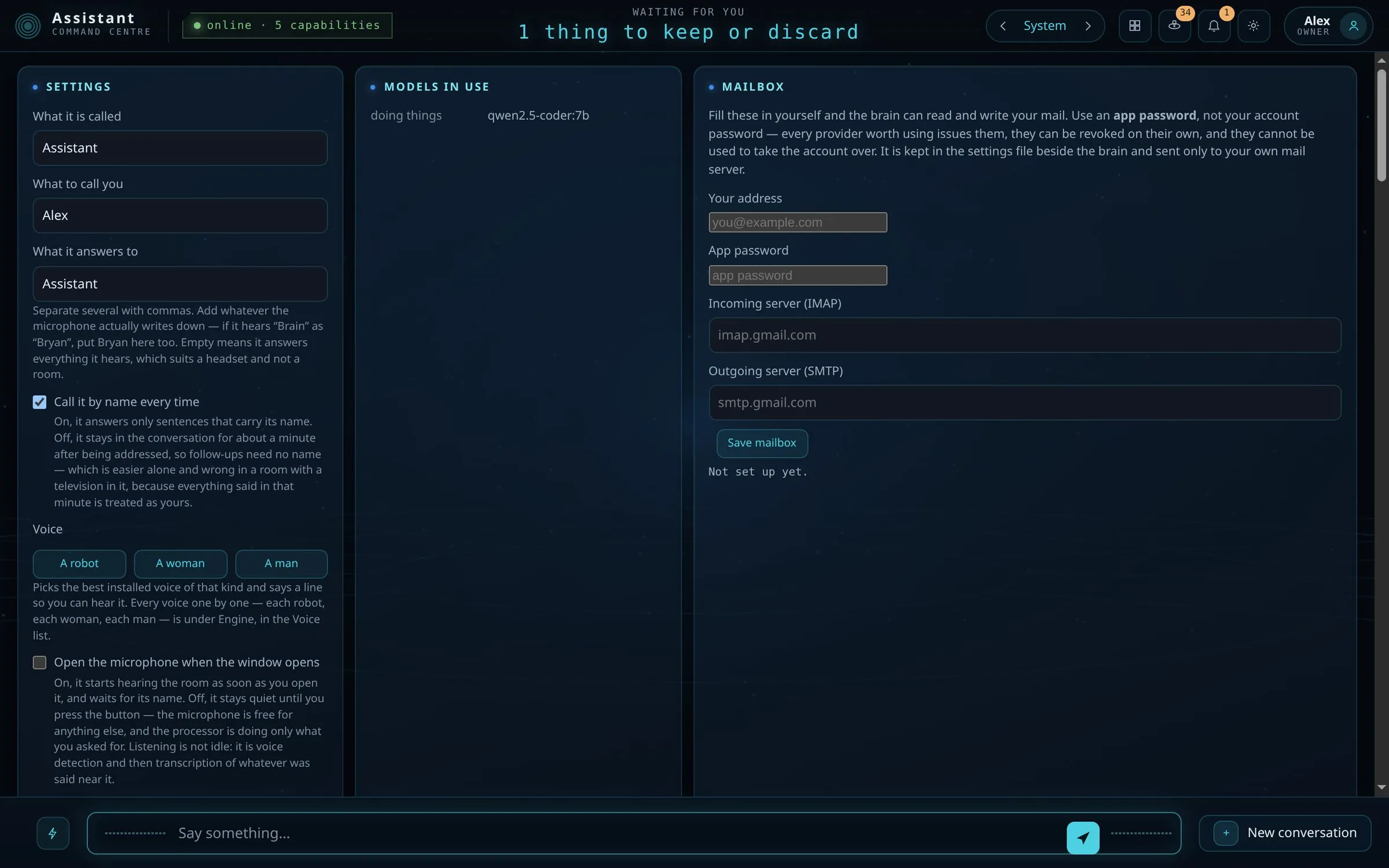
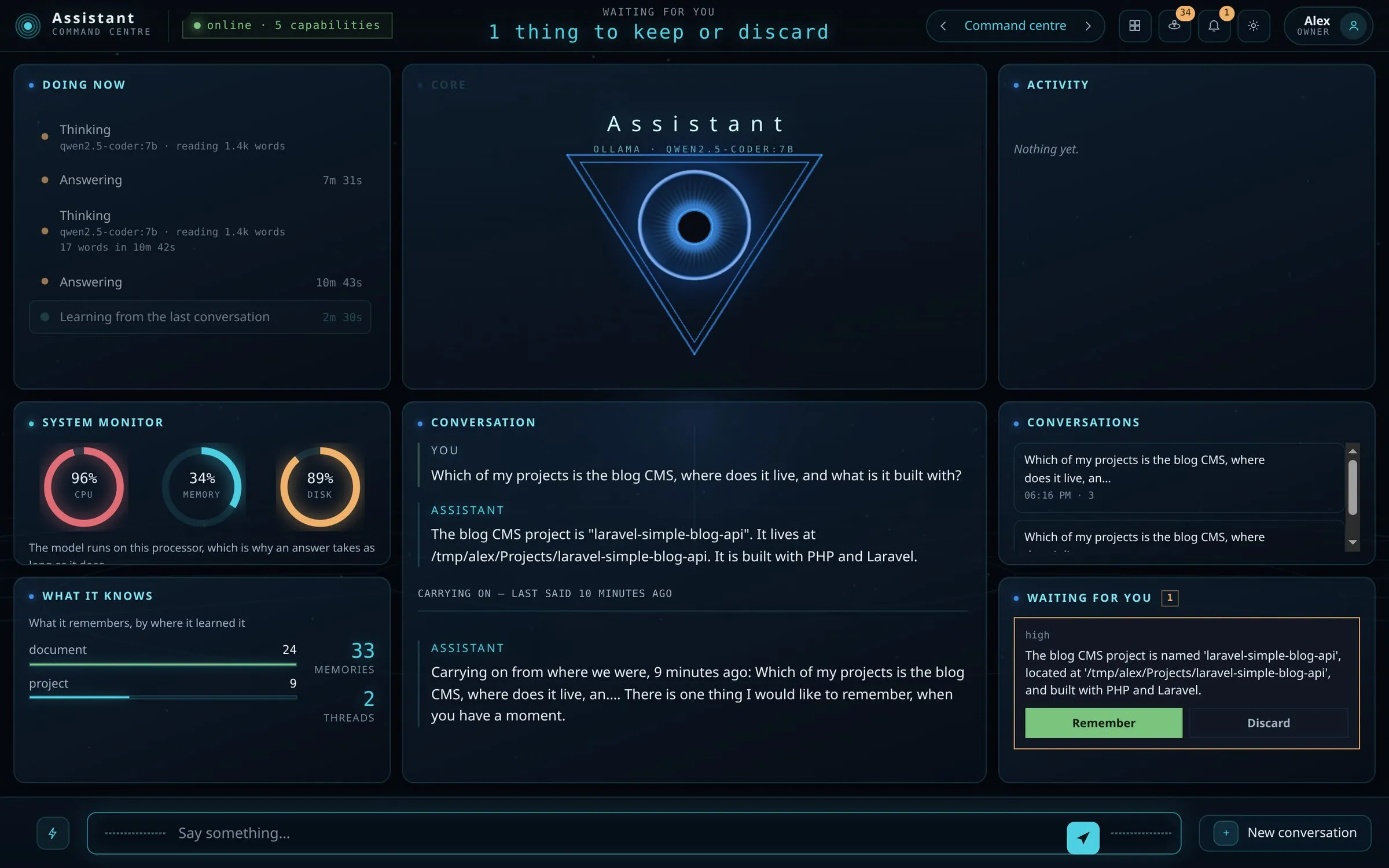
Point it at your projects folder and ask which project does what, where it lives and what it is built with. The answer comes from your files.
It looks for the languages, editors, game engines and AI coding tools you have installed, such as Go, Godot, Claude Code or Codex, and can run any program through its command tool.
Connect MCP servers and their tools appear beside the built-in ones, under the same permissions and the same record.
Each release has a command-line client and a doctor that checks requirements and, with --install, installs what is missing after asking.
Go 1.26 under the MIT license: 163,000 lines, 44,000 of them tests across 71 packages. Built in the open on GitHub.
Use it when
Built for
Measured on Ubuntu 24.04 with 4 CPU cores, 31 GB of memory, no GPU and qwen2.5-coder:7b in Ollama. On a CPU, the length of the prompt decides most of the wait.
Reading the prompt
8 to 10 tok/s
The README measured about 10, our audit about 8
Writing the answer
~2.5 tok/s
Generation on the CPU
Short reply, model loaded
6.8 s
15.8 s when Ollama has to load the model again
Turn with tools
~58 s
Once warm. The first turn after start took about 10 minutes: a 6,338-token prompt, about 5,100 of it tool descriptions
A GPU, or a hosted model in open mode, is much faster. In open mode your messages and the recalled memory go to that provider. A smaller local model is faster too: in our tests llama3.2:3b ran twice as fast but chose the right tool in 2 of 5 cases. Set OLLAMA_MAX_LOADED_MODELS=2 so Ollama keeps the chat and embedding models loaded.
This file could not be loaded.
This file could not be loaded.
This file could not be loaded.

This file could not be loaded.
This file could not be loaded.

This file could not be loaded.

This file could not be loaded.
This file could not be loaded.
1 of 9
You need Ollama and a few gigabytes for the models. Releases are on GitHub with SHA256 checksums.
Install Ollama from ollama.com, then pull a chat model and the embedding model. The first run can also install them for you.
ollama pull qwen2.5-coder:7b
ollama pull nomic-embed-textOn Ubuntu or Debian, install the .deb. On Windows, run the setup program; it needs no administrator password.
sudo apt install ./pn-scripts-assistant_0.10.0_amd64.debOn the first start it encrypts what it keeps about you and shows a recovery key once: save it. Choose where to keep the memory, which model to use and, if you want them, keys for hosted providers. Then just talk: it picks up your name and language from the conversation.
The doctor lists what is missing, such as voice tools or the WebKitGTK library, and installs what it can after asking.
pn-scripts-assistant-doctor --installv0.10.0 is an early release from November 2026. What works today is kept apart from what is still planned.
v0.10.0
Release notes (opens in a new tab)v0.9.0
Release notes (opens in a new tab)v0.8.1
Release notes (opens in a new tab)v0.8.0
Release notes (opens in a new tab)v0.7.0
Release notes (opens in a new tab)v0.6.0
Release notes (opens in a new tab)v0.5.0
Release notes (opens in a new tab)v0.4.0
Release notes (opens in a new tab)v0.3.0
Release notes (opens in a new tab)v0.2.2
Release notes (opens in a new tab)v0.2.1
Release notes (opens in a new tab)v0.2.0
Release notes (opens in a new tab)Free and open source under the MIT license. Download the release for Linux or Windows, read the guide, or browse the source on GitHub. PN Scripts can also adapt it for your team as paid work.
Source code on GitHub under the MIT license.