
The gap
Checking contrast usually means copying hex codes into a website, reading a ratio and then guessing a darker shade by hand until it passes, over and over for every pair.

Developer tools
A colour picker and WCAG 2.2 contrast checker in your browser toolbar that tells you which levels pass and suggests the nearest colour that does.
Coming soon
Not published on its store yet, so there is no buy or download link. PN Scripts does not take payment for it here.
The gap
Checking contrast usually means copying hex codes into a website, reading a ratio and then guessing a darker shade by hand until it passes, over and over for every pair.
What it is
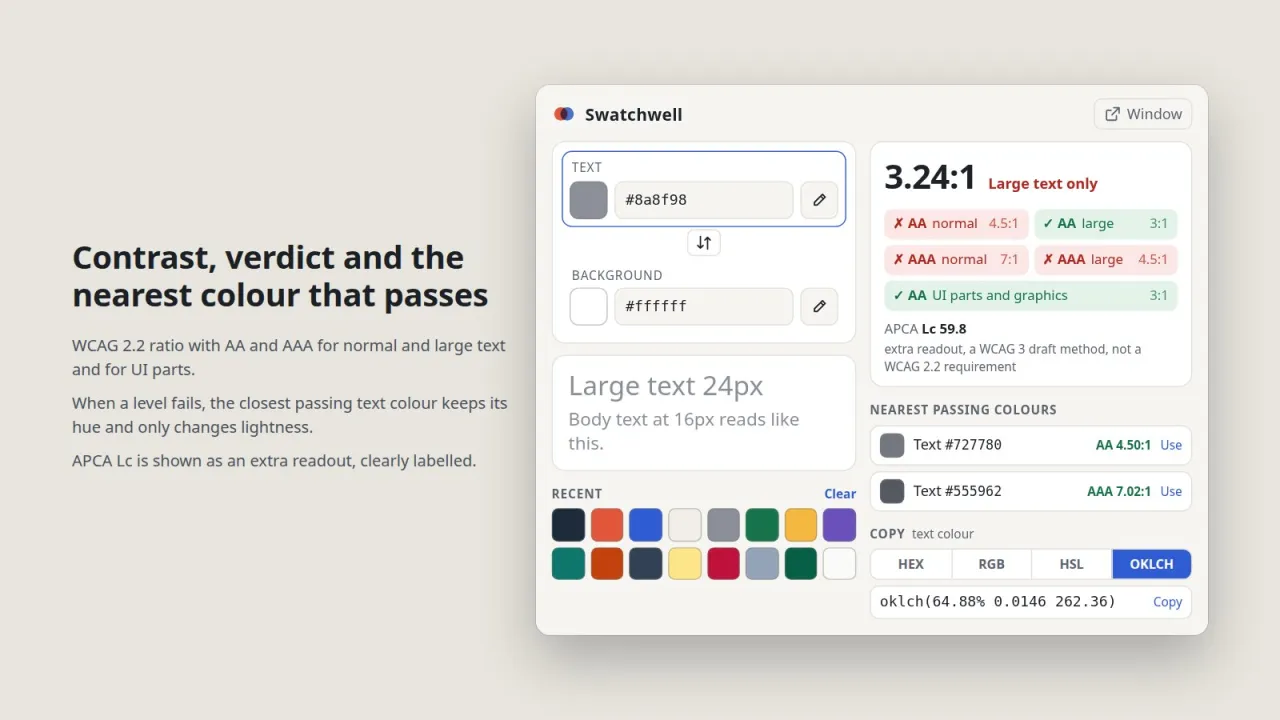
Swatchwell picks colours straight from the screen, gives the WCAG 2.2 verdict instantly and computes the nearest passing colour, keeping the hue, so the fix is a click instead of trial and error.
How you use it
Get from a failing colour pair to a passing one in seconds, with the exact ratio and a value ready to paste into CSS.
For designers, front-end developers and accessibility reviewers, Swatchwell is a private, offline contrast checker that goes beyond the ratio and proposes a compliant colour.
Use it when
Built for
Each row, text and background, has a pipette for any pixel on screen, a native colour picker and a field that accepts hex, rgb(), hsl(), oklch() and oklab() in old and new syntax. Translucent text is measured as it appears over the background.
The ratio is shown truncated rather than rounded, as WCAG requires, with green or red badges for AA normal (4.5:1), AA large (3:1), AAA normal (7:1), AAA large (4.5:1) and interface parts (3:1), and a preview in 24px and 16px text.
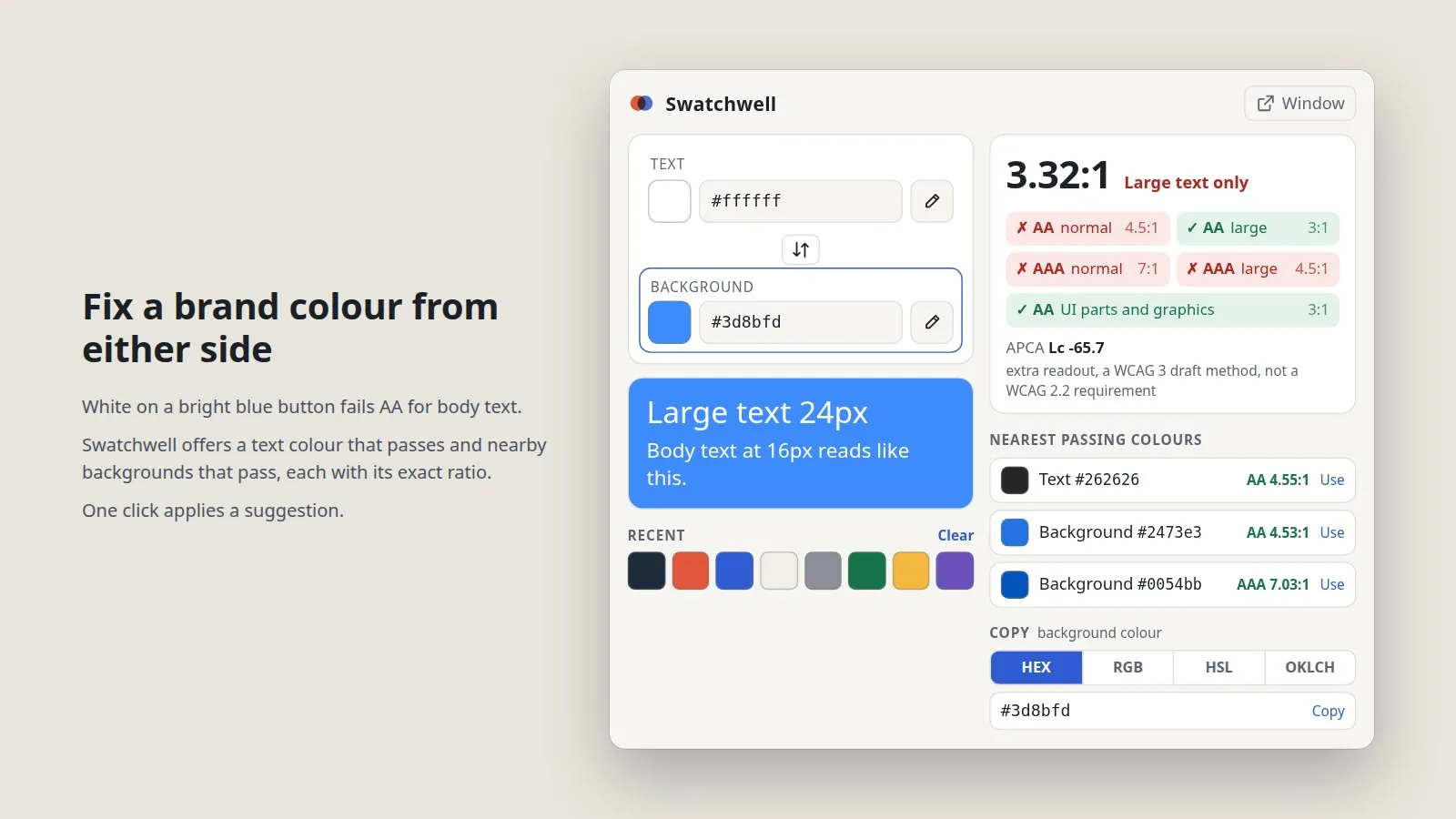
For every failing level Swatchwell searches OKLCH lightness in both directions and keeps the colour's hue and chroma where possible. Suggestions show the hex code and the exact ratio, and a background alternative appears when a nearby background passes.
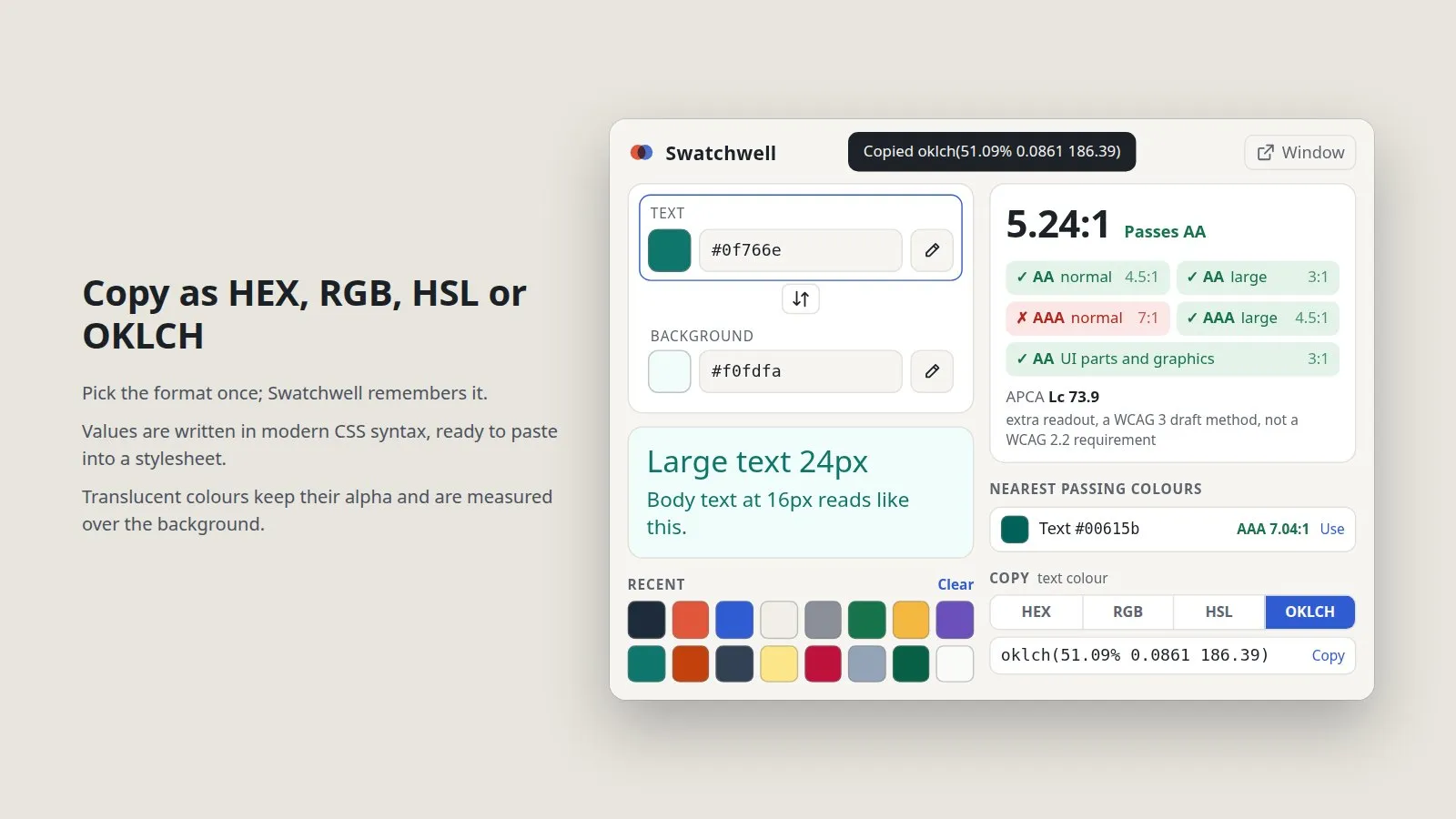
The selected colour copies as HEX, RGB, HSL or OKLCH, and the chosen format is remembered. Every picked, typed or applied colour goes to a palette of 24 that you can reuse with one click or clear.

This file could not be loaded.
This file could not be loaded.

This file could not be loaded.
This file could not be loaded.

This file could not be loaded.
1 of 5
| Platform or runtime | Supported versions | Tested up to |
|---|---|---|
| Google Chrome and Chromium browsers | 102 or newer | popup rendered in Chrome 155 (headless); not installed |
| Firefox | 115 or newer | not tested |
| Node.js (to run the tests) | 20 or newer | 22.23 |
It is finished and tested. It is not on sale yet; this page will say where to get it when it is.
Coming soon
Not published on its store yet, so there is no buy or download link. PN Scripts does not take payment for it here.