The gap
Dialogue written as GDScript or nested resources is slow to edit and hard to translate, and mistakes such as a misspelled variable or a missing jump target only show up when a player reaches the line.

Game dev tools
Write branching dialogue in plain text files and run it in Godot 4: choices, conditions, variables, signals, a typewriter dialogue box and CSV translations, with errors reported by line.
Coming soon
Not published on its store yet, so there is no buy or download link. PN Scripts does not take payment for it here.
The gap
Dialogue written as GDScript or nested resources is slow to edit and hard to translate, and mistakes such as a misspelled variable or a missing jump target only show up when a player reaches the line.
What it is
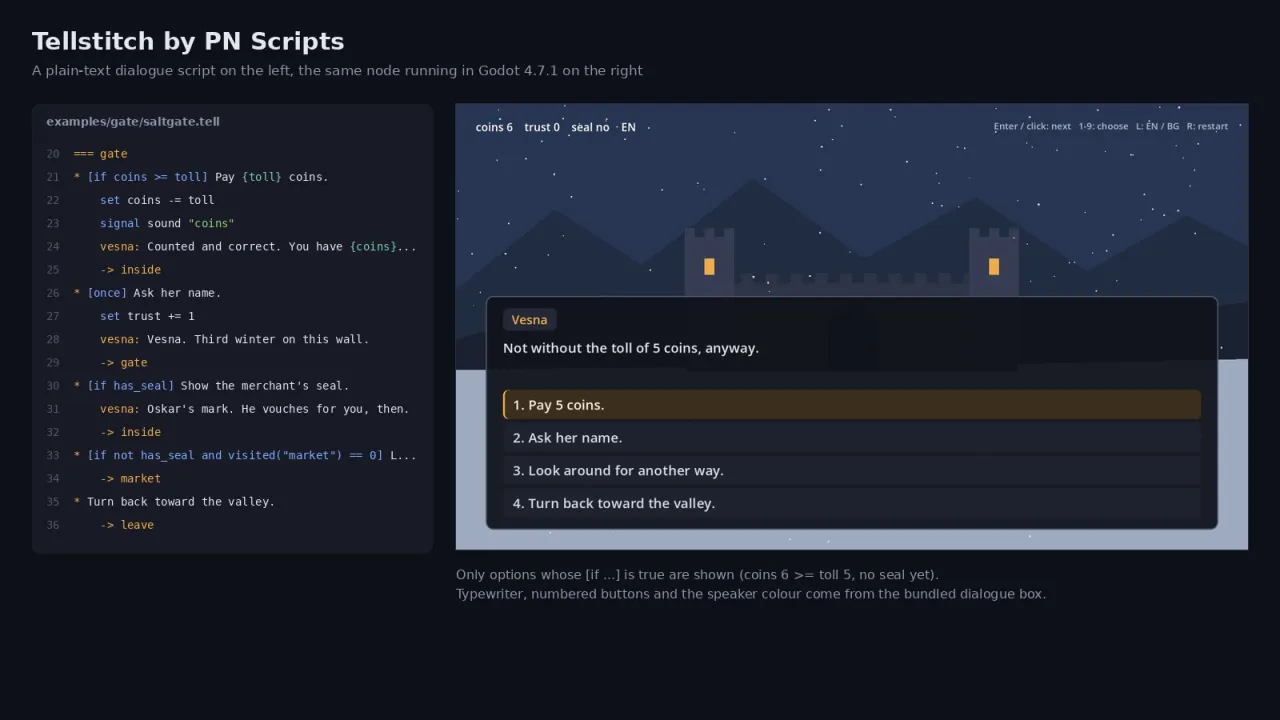
Tellstitch keeps dialogue in readable text files, checks them completely on load with line numbers, runs them through a small runtime and shows them in a ready dialogue box with translations from CSV.
How you use it
Writers edit plain text, programmers get signals and a clean runtime API, and translators get a CSV with stable keys.
For Godot developers who want writer-friendly branching dialogue with real conditions and localisation, without a node-graph editor.
Use it when
Built for
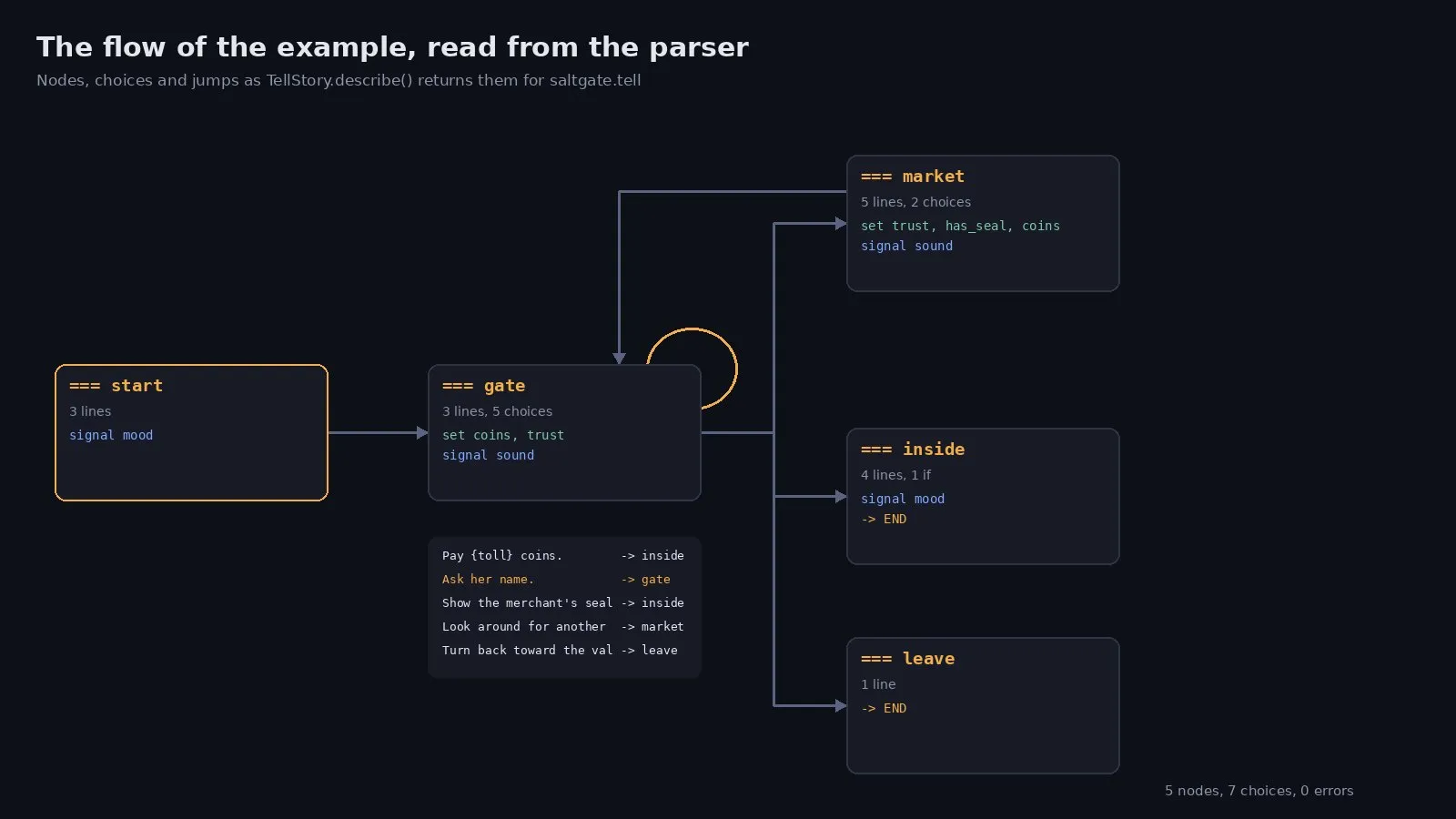
A .tell file declares characters with display names and colours, variables with starting values and nodes that start with === name. Inside a node you write speaker: text, : narration and * choices, add [if coins >= 5] or [once] to options, branch with if/elif/else, change variables with set and move with -> node or -> END. Text can include {coins} or any expression and BBCode.
The parser reads the whole file and lists every error with its line: unknown variables, characters or nodes, duplicate nodes and keys, wrong indentation, an if without a colon, an unclosed brace. Warnings point at nodes nobody jumps to and variables nobody uses. The same check runs from the editor's Tools menu and from the command line.
TellRunner returns one event at a time: a line, a list of visible choices or the end. Your game listens to dialogue_signal for things like camera shakes or sounds, reads variables, registers functions such as has_item and saves the state with the rest of the save file. The dialogue box scene shows lines with a typewriter, names in colour and choices as buttons, and can be restyled with a Theme.
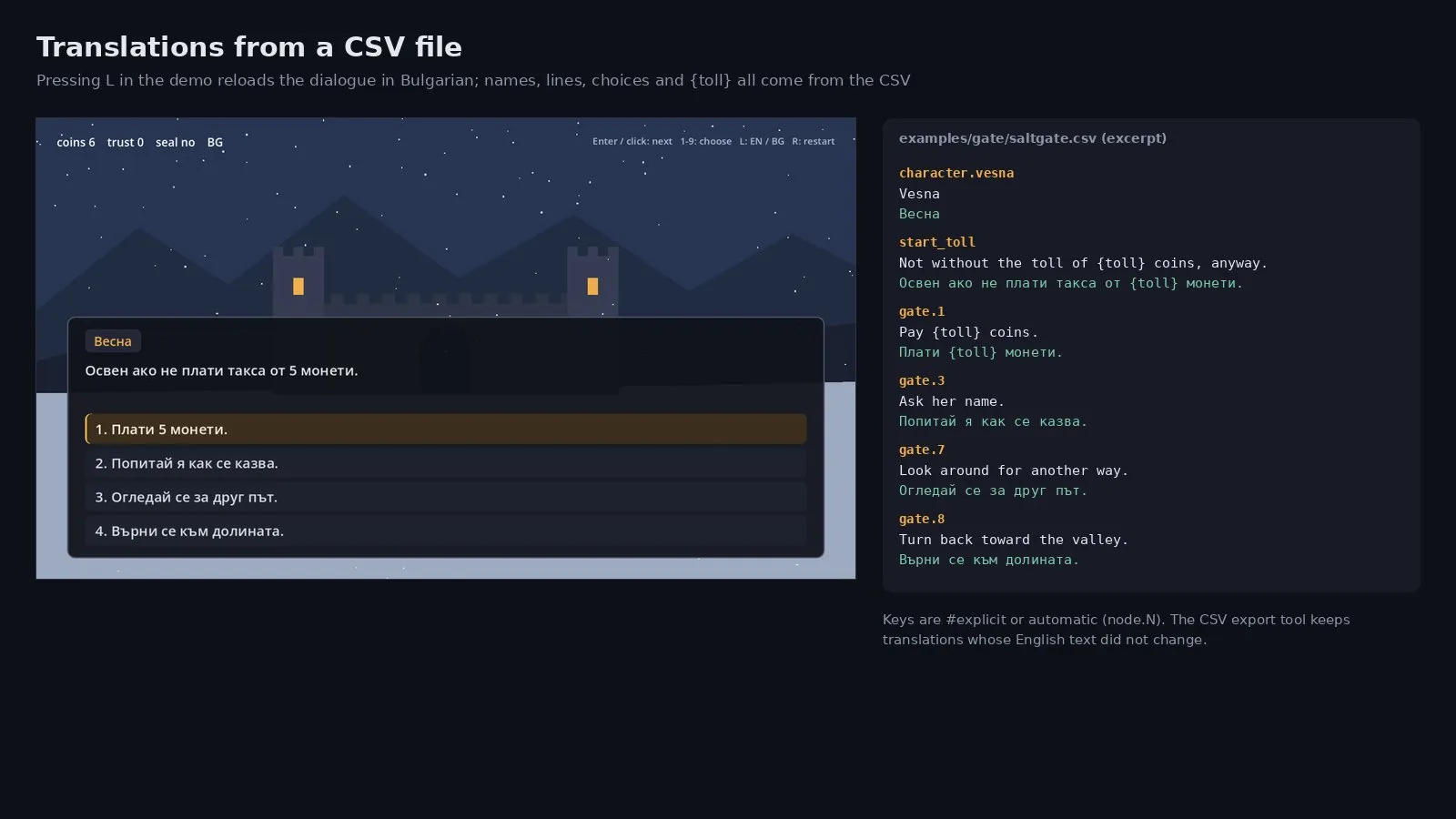
Lines and choices get keys from #key tags or automatically. A CSV with a column per language is loaded at run time or through Godot's own localisation settings, and {expressions} keep working inside translated text. The export tool writes the CSV for translators and keeps the translations of lines whose source text did not change.

This file could not be loaded.
![Godot screenshot of the choice menu after a [once] option was used, with the script lines that cause it](/storage/692/conversions/once-options-and-variables-large.webp)
This file could not be loaded.
This file could not be loaded.

This file could not be loaded.
This file could not be loaded.

This file could not be loaded.
1 of 6
| Platform or runtime | Supported versions | Tested up to |
|---|---|---|
| Godot Engine | 4.7 or newer | 4.7.1 |
It is finished and tested. It is not on sale yet; this page will say where to get it when it is.
Coming soon
Not published on its store yet, so there is no buy or download link. PN Scripts does not take payment for it here.