
The gap
Freelancers keep clients in one app, hours in another and invoices in a third, so unbilled work and late payments slip through.

Planners and templates
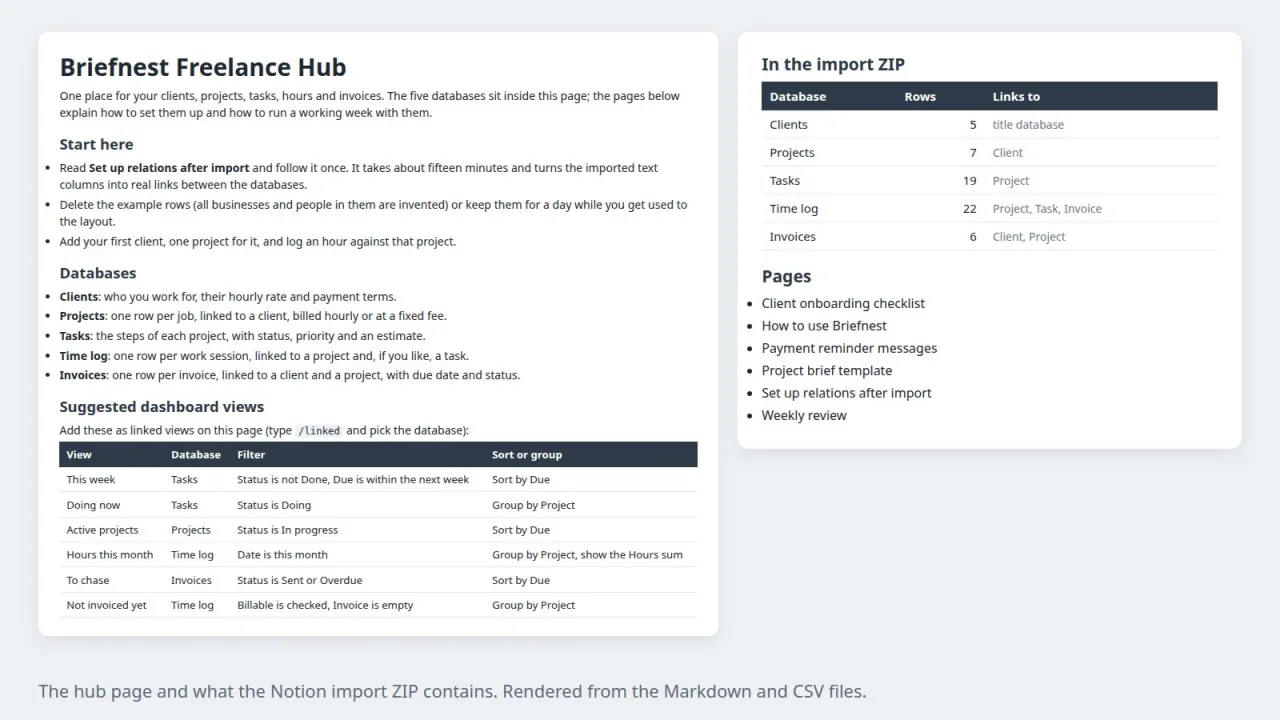
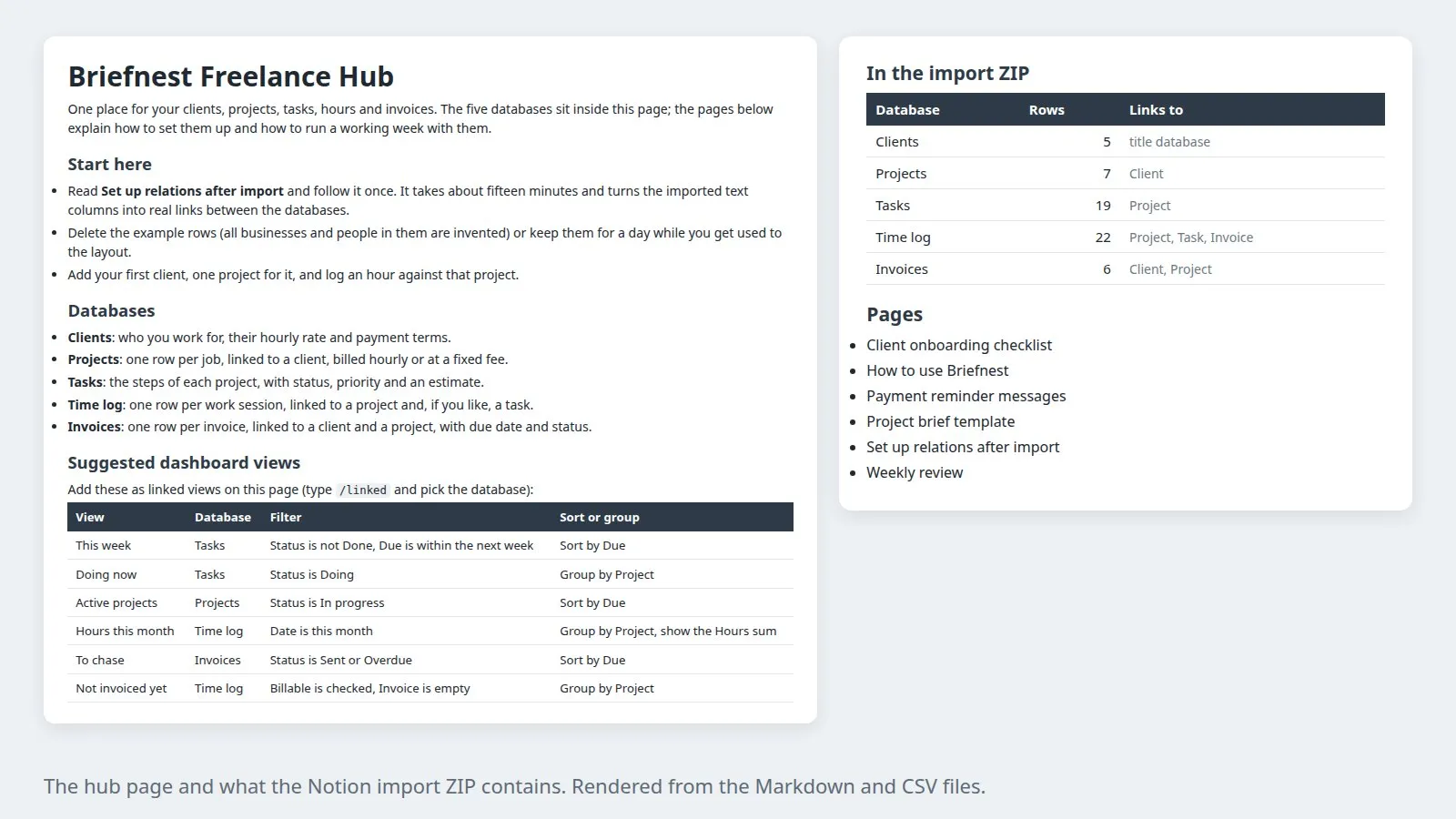
A freelancer hub with clients, projects, tasks, a time log and invoices in five linked databases, for Notion or as a spreadsheet with the same tables and totals.
Coming soon
Not published on its store yet, so there is no buy or download link. PN Scripts does not take payment for it here.
The gap
Freelancers keep clients in one app, hours in another and invoices in a third, so unbilled work and late payments slip through.
What it is
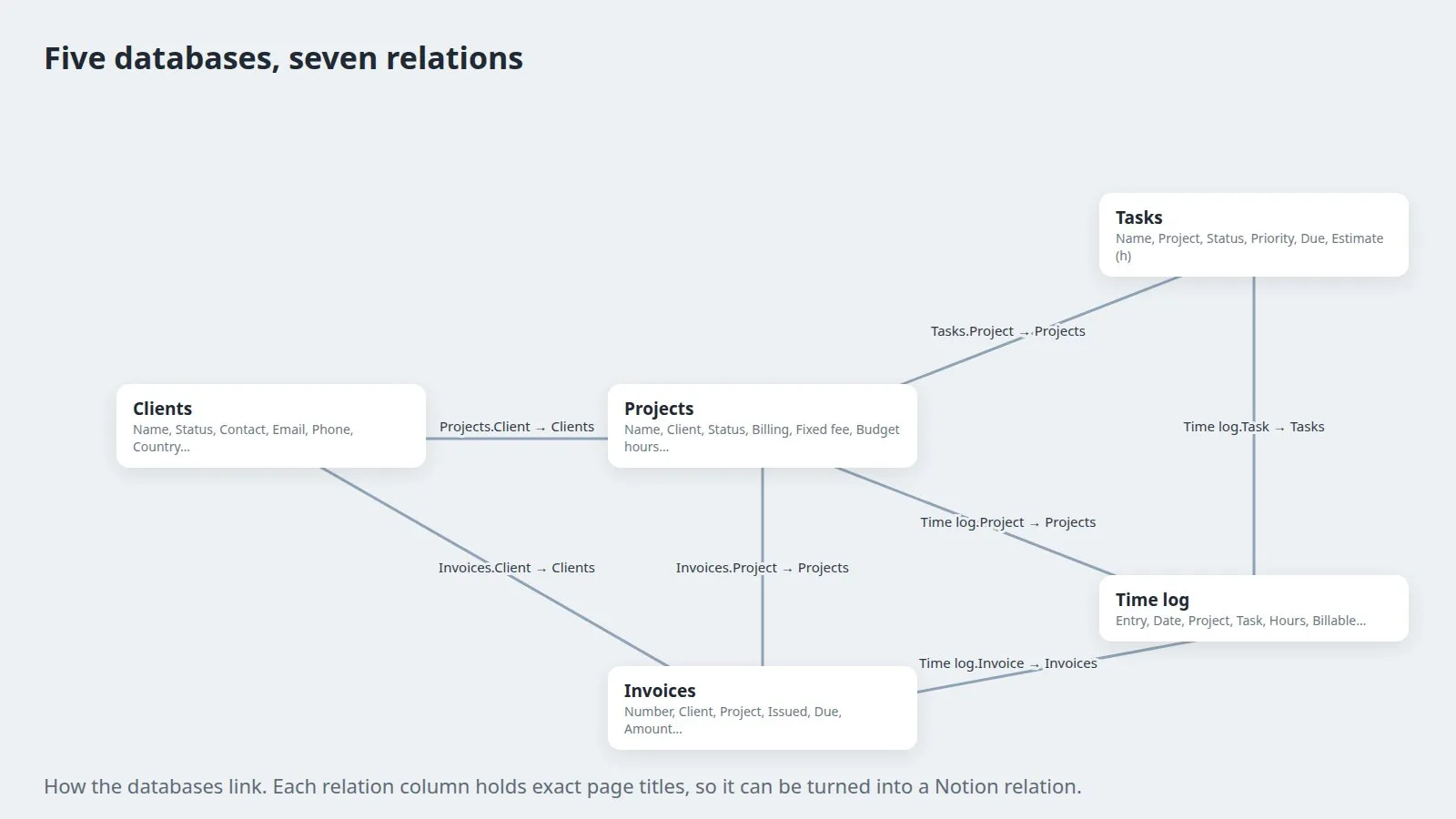
Five linked databases that follow a job from lead to payment, with the totals that show what to invoice and what to chase.
How you use it
See unbilled hours, outstanding invoices and project budgets in one place from day one.
For freelancers who want a ready structure in Notion or a spreadsheet instead of designing their own databases.
Use it when
Built for
A client starts as a Lead, a project as a Proposal. When the client says yes, tasks get estimates, every work session goes into the Time log, invoices are created from the billable hours or the fixed fee, and payment closes the loop. The How to use page walks through each step.
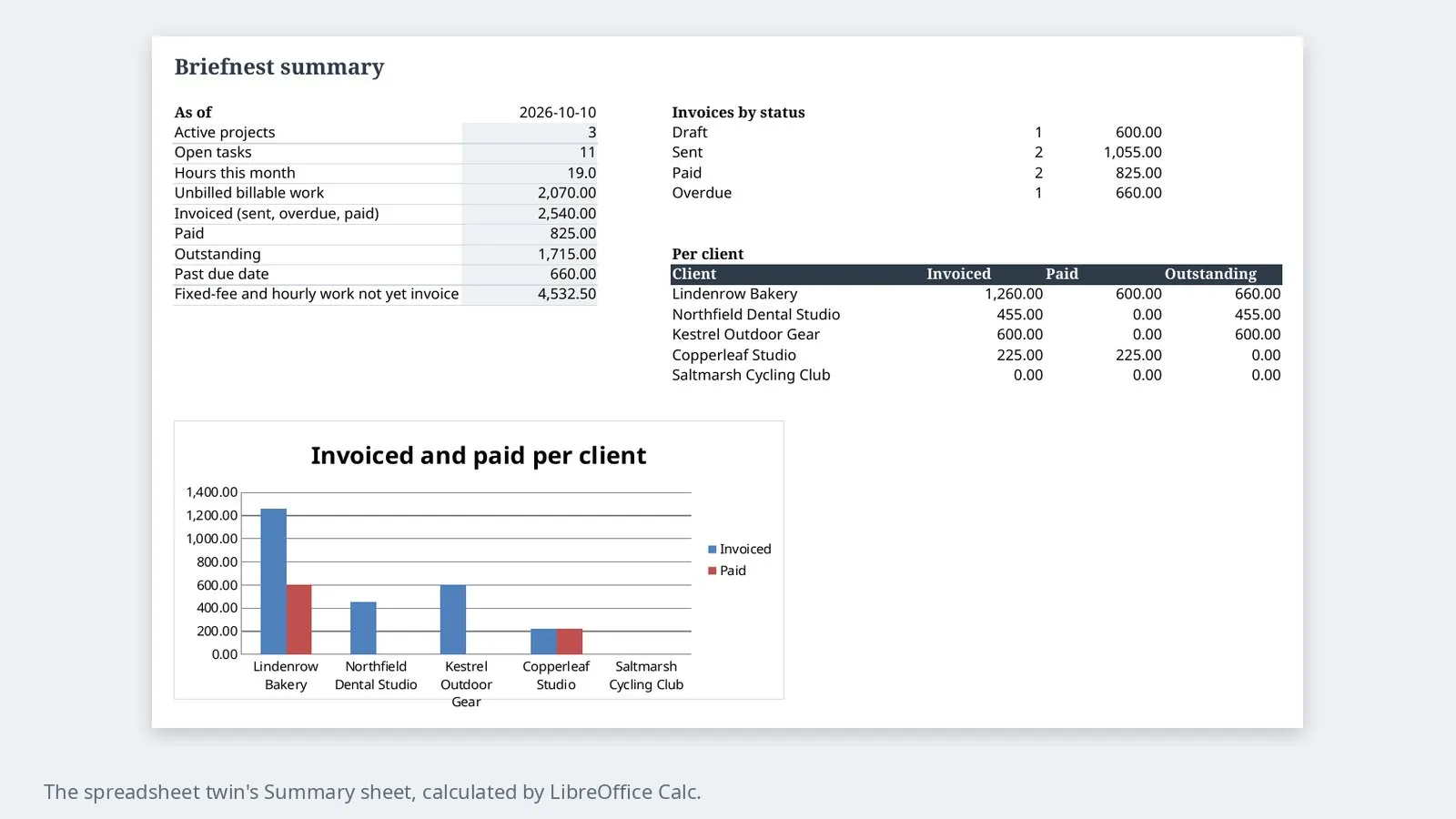
Each project shows hours, billable hours, value, invoiced and still to invoice; each client shows invoiced, paid and outstanding; each invoice shows days overdue. In Notion these are rollups and formulas you add from the setup page; in the spreadsheet they are already there.
Import the ZIP, set the property types, convert the seven link columns into relations and add the listed rollups and formulas. The setup page gives the exact settings, a manual fallback for any cell that does not link, and three numbers to check at the end.
The same tables in an .xlsx workbook with drop-down links and formulas, for anyone who prefers Excel, LibreOffice or Google Sheets. A Summary sheet adds hours this month, unbilled work, outstanding and past-due totals and a chart per client.
This file could not be loaded.

This file could not be loaded.

This file could not be loaded.
This file could not be loaded.
This file could not be loaded.
1 of 5
| Platform or runtime | Supported versions | Tested up to |
|---|---|---|
| LibreOffice Calc (spreadsheet version) | 24.2 or newer | 24.2 |
It is finished and tested. It is not on sale yet; this page will say where to get it when it is.
Coming soon
Not published on its store yet, so there is no buy or download link. PN Scripts does not take payment for it here.