The gap
Most UI kits live inside one design tool, drift away from the code that implements them and offer dark mode as an afterthought, so designers and developers end up maintaining two versions of the same decisions.

Design assets
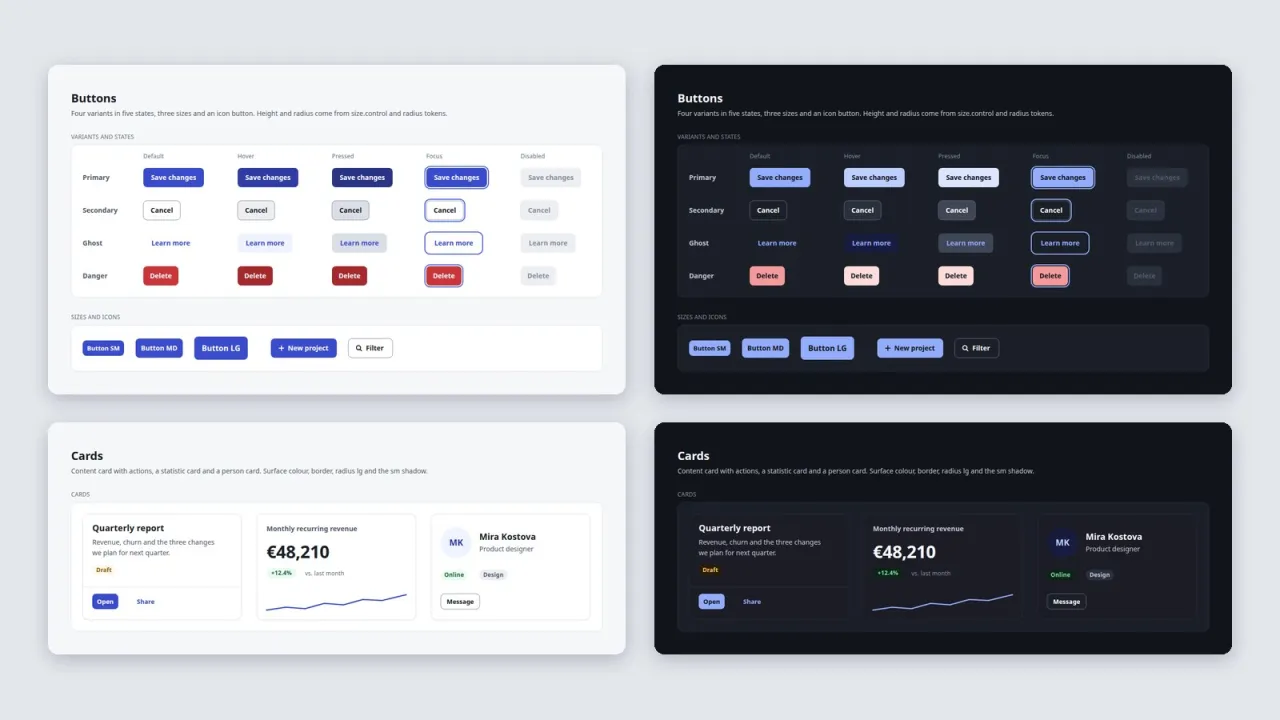
A token-driven UI kit: light and dark design tokens, 12 SVG sheets per theme with every component state, one canvas for Figma, Penpot or Inkscape, and a matching CSS implementation.
Coming soon
Not published on its store yet, so there is no buy or download link. PN Scripts does not take payment for it here.
The gap
Most UI kits live inside one design tool, drift away from the code that implements them and offer dark mode as an afterthought, so designers and developers end up maintaining two versions of the same decisions.
What it is
Pliantkit keeps one source, the token files, and generates the design sheets, the CSS and the reference pages from it, in light and dark, with contrast checked on every build.
How you use it
Change one token and get matching design sheets, CSS and documentation in both themes in seconds, with the accessibility checks rerun for you.
For small product teams and solo developers who want a clean, accessible component set without a design-tool subscription, Pliantkit is a token-first kit that works as SVG in any editor and as CSS in any web project.
Use it when
Built for
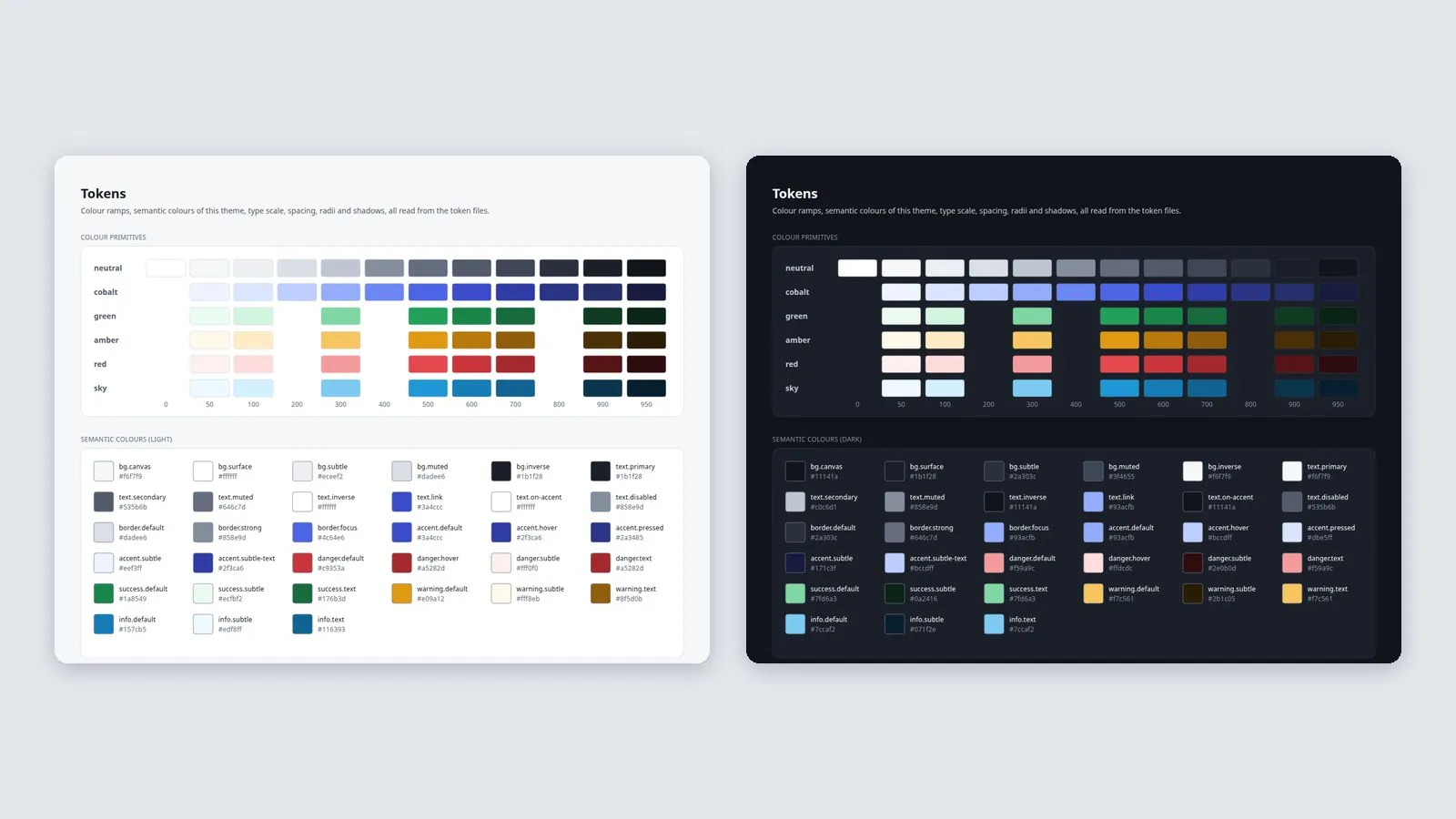
Core primitives (six colour ramps, type, spacing, radii, sizes, durations) and two theme files that map semantic names such as text.secondary or accent.hover onto them. The files follow the W3C Design Tokens draft syntax and the Tokens Studio multi-file layout with Light and Dark themes.
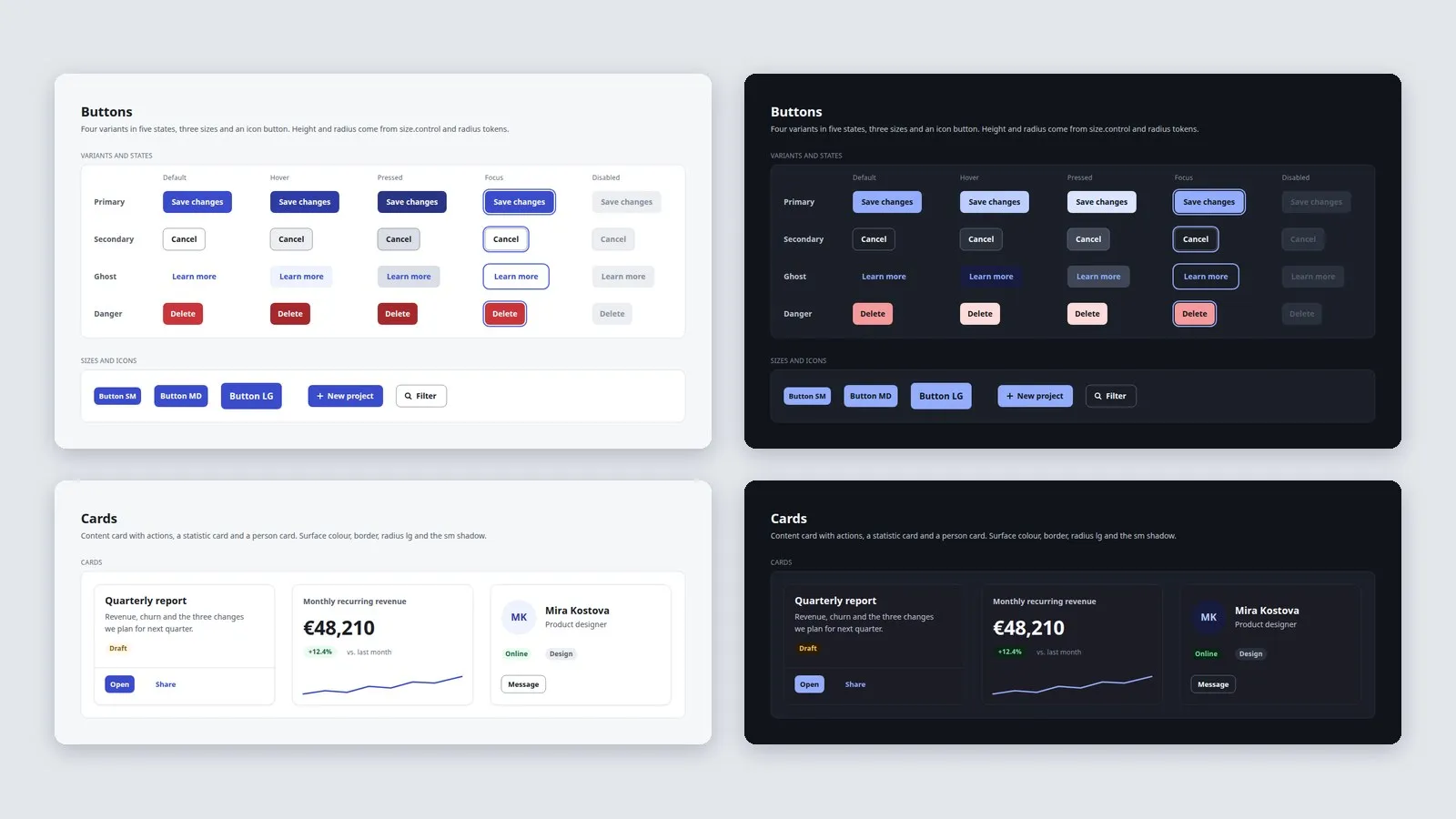
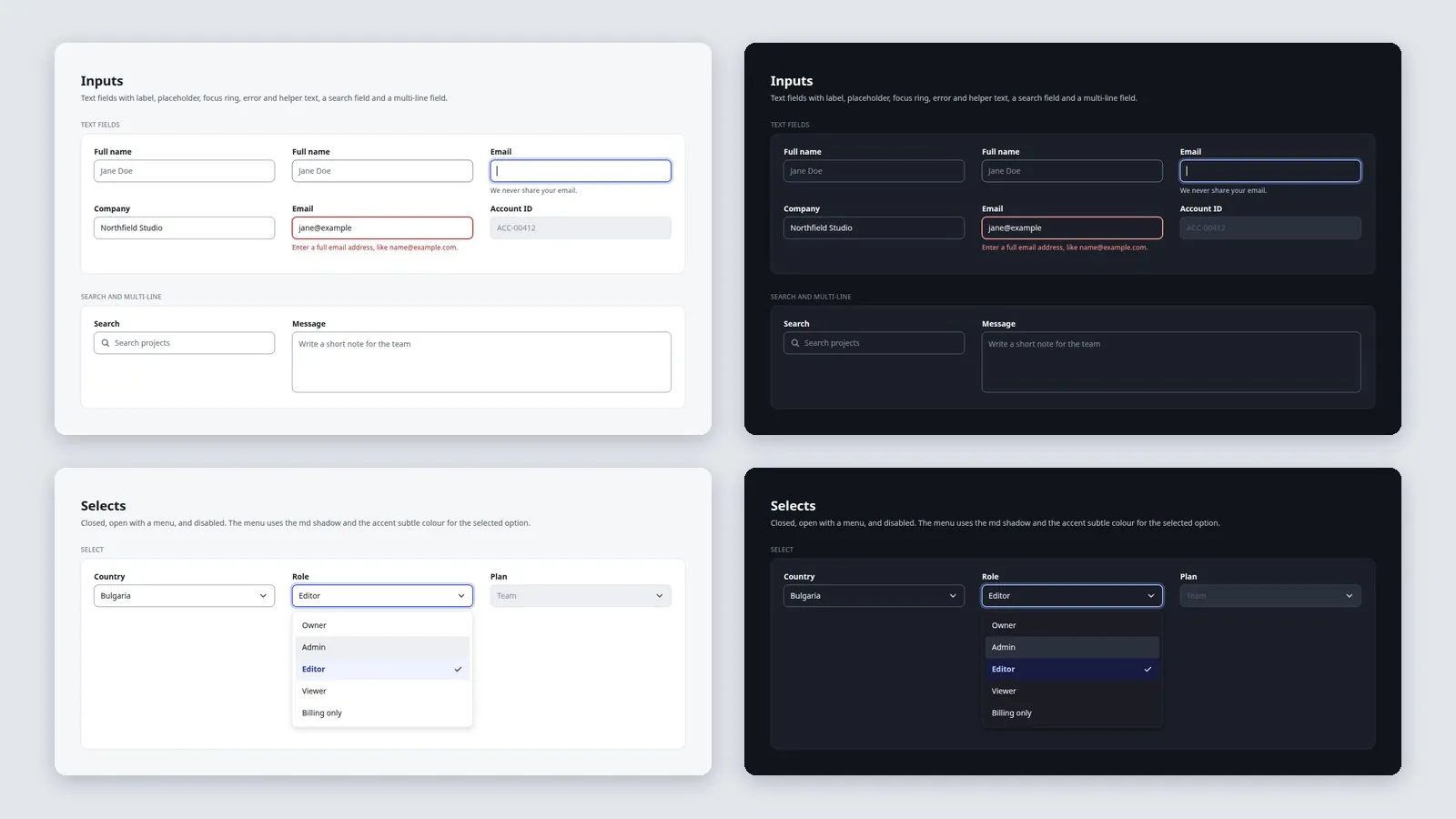
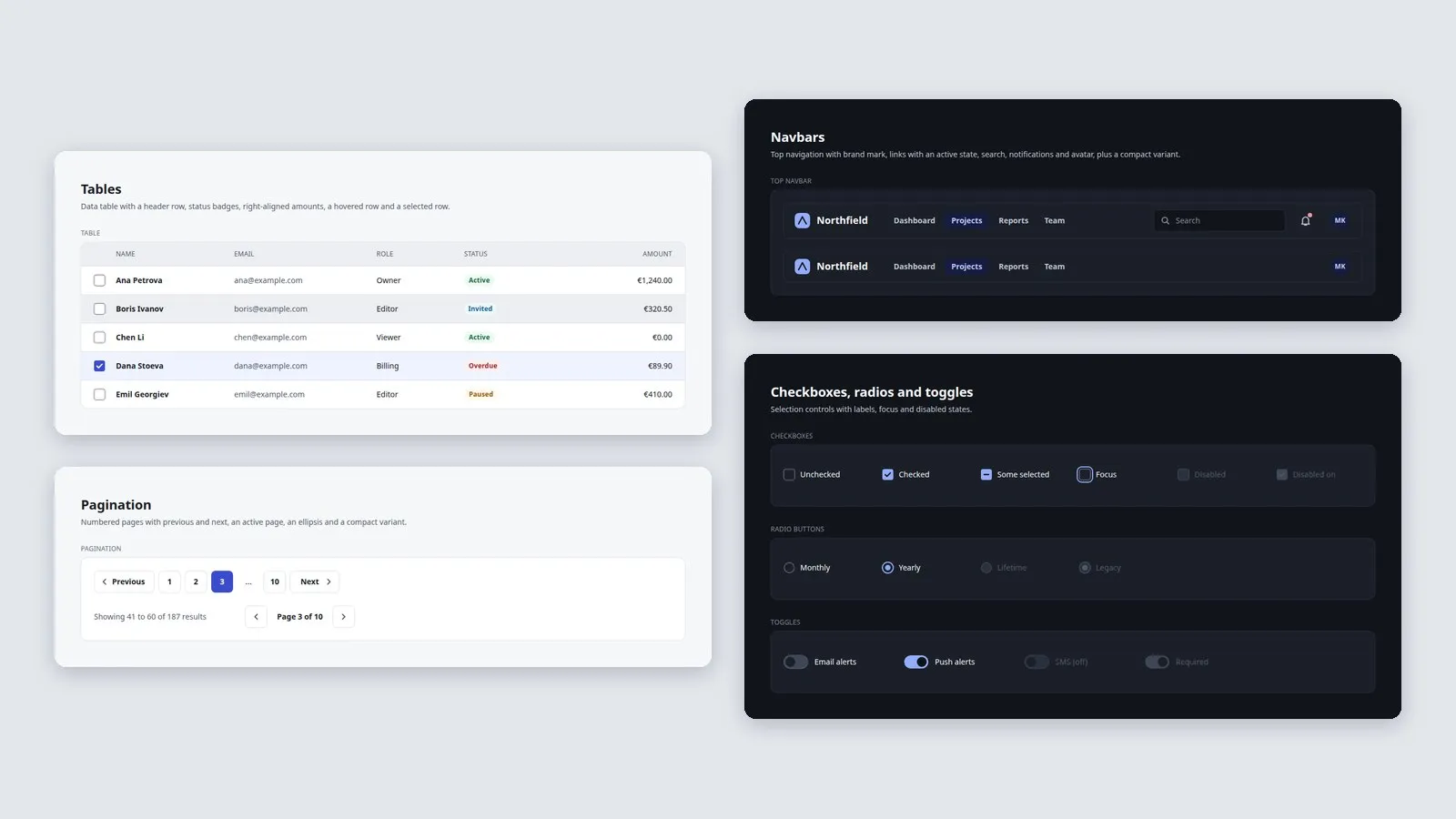
Buttons in four variants and five states and three sizes; inputs with hover, focus ring, error and disabled; an open select menu; checkboxes, radios and toggles; tabs; three card types; dialogs over a scrim; four toast tones; a data table; navbars and pagination. Each instance is a named SVG group.
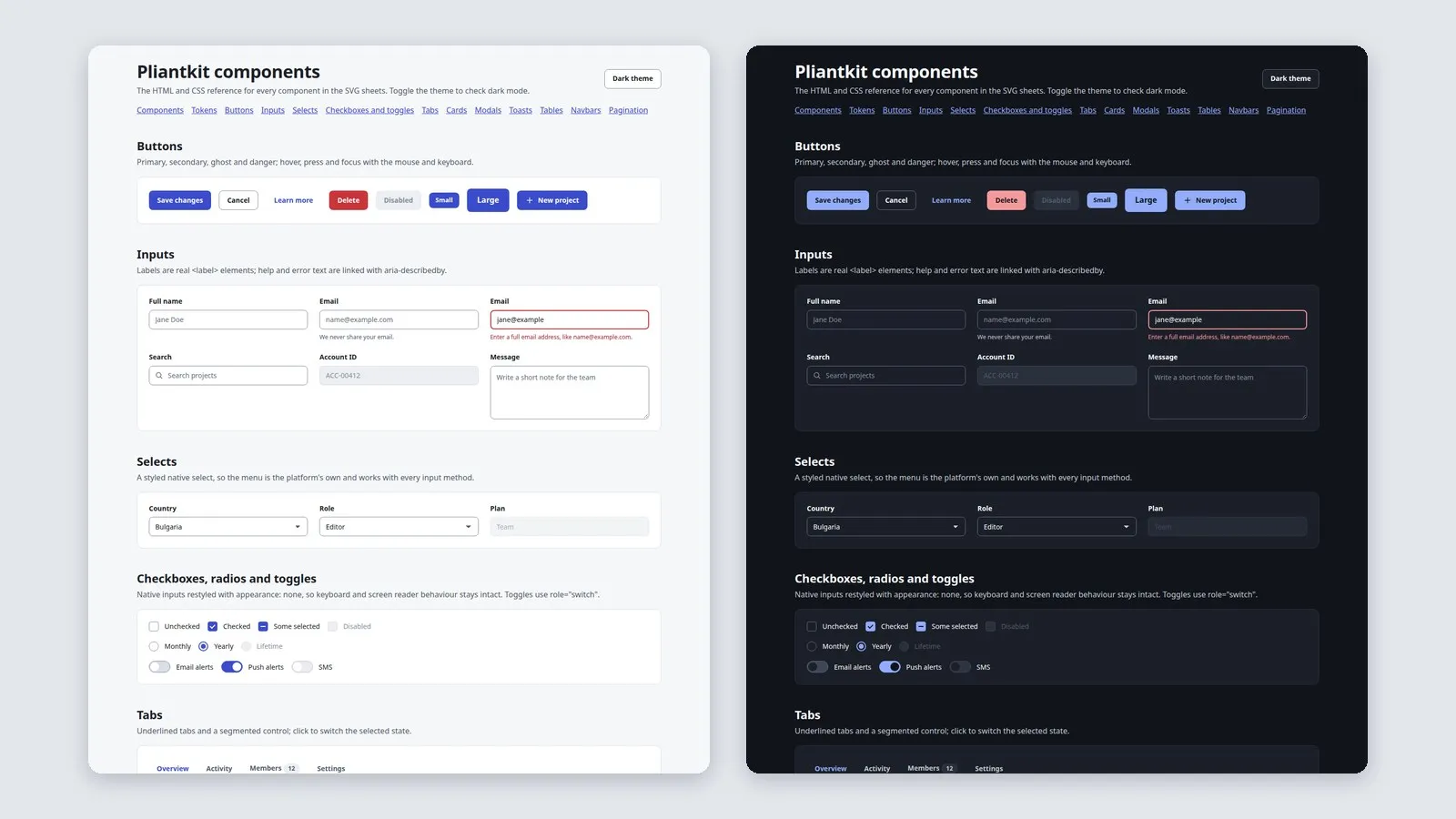
The same token build writes the SVG sheets, the big canvas and pliantkit.css. The HTML reference shows each component with native elements, keyboard focus and a theme switch, and the token table lists every value with its CSS variable.
Tests validate every token and alias, compute contrast for 24 text pairs and 6 component boundaries in both themes, parse all 25 SVG files, confirm that every colour in a sheet is a token colour and that every expected layer exists, and check the CSS variables and HTML links.
This file could not be loaded.
This file could not be loaded.

This file could not be loaded.
This file could not be loaded.
This file could not be loaded.
This file could not be loaded.
1 of 6
| Platform or runtime | Supported versions | Tested up to |
|---|---|---|
| Python (to rebuild) | 3.10 or newer | 3.12 |
| Google Chrome (HTML reference) | 120 or newer | current stable, headless |
It is finished and tested. It is not on sale yet; this page will say where to get it when it is.
Coming soon
Not published on its store yet, so there is no buy or download link. PN Scripts does not take payment for it here.