
The gap
In a multilingual project a key like auth.failed says nothing about the text behind it, and a key forgotten in one locale stays invisible until a user sees the raw key on the page.

Developer tools
A VS Code extension that shows the translated text next to every key, reports keys missing in any locale and adds them to every Laravel, vue-i18n or i18next file with one command.
Coming soon
Not published on its store yet, so there is no buy or download link. PN Scripts does not take payment for it here.
The gap
In a multilingual project a key like auth.failed says nothing about the text behind it, and a key forgotten in one locale stays invisible until a user sees the raw key on the page.
What it is
Keyglint shows the real text beside each key, flags every key missing in any locale while you code, and fills the gaps in all locale files at once without breaking their formatting.
How you use it
Read code with the real words in it and catch missing translations before release instead of after.
For Laravel and JavaScript developers who ship in more than one language, Keyglint is a lightweight VS Code extension that understands both PHP lang arrays and JSON locale files in the same project.
Use it when
Built for
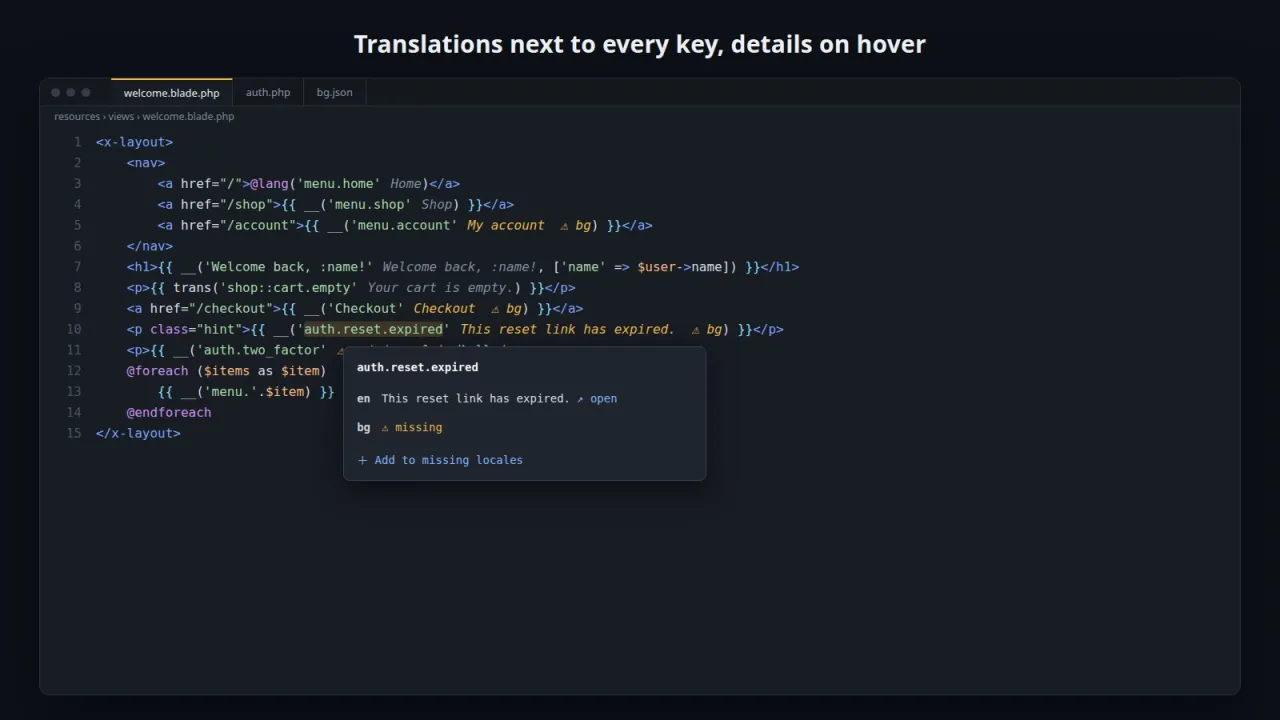
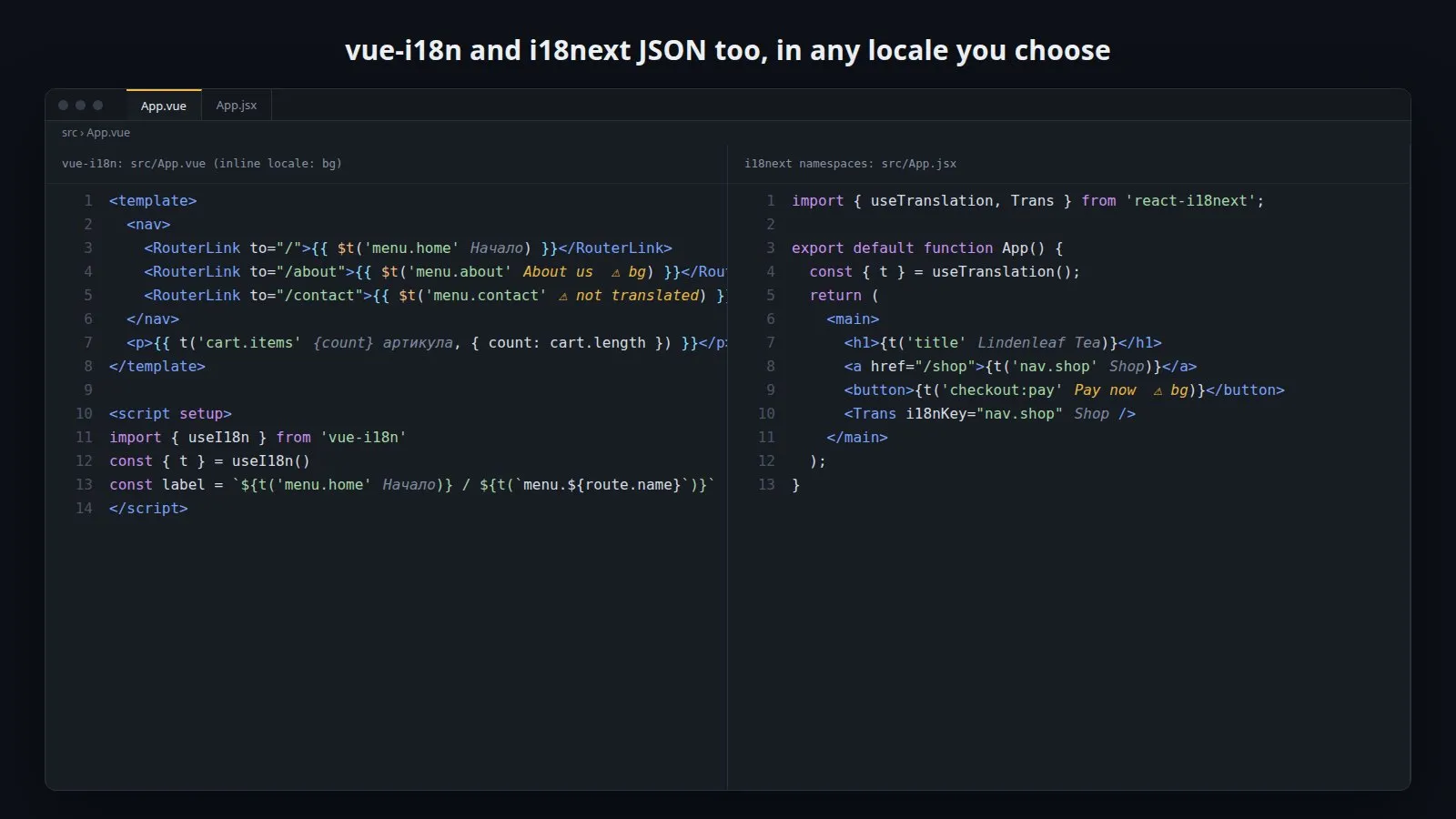
After each key Keyglint prints its text in grey, shortened to fit. Missing locales are named in yellow. The command Choose Locale for Inline Values switches the whole editor to Bulgarian, German or any other locale you have.
Every key used in code is checked against every locale. Gaps show up as warnings, keys defined nowhere as errors, and the Missing Translations view lists them per locale, including keys that exist in one locale only.
On a missing key, the quick fix asks for the text in each locale that lacks it, prefilled with the source text, and writes it into the matching file. Nested arrays and objects are created where needed, and new locale files are created if they do not exist yet.
Laravel lang/*.php groups with subfolders, lang/vendor package files and lang/*.json strings are read the way Laravel resolves them. vue-i18n and i18next JSON files, nested or flat, and i18next namespaces such as checkout:pay are supported too.

This file could not be loaded.

This file could not be loaded.

This file could not be loaded.

This file could not be loaded.
This file could not be loaded.
1 of 5
| Platform or runtime | Supported versions | Tested up to |
|---|---|---|
| Visual Studio Code | 1.85 or newer | 1.141 (.vsix installed from the command line; not run in an open window) |
| Node.js (to run the tests) | 20 or newer | 22.23 |
It is finished and tested. It is not on sale yet; this page will say where to get it when it is.
Coming soon
Not published on its store yet, so there is no buy or download link. PN Scripts does not take payment for it here.
