
The gap
Hand-editing Markdown tables is slow: pipes drift out of line, CJK text and emoji break naive alignment, and moving data between spreadsheets and tables means retyping it.

Developer tools
A VS Code extension for Markdown tables: Tab between cells, alignment that stays correct with CJK text and emoji, CSV and TSV in both directions, and row, column and sort commands.
Coming soon
Not published on its store yet, so there is no buy or download link. PN Scripts does not take payment for it here.
The Lite edition is free and complete for what it does; the full edition adds more.

The gap
Hand-editing Markdown tables is slow: pipes drift out of line, CJK text and emoji break naive alignment, and moving data between spreadsheets and tables means retyping it.
What it is
Pipegrid lets you type into a table with Tab doing the alignment, converts CSV and TSV in both directions and edits tables by row and column, all from the keyboard, the Command Palette or the right-click menu.
How you use it
Readable tables in the source file, quick moves between spreadsheets and Markdown, and column edits that take one command instead of careful manual work.
For people who keep documentation, changelogs and notes in Markdown, Pipegrid is a focused table tool that handles multilingual text correctly and never drops a cell.
Use it when
Built for
Each cell is measured in display columns, the way a monospace editor draws it. CJK ideographs, kana, Hangul and fullwidth characters take two columns, emoji take two, combining marks take none, and emoji sequences such as flags, skin tones and joined families count as one unit. The pipes line up as long as your editor font draws those characters at double width.
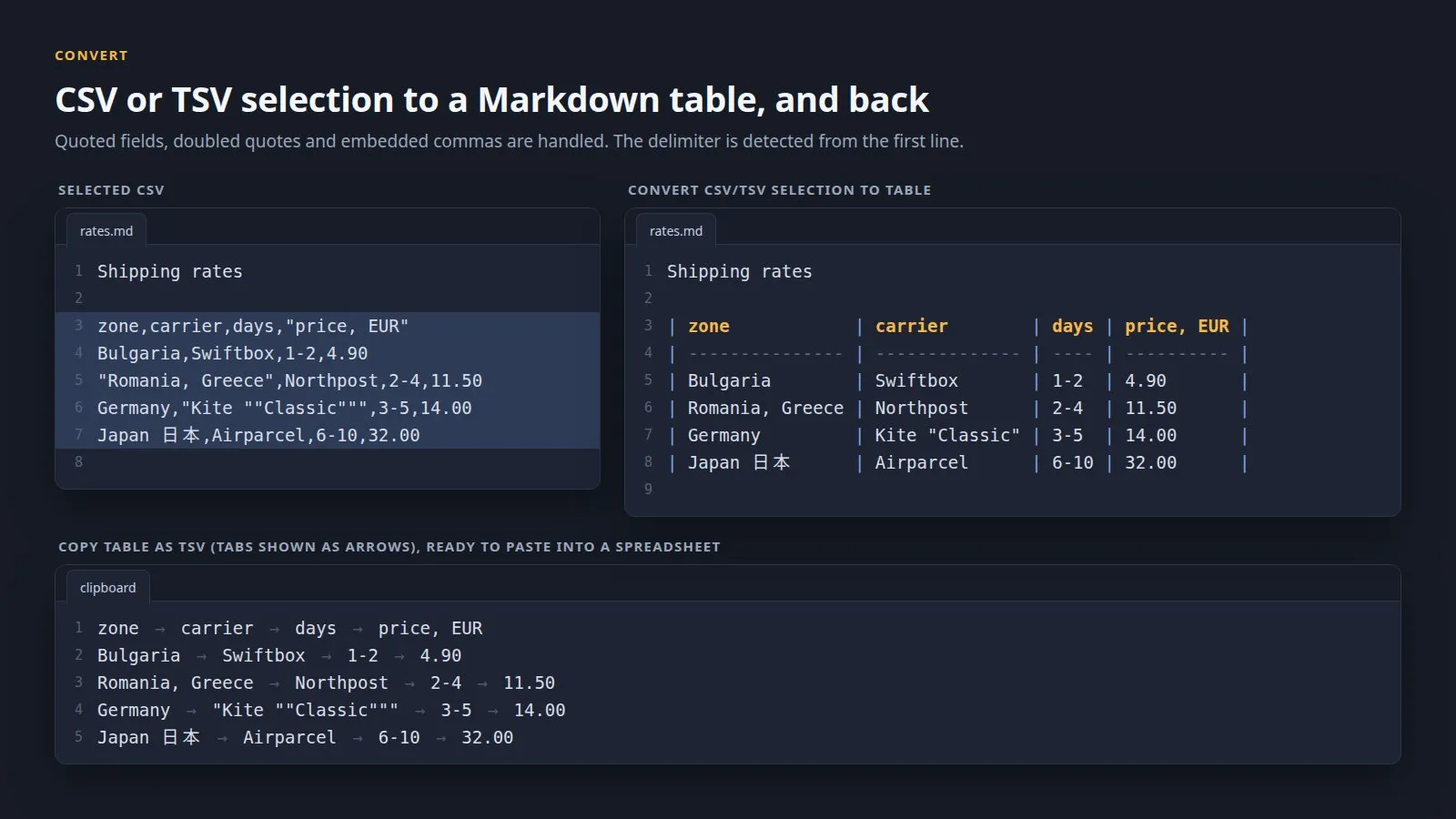
Select CSV, TSV or semicolon-separated lines and turn them into a table. Quoted fields, doubled quotes, delimiters inside quotes and line breaks inside quotes are handled, and the first row becomes the header. Going back, a table becomes CSV or TSV in place, or TSV on the clipboard ready for a spreadsheet; escaped pipes and line breaks are restored.
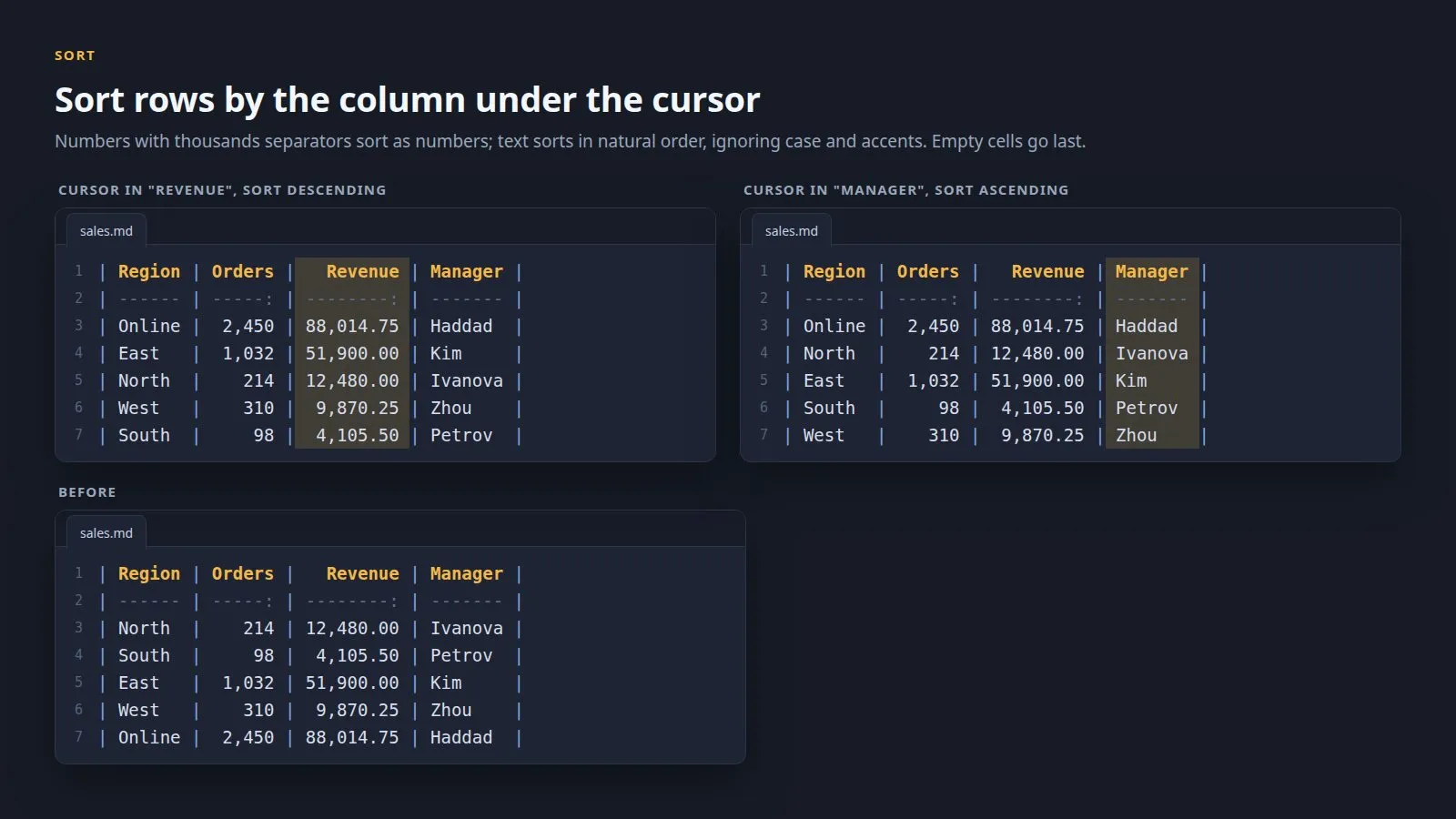
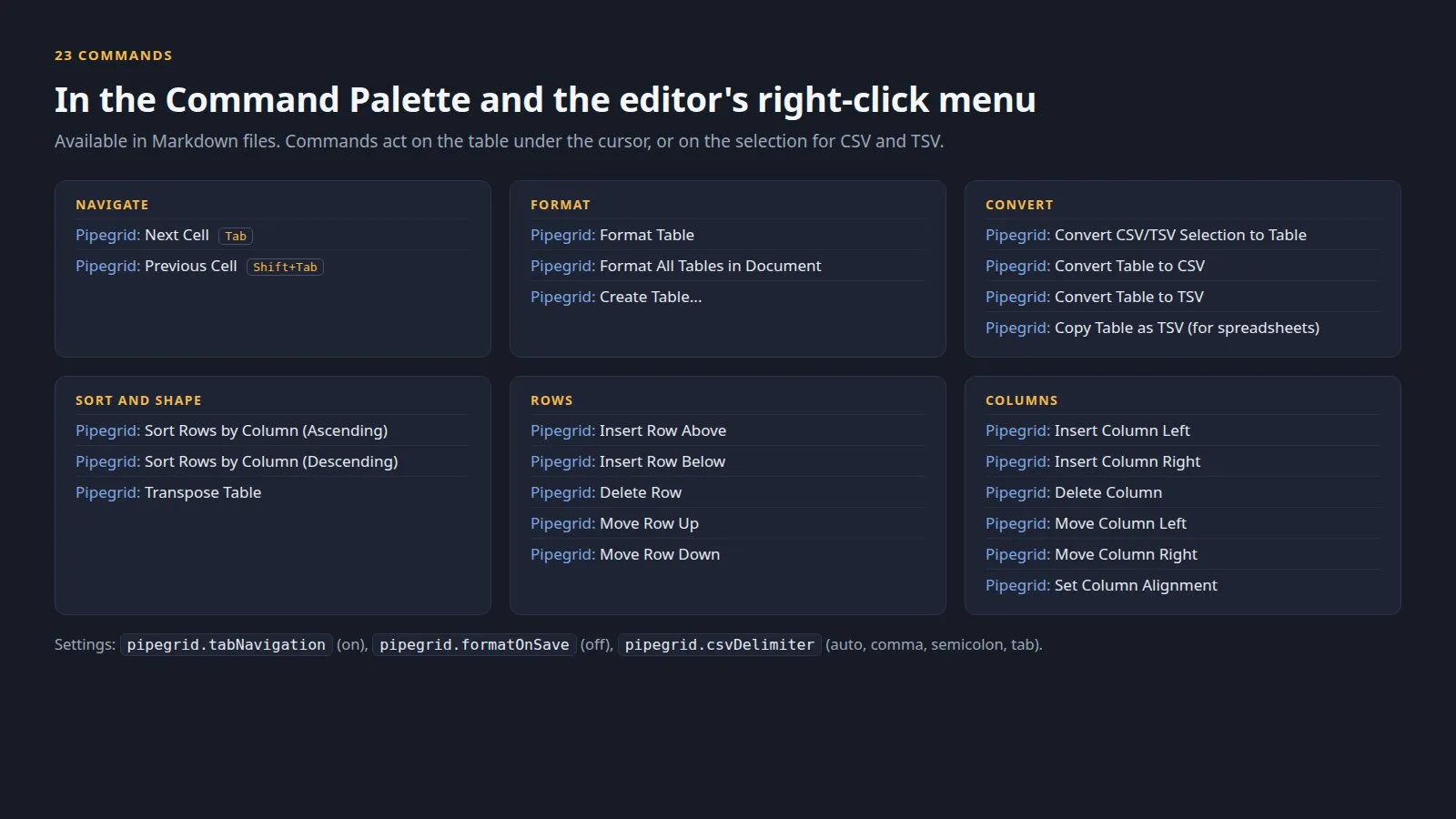
Inside a table, Tab realigns the table and selects the next cell so you can type over it; Tab in the last cell adds a row and Shift+Tab goes back. Create Table asks for a size such as 3x4. With the cursor in a cell you can insert, delete or move the row or the column, sort the rows by that column or set its alignment, and Transpose swaps rows and columns. After each edit the cursor stays with the cell it was in.
Pipegrid follows the GitHub Flavored Markdown table rules, keeps alignment markers, indentation and line endings, pads short rows and keeps extra cells rather than dropping them. Tables inside fenced code blocks are left alone. Tab is taken over only inside a table with a single cursor and no suggestion or snippet open, and can be switched off; format on save is off until you turn it on.

This file could not be loaded.

This file could not be loaded.
This file could not be loaded.
This file could not be loaded.

This file could not be loaded.
This file could not be loaded.
1 of 6
| Platform or runtime | Supported versions | Tested up to |
|---|---|---|
| Visual Studio Code | 1.85 or newer | 1.141.0 |
It is finished and tested. It is not on sale yet; this page will say where to get it when it is.
Coming soon
Not published on its store yet, so there is no buy or download link. PN Scripts does not take payment for it here.