Skip to content
PN Scripts

Blender add-ons

Pivotry by PN Scripts

Select any number of imported models, click once, and every origin moves to the bottom centre (or any of 27 box points) while nothing moves on screen; then snap, align, distribute or drop them onto terrain.

  • Blender extension
  • Python
  • bpy
  • mathutils
  • NumPy
  • Coming soon

Coming soon

Not published on its store yet, so there is no buy or download link. PN Scripts does not take payment for it here.

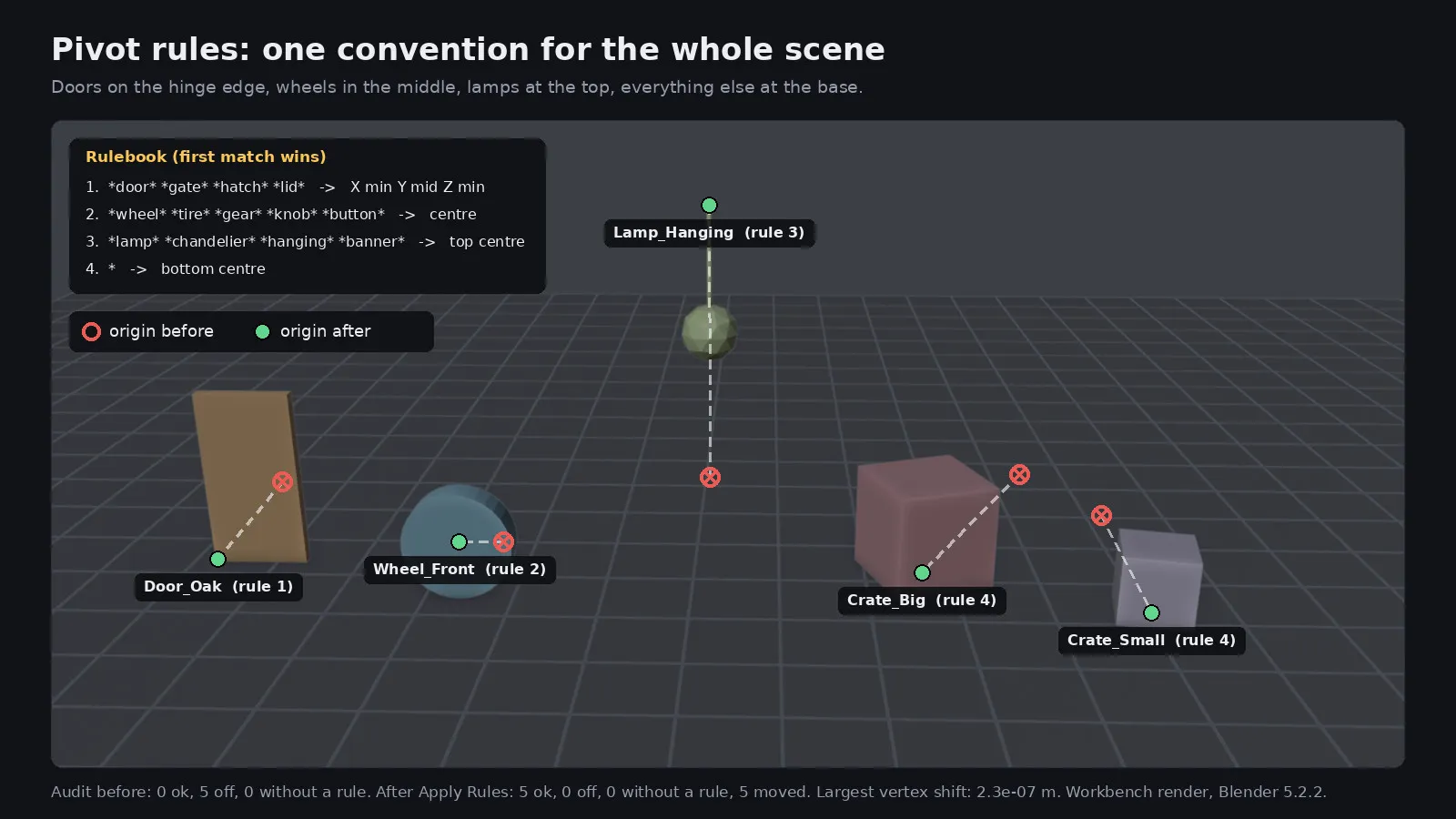
Six models on a grid with red markers at their old origins and green markers at their new bottom-centre origins

What it solves

The gap

Imported and kitbashed models arrive with origins in random places, and Blender's own Set Origin only offers geometry centre, cursor or centre of mass, so putting origins at the base of many objects and then lining them up takes a chain of manual steps.

What it is

Pivotry moves origins to any bounding-box point, the cursor or the selection for the whole selection in one undoable step, without moving geometry, and adds floor snapping, bounds-based align and distribute, and a raycast drop onto other objects.

How you use it

One click puts every selected object's origin at its base and drops it on the ground, and you can trust that nothing visibly moved.

A focused origin and placement tool for Blender users who set up scenes from many separate models, smaller than a full layout suite and tested at the vertex level.

Who it is for

Use it when

  • Fixing origins of an imported asset pack so every model sits on its base
  • Laying out props on uneven terrain without manual nudging
  • Lining up and spacing objects for turntables, catalogues or level blockouts

Built for

  • Blender artists who assemble scenes from many separate models
  • Game and environment artists preparing assets for export to an engine

What is inside

Origins for the whole selection

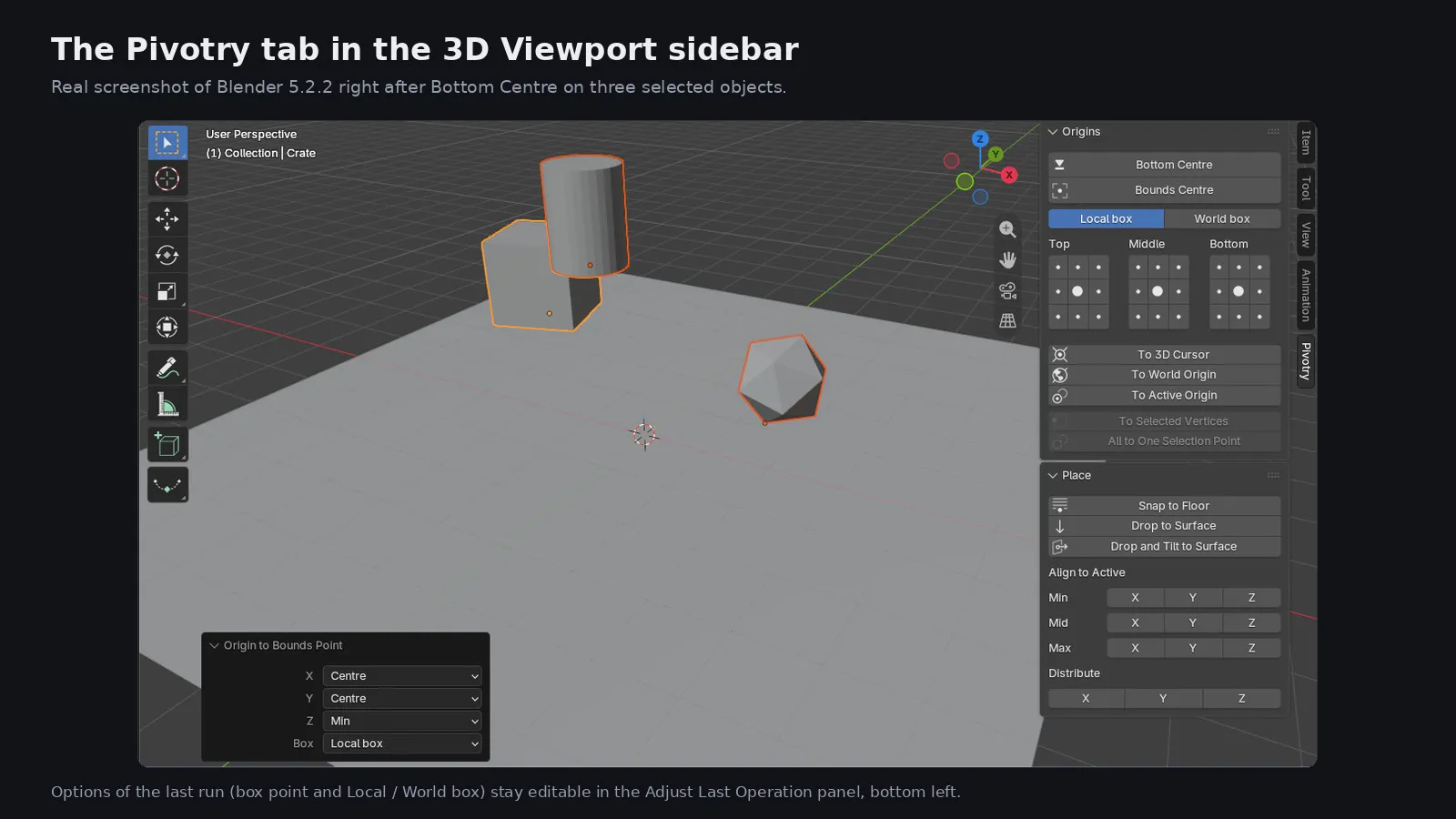
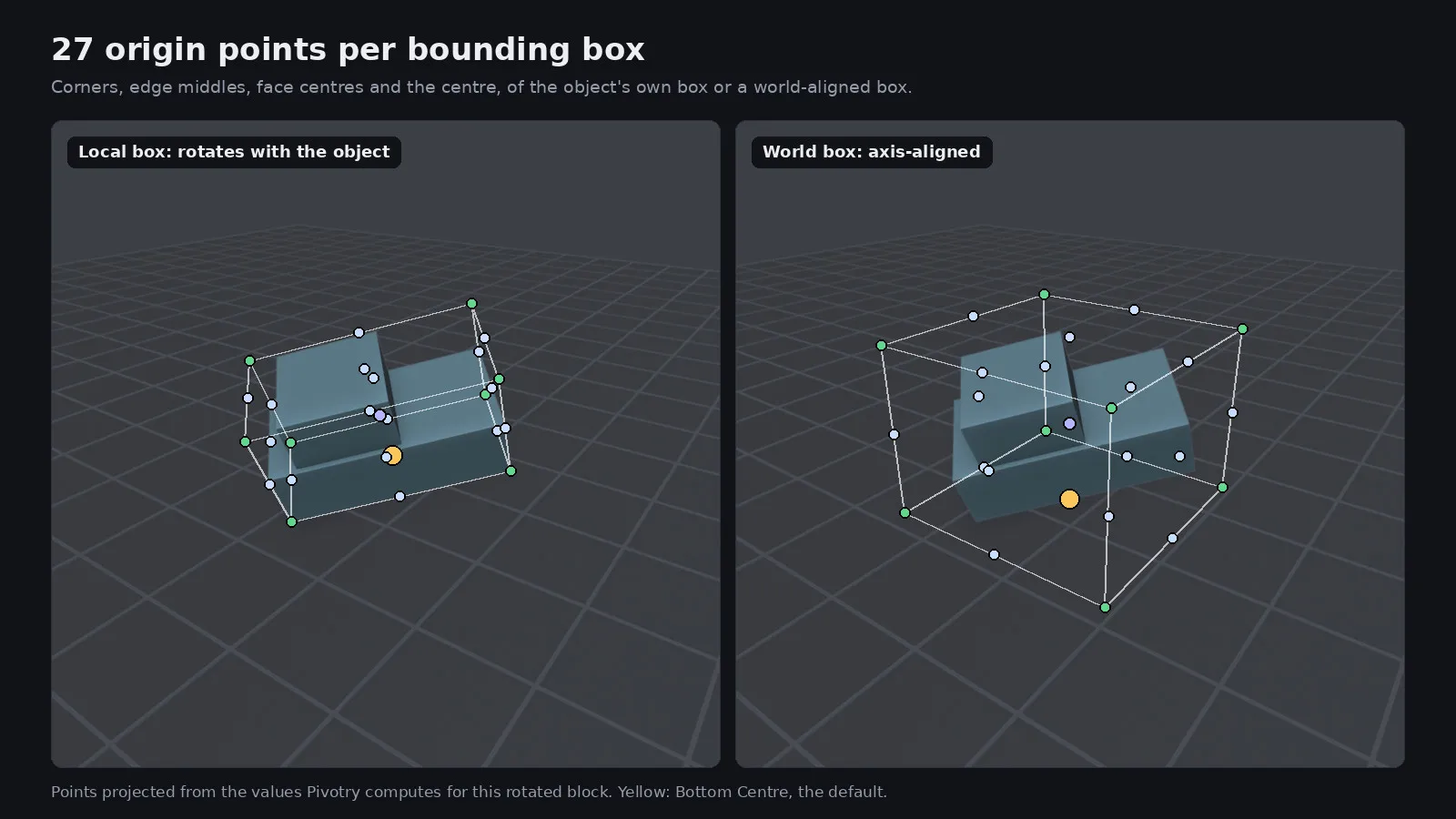
Pick a point on the 27-button grid (Top, Middle and Bottom layers, three by three each) or use Bottom Centre and Bounds Centre. Choose Local box to follow the object's rotation or World box for an axis-aligned box around the visible geometry. Other buttons send origins to the 3D cursor, the world origin or the active object's origin.

Edit Mode selections

In Edit Mode, To Selected Vertices moves each mesh's origin to the middle of its own selected vertices, and All to One Selection Point gives every mesh in multi-object editing the same origin. Vertex average or bounds centre is a toggle in the operator options.

Placing objects

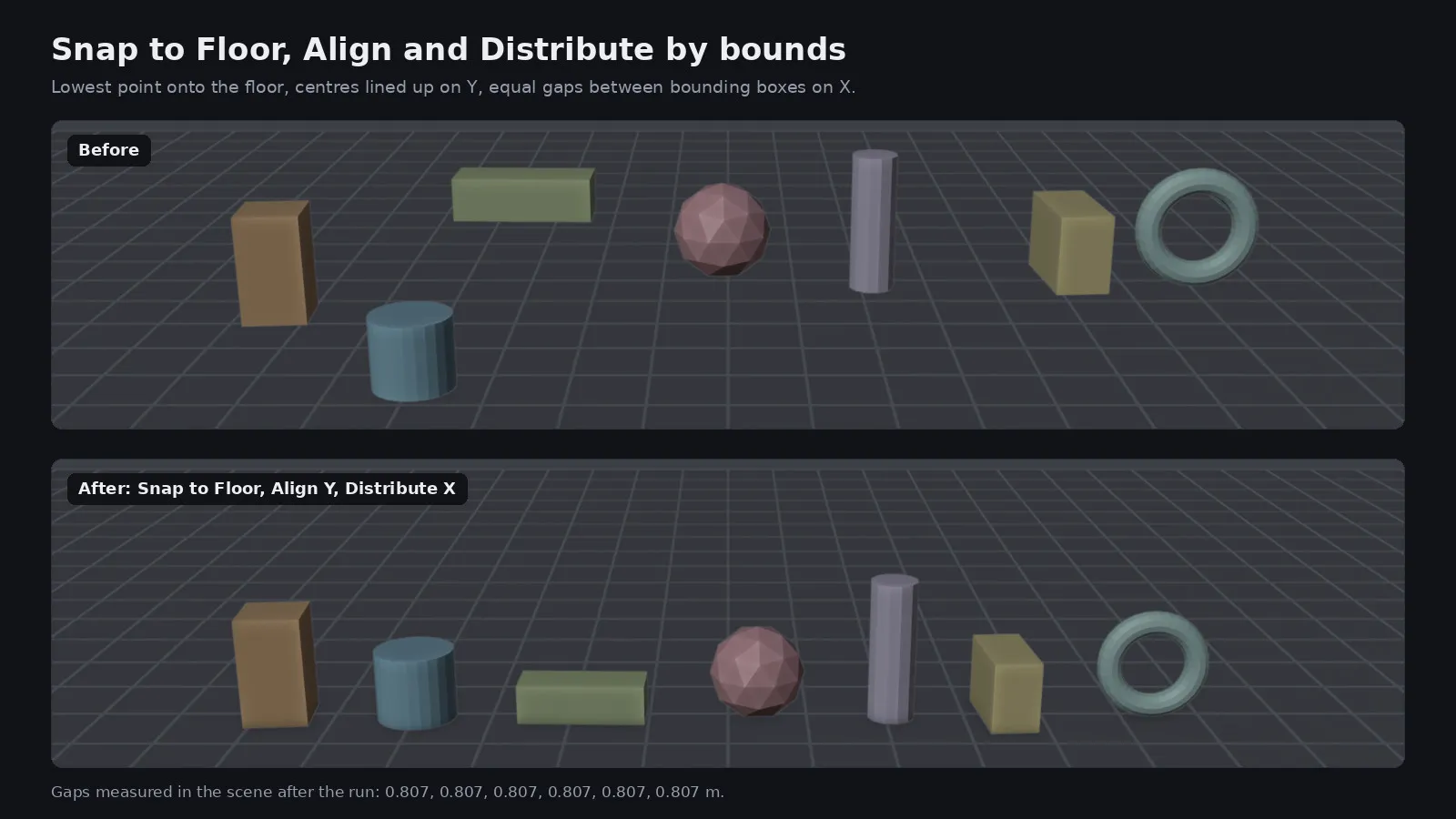
Snap to Floor uses the lowest evaluated vertex, so rotated objects touch the floor exactly. Align moves objects so their min, centre or max matches the active object, the whole selection or the cursor on the axes you choose. Distribute keeps the two outer objects and spaces the rest with equal gaps or equal centre distance.

Drop to Surface

Each selected object is tested with raycasts straight down from up to 256 of its vertices onto the other visible objects, and moved so the first contact rests on the surface. Drop and Tilt also rotates the object to the surface normal under its bottom centre while keeping its heading. Objects with nothing below them are left alone and named in the report.

Specs

Availability
Coming soon
Vendor
PN Scripts
Type
Extension
Platforms
Blender
Pricing
One-time purchase Price to be announced.
Deployment
Download (Blender extension ZIP, install from disk)
Maturity
v1.0.0

Compatibility

Platform or runtime Supported versions Tested up to
Blender 4.2 or newer 5.2.2

Stack

  • Blender extension
  • Python
  • bpy
  • mathutils
  • NumPy

Pivotry is coming soon

It is finished and tested. It is not on sale yet; this page will say where to get it when it is.

Coming soon

Not published on its store yet, so there is no buy or download link. PN Scripts does not take payment for it here.

Questions

A Blender extension that moves origins of many objects at once without moving their geometry, and places objects by snapping to a floor, aligning, distributing and dropping onto surfaces.

Blender with extension support. It was tested with Blender 5.2.2 on Linux. The manifest allows 4.2 and later, but versions before 5.2 were not tested.

It does not move origins of empties, armatures, cameras, lights, text or metaballs, it does not do physics-based settling, and Drop to Surface only looks straight down. Origins are not animated: it edits the current frame's data and transforms.

It was written in Python against Blender's bpy and mathutils APIs. Created with AI assistance; the behaviour was checked by PN Scripts with 29 automated tests run inside Blender 5.2.2 that compare every vertex position before and after, plus an install of the built ZIP into a clean Blender profile.

It is not on sale yet. When it is, this page will link to the store; PN Scripts does not take payment on this site.