Skip to content
PN Scripts

Game dev tools

Pipalo

A virtual joystick, on-screen buttons and gestures that press your existing input actions, and button prompts that switch between keyboard, gamepad and touch by themselves, for Godot 4.

  • Godot 4
  • GDScript
  • Coming soon
  • Free Lite out now

Coming soon

Not published on its store yet, so there is no buy or download link. PN Scripts does not take payment for it here.

Get it on

The Lite edition is free and complete for what it does; the full edition adds more.

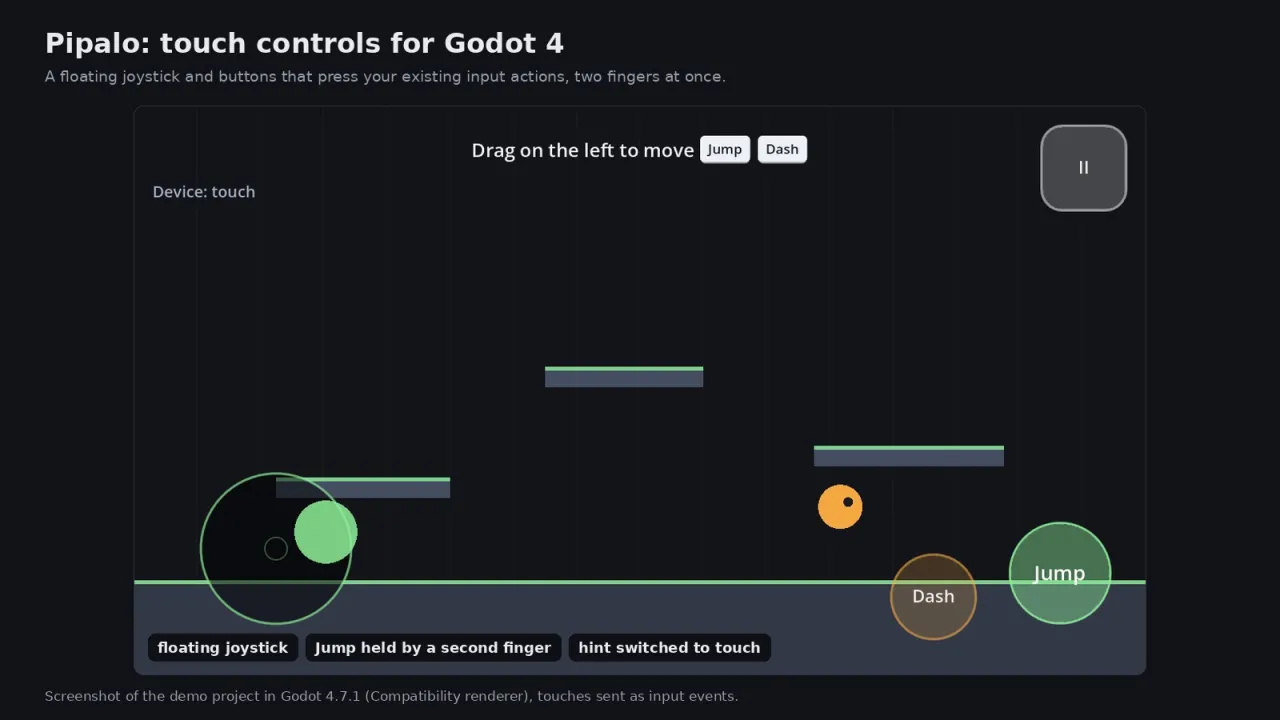
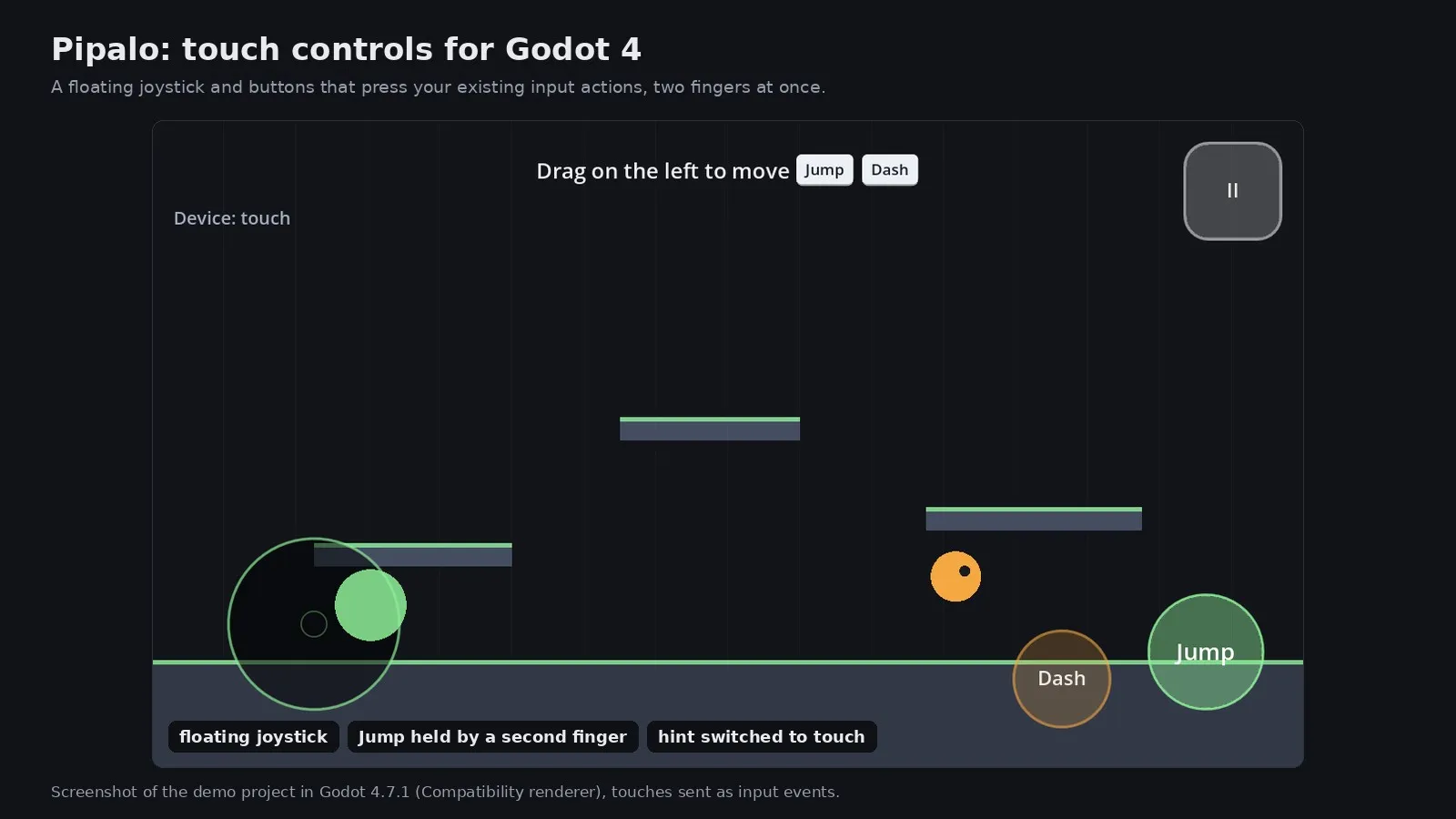
The demo runner with a floating joystick pushed to the right under one finger and the Jump button held by a second finger

What it solves

The gap

Porting a Godot game to touch usually means a second input path through the game code, buttons that cannot be held together, gestures fighting the buttons, controls under the notch, and tutorial text that keeps saying Press Space to a player holding a phone or a gamepad.

What it is

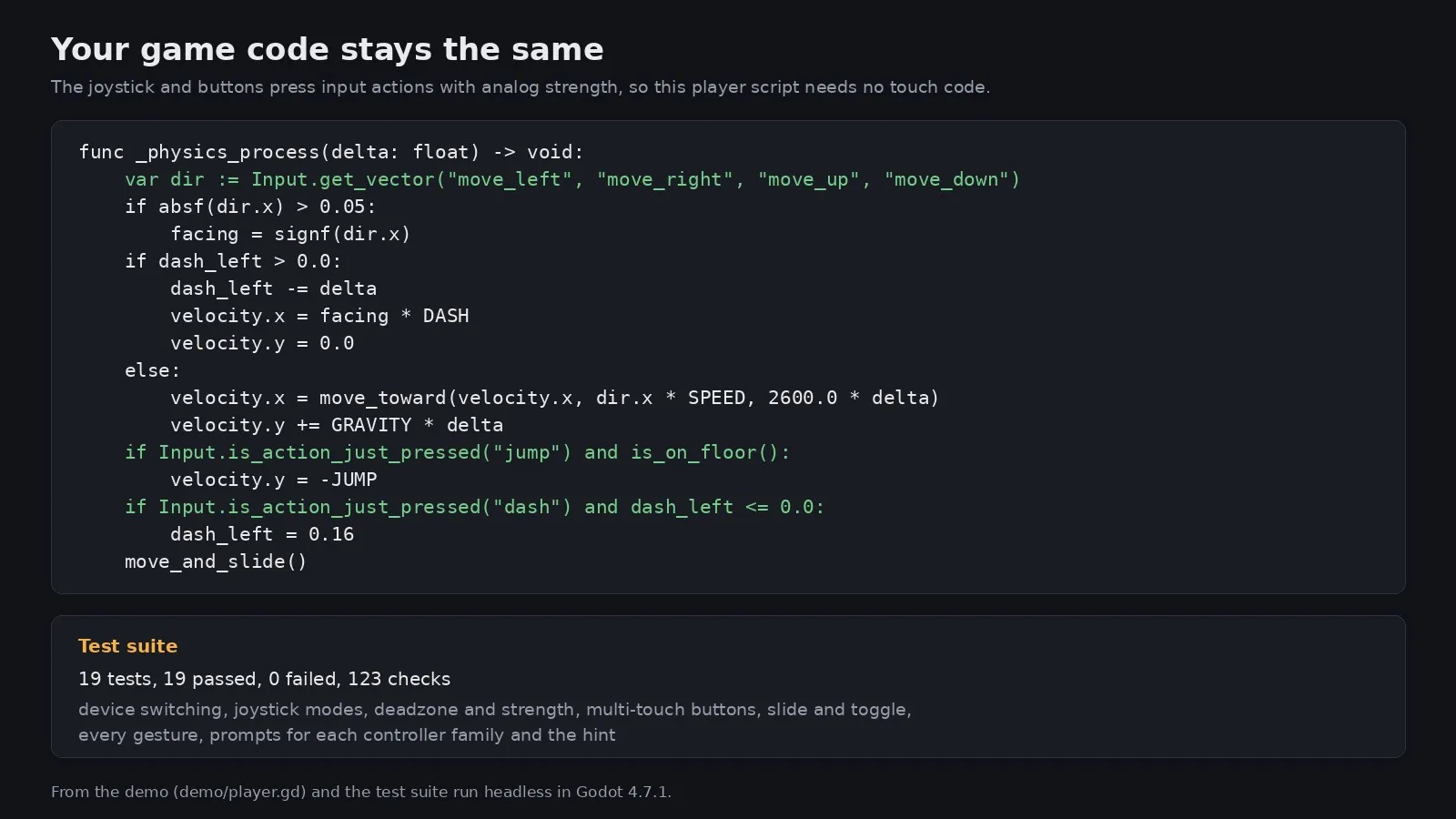
Pipalo's touch controls press the same input actions your keyboard and gamepad use, gestures only see touches the controls did not take, and prompts follow the device the player picked up last.

How you use it

Mobile controls and correct button prompts in an afternoon, with no changes to the player code you already have.

A tested touch and prompt layer for Godot 4 developers who ship one game to desktop, phones and gamepads.

Who it is for

Use it when

  • Bringing a desktop platformer or top-down game to Android and iOS
  • Showing the right buttons in tutorials for keyboard, gamepad and phone players
  • Adding pinch to zoom and swipes to a strategy or puzzle game

Built for

  • Indie developers shipping Godot 4 games to mobile and desktop
  • Developers who want correct gamepad prompts without drawing glyph sets

What is inside

Joystick and buttons

The joystick appears under the thumb, follows it past the edge if you like, and presses left, right, up and down with the strength of the push. Buttons hold their action while touched, work two or three at a time, pass the press along when a finger slides across, and can stay on until the next tap.

Gestures that do not steal taps

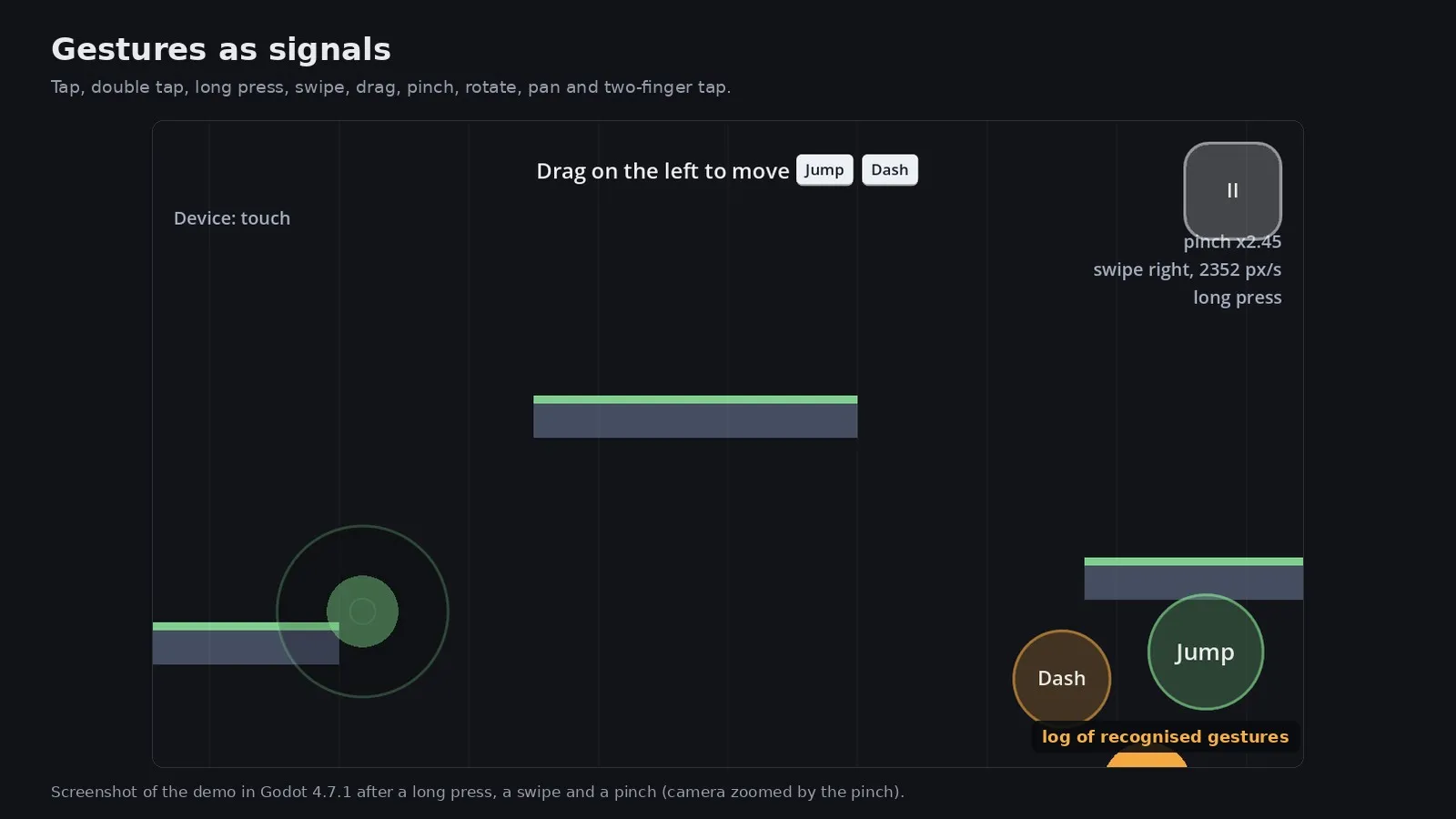
PipaloGestures listens only to touches no control used, so pressing Jump is never also a tap. Tap, double tap, long press, swipe with speed, drag, pinch with step and total factor, rotation, two-finger pan and two-finger tap arrive as signals, and a mouse can stand in for one finger while you develop.

Knows the device in hand

The Pipalo autoload switches between keyboard, gamepad and touch on real use only, reads the controller family from its name, and tells every node. Touch controls appear for touch players, keep the first touch that makes them appear, and let go of everything when the player picks up a keyboard or gamepad.

Prompts that are right

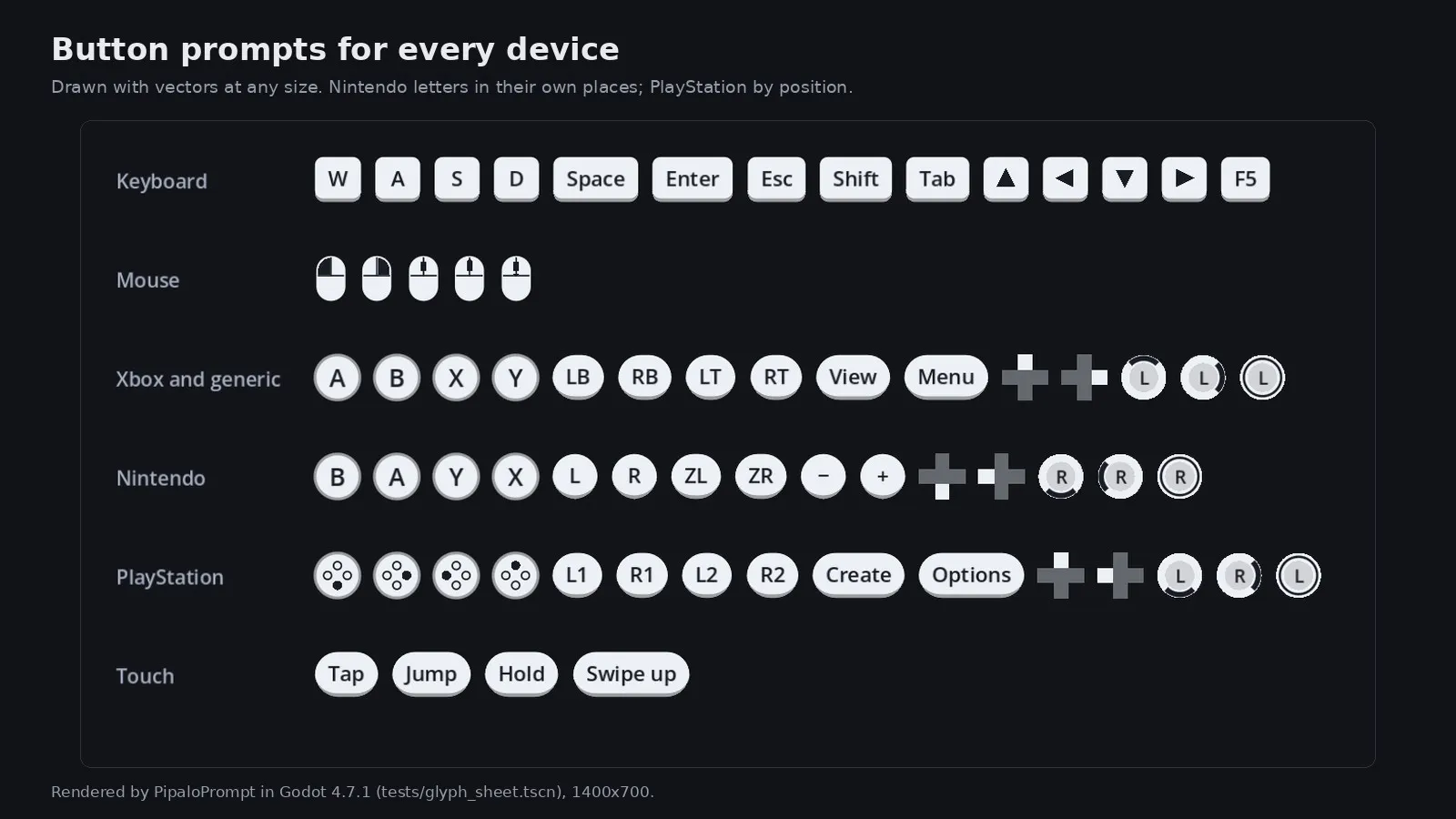
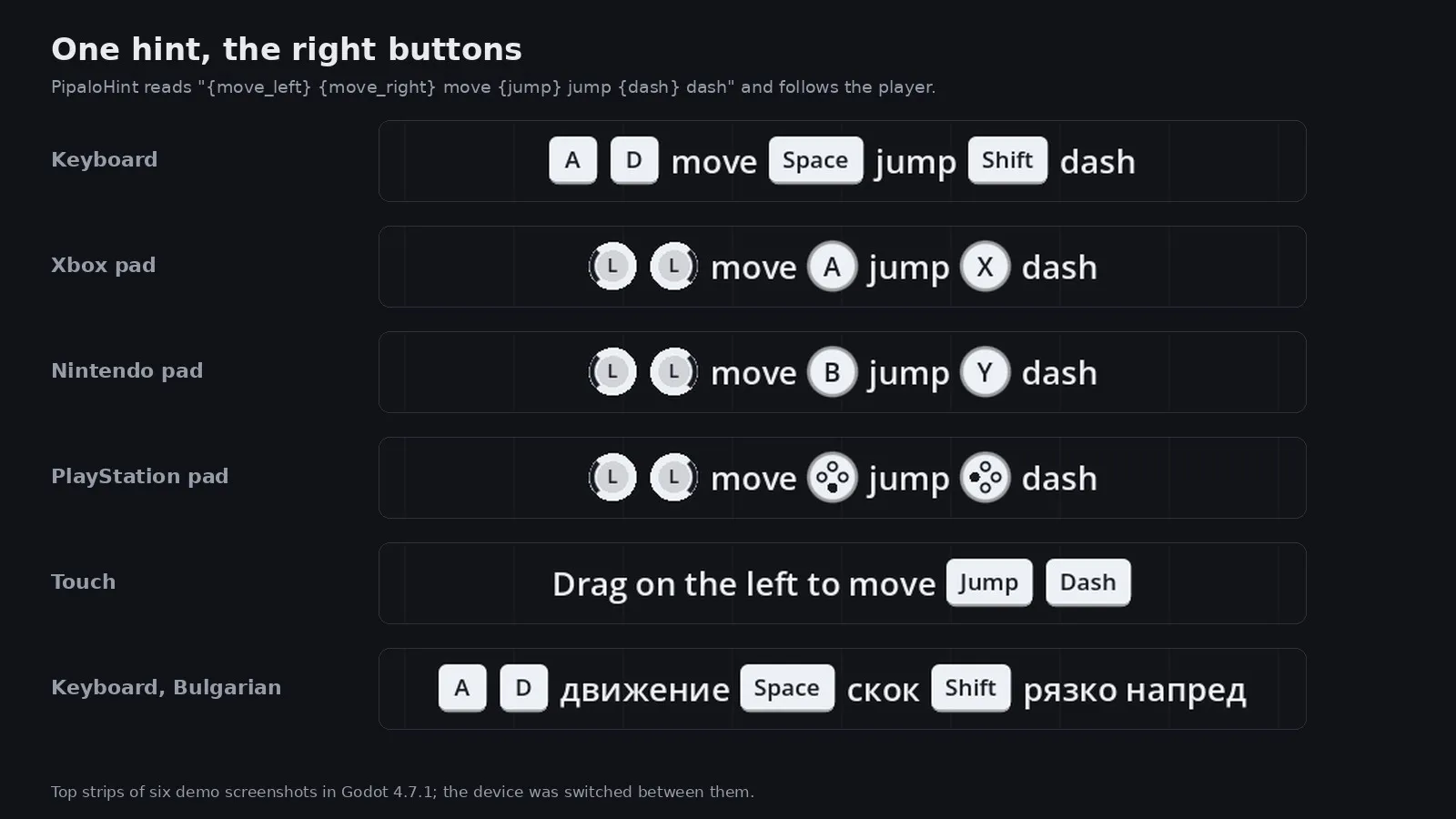
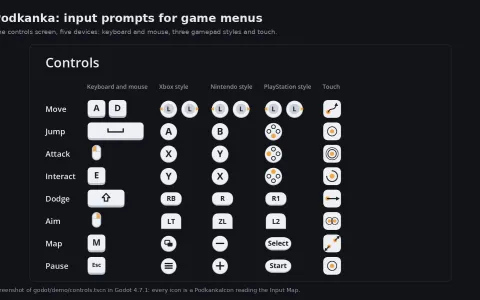
PipaloPrompt draws key caps, mouse buttons, face buttons in each family's places, shoulders and triggers with their own names, the D-pad and sticks, all as vectors. PipaloHint turns Press {jump} to jump into text with glyphs, uses a touch wording on phones and follows the game's language.

Specs

Availability
Coming soon
Vendor
PN Scripts
Type
Plugin
Pricing
One-time purchase Price to be announced.
License
Proprietary
Deployment
Download (ZIP with addons/pipalo and a ZIP with the demo project)
Maturity
v1.0.0

Compatibility

Platform or runtime Supported versions Tested up to
Godot Engine 4.7 or newer 4.7.1

Stack

  • Godot 4
  • GDScript

Pipalo is coming soon

It is finished and tested. It is not on sale yet; this page will say where to get it when it is.

Coming soon

Not published on its store yet, so there is no buy or download link. PN Scripts does not take payment for it here.

Questions

A GDScript addon for Godot 4 with a virtual joystick, touch buttons, a gesture recogniser, a safe area container, device tracking and button prompts, plus a demo project and a test suite.

Godot 4 (tested with 4.7.1 on Linux, Compatibility renderer) and input actions in your Input Map. No C#, no GDExtension, no other addons.

Glyph images for a particular console brand, haptics and vibration, and on-screen keyboards. It was not tried on a real phone, tablet, touch screen or gamepad, or in mobile, web, Windows and macOS exports; touches and pads were simulated with input events.

Made by PN Scripts, a studio that builds games and tools, and tested with headless tests of device switching, joystick modes, deadzone and strength, multi-touch buttons, sliding and toggles, every gesture, prompts for each controller family and the hint, a fresh install from the ZIP and a run of the demo for the screenshots. Created with AI assistance; the behaviour was checked by PN Scripts with 19 headless tests (123 checks) in Godot 4.7.1, the addon was installed from its ZIP into a fresh project, and the demo was run with simulated touches for the pictures.

It is not on sale yet. When it is, this page will link to the store; PN Scripts does not take payment on this site.