
The gap
Resellers buy in lots, sell item by item on several platforms with different fees, and at tax time still have to work out what the items they sold actually cost.

Business spreadsheets
A spreadsheet for US resellers who buy by the lot: split a lot's cost across its items, set your own platform fees, see profit per item and per lot, and get the Schedule C cost of goods sold lines at year end. Excel, LibreOffice and Google Sheets.
Coming soon to Gumroad
Not published on its store yet, so there is no buy or download link. PN Scripts does not take payment for it here.
The gap
Resellers buy in lots, sell item by item on several platforms with different fees, and at tax time still have to work out what the items they sold actually cost.
What it is
One workbook that splits each lot's cost across its items, applies your own fee profile for each platform and turns the item list into the Schedule C cost of goods sold lines.
How you use it
Download the ZIP from Gumroad, enter your settings and fees once, then add lots and items as you buy and sell.
Built for flippers who buy by the lot: cost allocation, editable fee profiles and a Schedule C Part III helper in a plain workbook without macros or a subscription.
Use it when
Built for
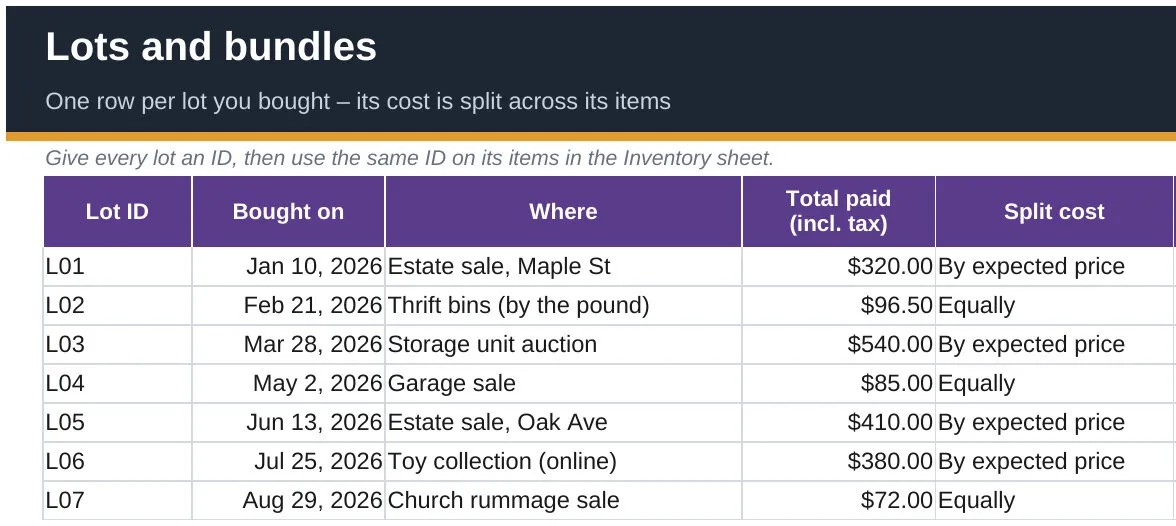
Enter a lot once with what you paid. Its cost is split across the items that carry its ID, equally or by expected price, and the Lots sheet shows items entered, expected sales, sold so far and profit so far, with a check column for a lot whose cost is not fully allocated.
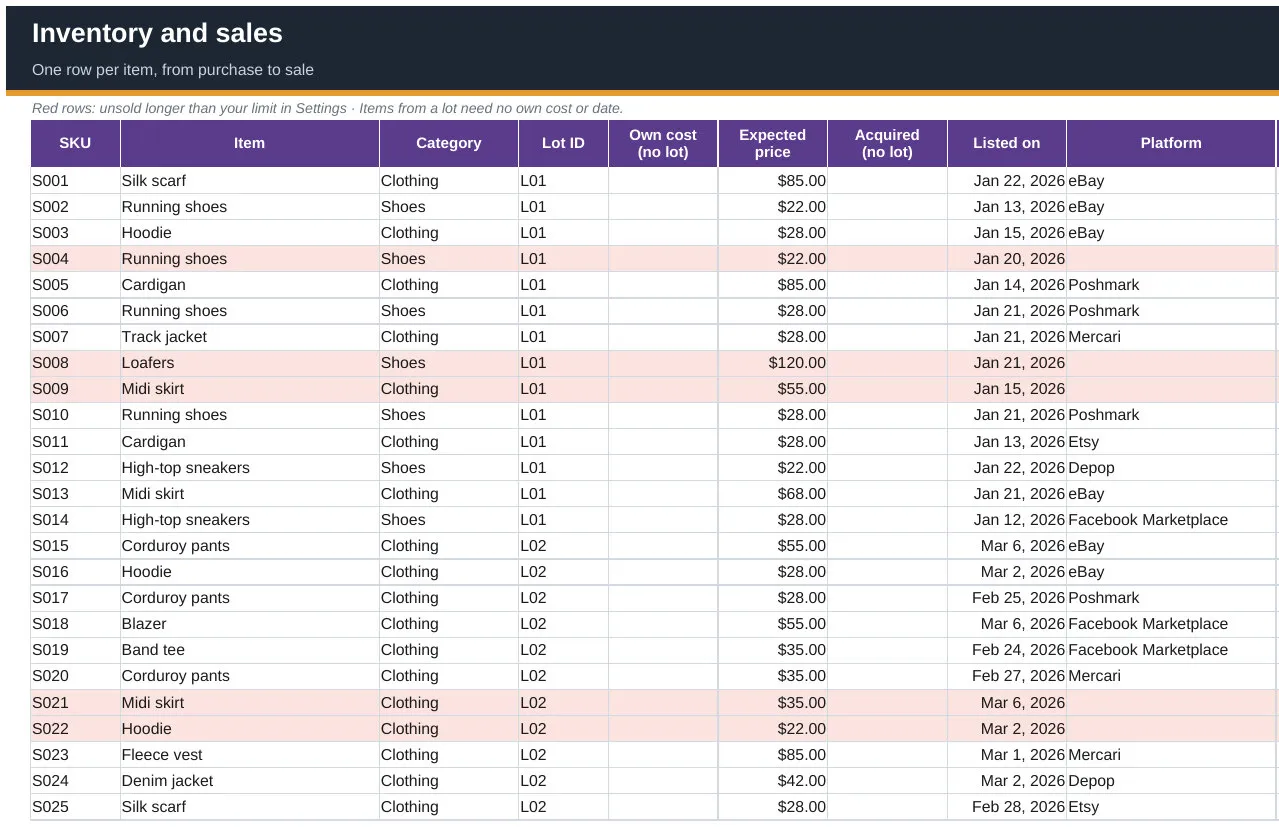
One row per item from purchase to sale: platform, sale price, shipping charged, label, supplies and an optional exact fee. The workbook adds item cost, fees, profit, ROI, days to sell and age, and marks unsold items older than your limit in red.
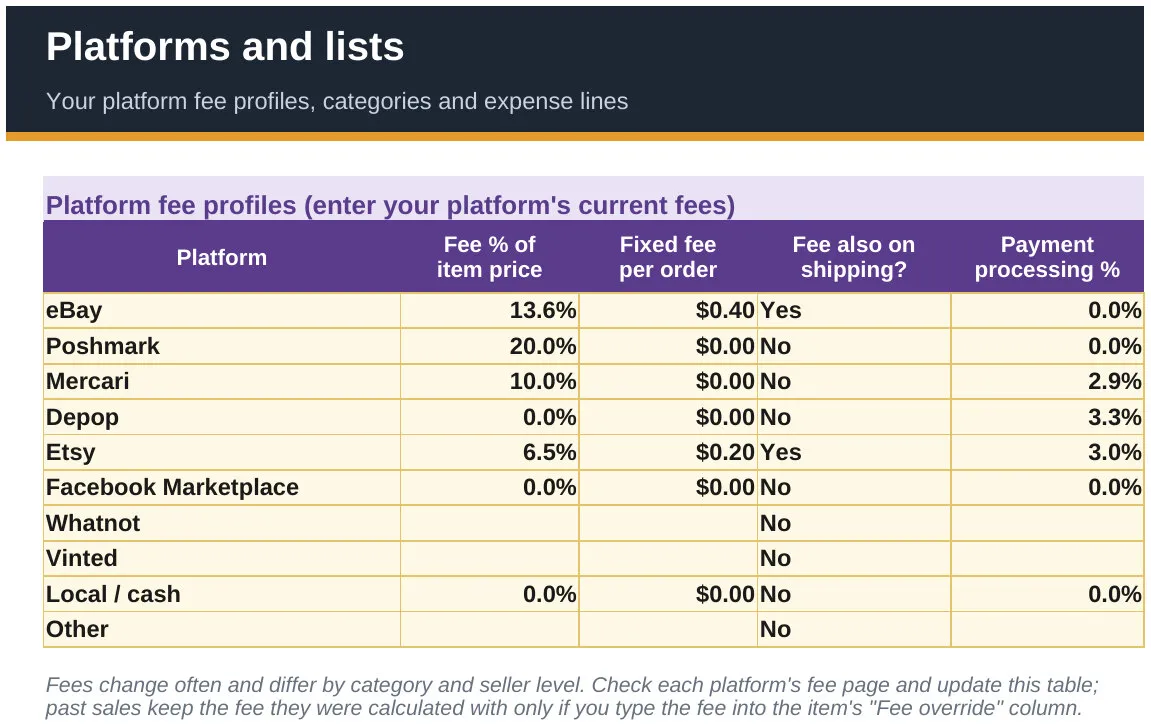
No fee tables are built in, because fees change and depend on your account. You enter each platform's current percentage, fixed fee, fee on shipping and payment processing once; the example file uses illustrative numbers.
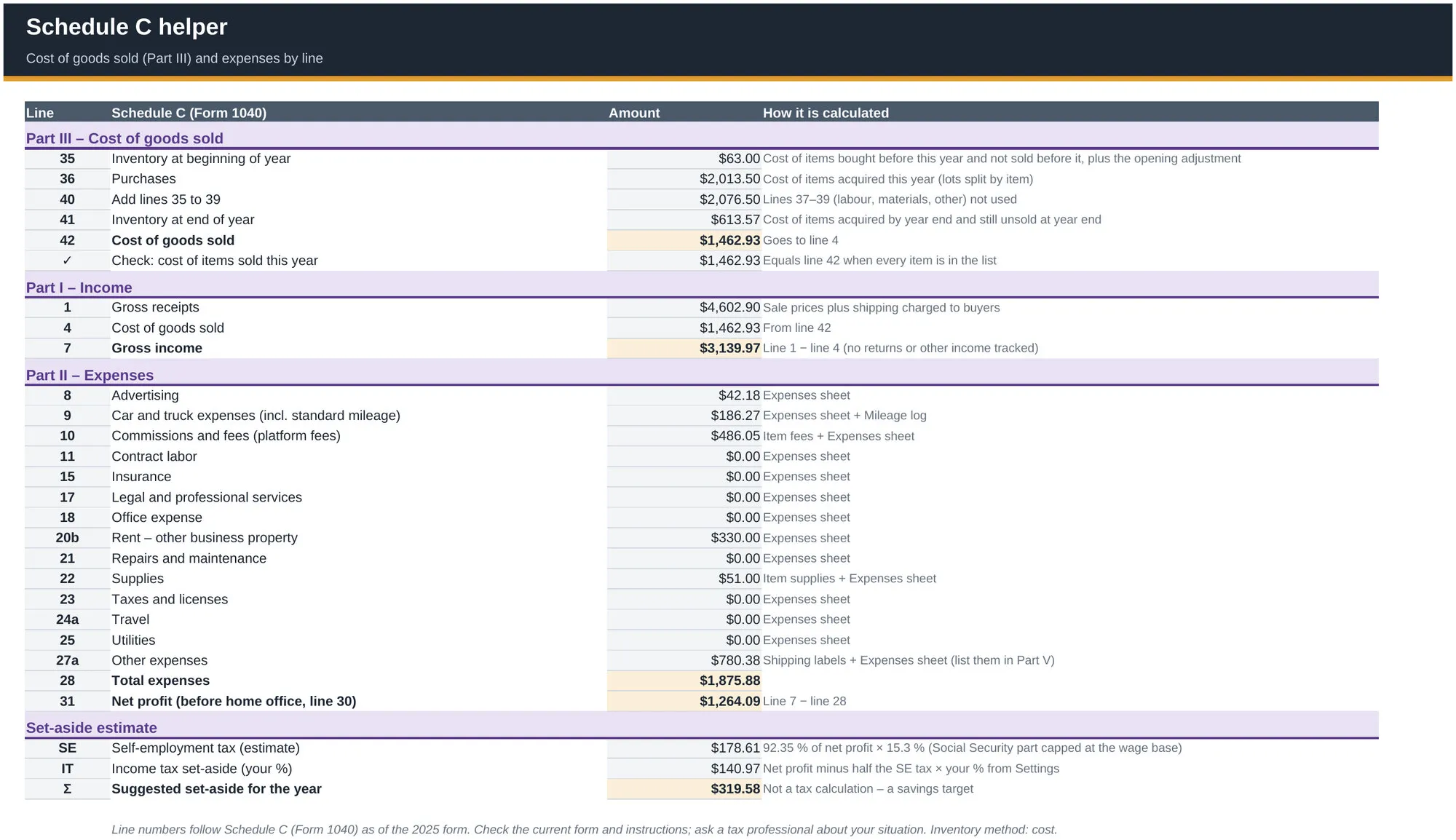
Part III cost of goods sold with beginning and ending inventory worked out from your item list and a check line, then gross income, expenses by line and net profit, plus a self-employment tax and set-aside estimate.
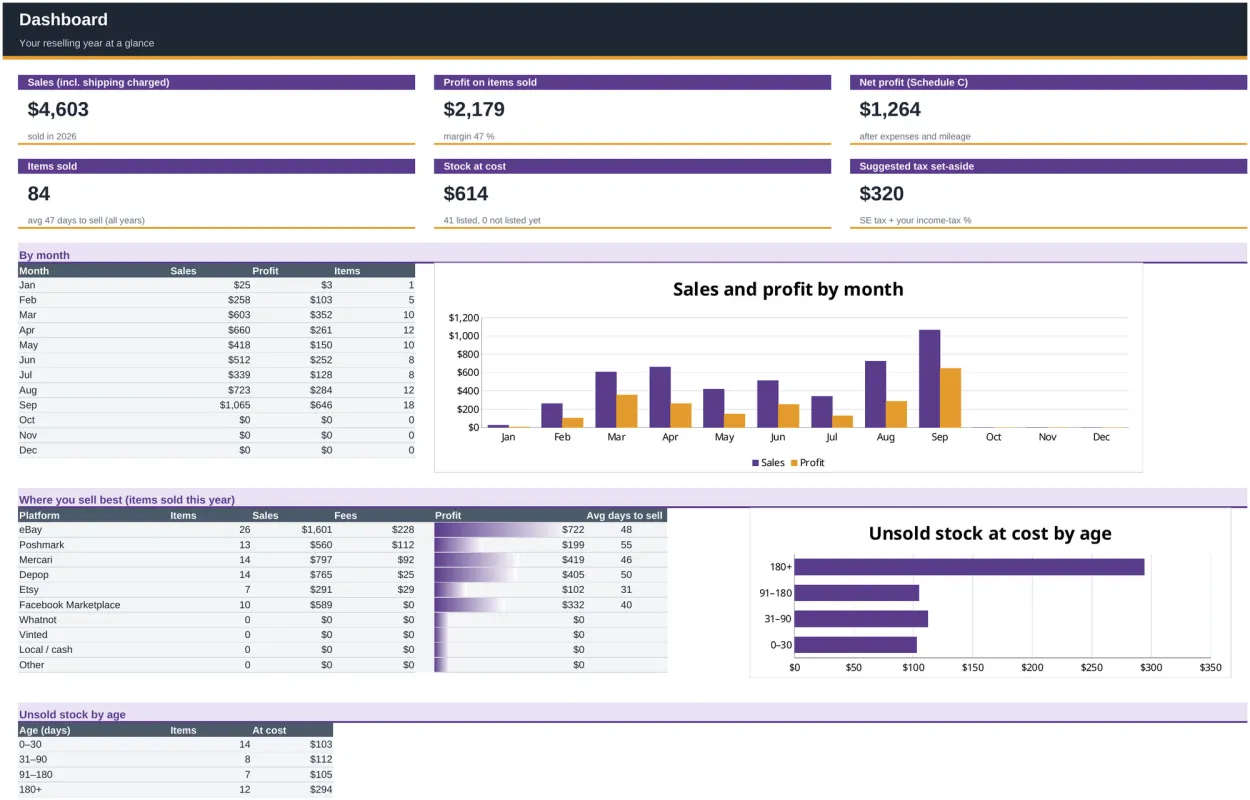
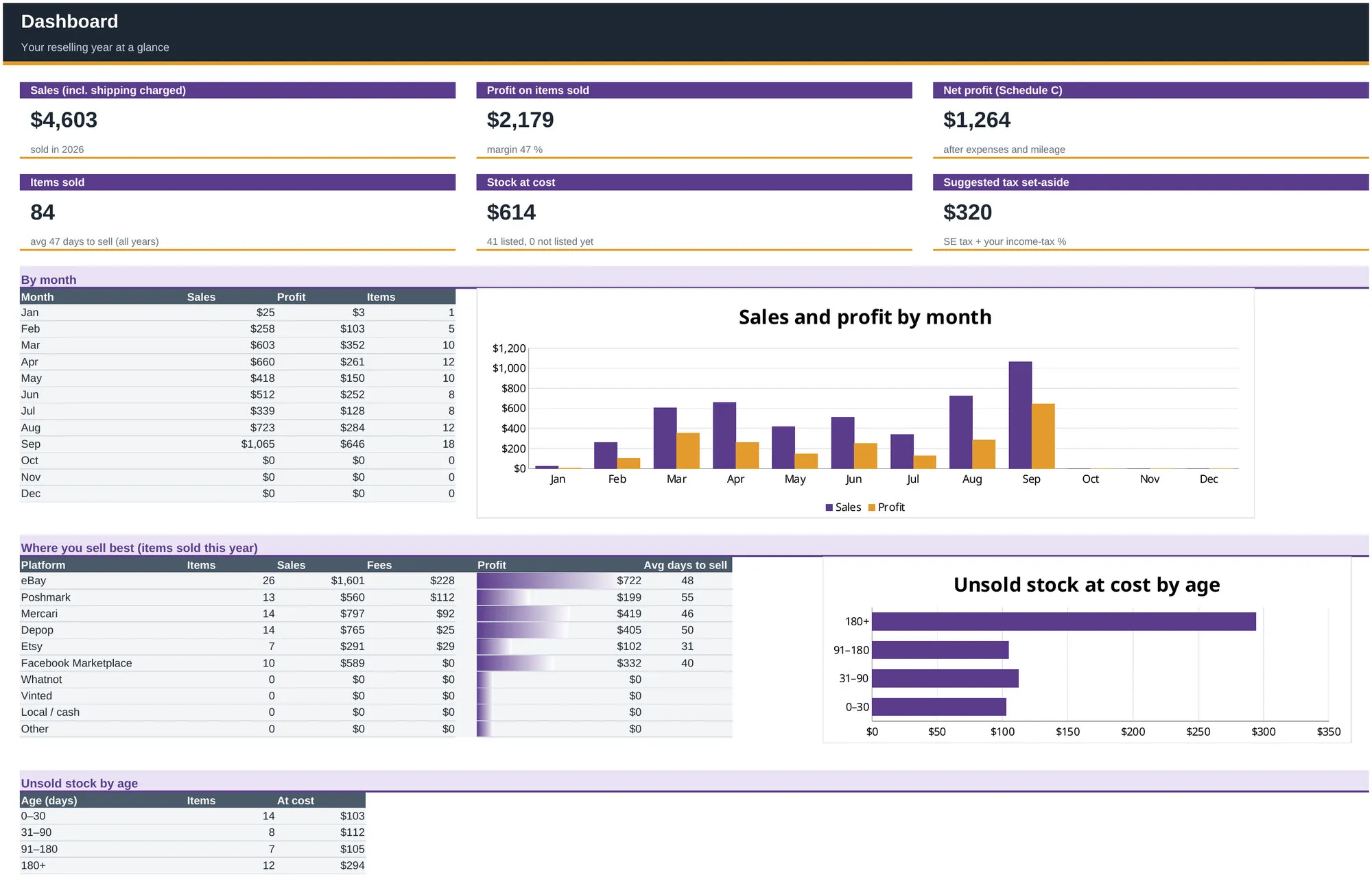
Sales, profit, net profit, items sold, stock at cost and a suggested tax set-aside, with sales and profit by month, results by platform and unsold stock by age.
This file could not be loaded.
This file could not be loaded.
This file could not be loaded.
This file could not be loaded.
This file could not be loaded.
1 of 5
| Platform or runtime | Supported versions | Tested up to |
|---|---|---|
| Microsoft Excel | 2019 or newer | Not stated |
| LibreOffice Calc | 7 or newer | 24.2 |
v1.0
The Reseller Profit & Inventory Tracker is coming soon to Gumroad. This page links to the store as soon as it is on sale there.
Coming soon to Gumroad
Not published on its store yet, so there is no buy or download link. PN Scripts does not take payment for it here.
by PN Scripts
Coming soon External marketplace: sold or published through Gumroad, not on this site

by PN Scripts
Coming soon External marketplace: sold or published through Gumroad, not on this site