Skip to content
PN Scripts

Developer tools

Kavichka

A VS Code extension that catches Latin letters hidden in Cyrillic words and fixes Bulgarian typography: „кавички“, dashes, punctuation spacing and units, in text, templates and code strings.

  • Visual Studio Code extension API
  • JavaScript
  • Bulgarian typography
  • Coming soon

Coming soon

Not published on its store yet, so there is no buy or download link. PN Scripts does not take payment for it here.

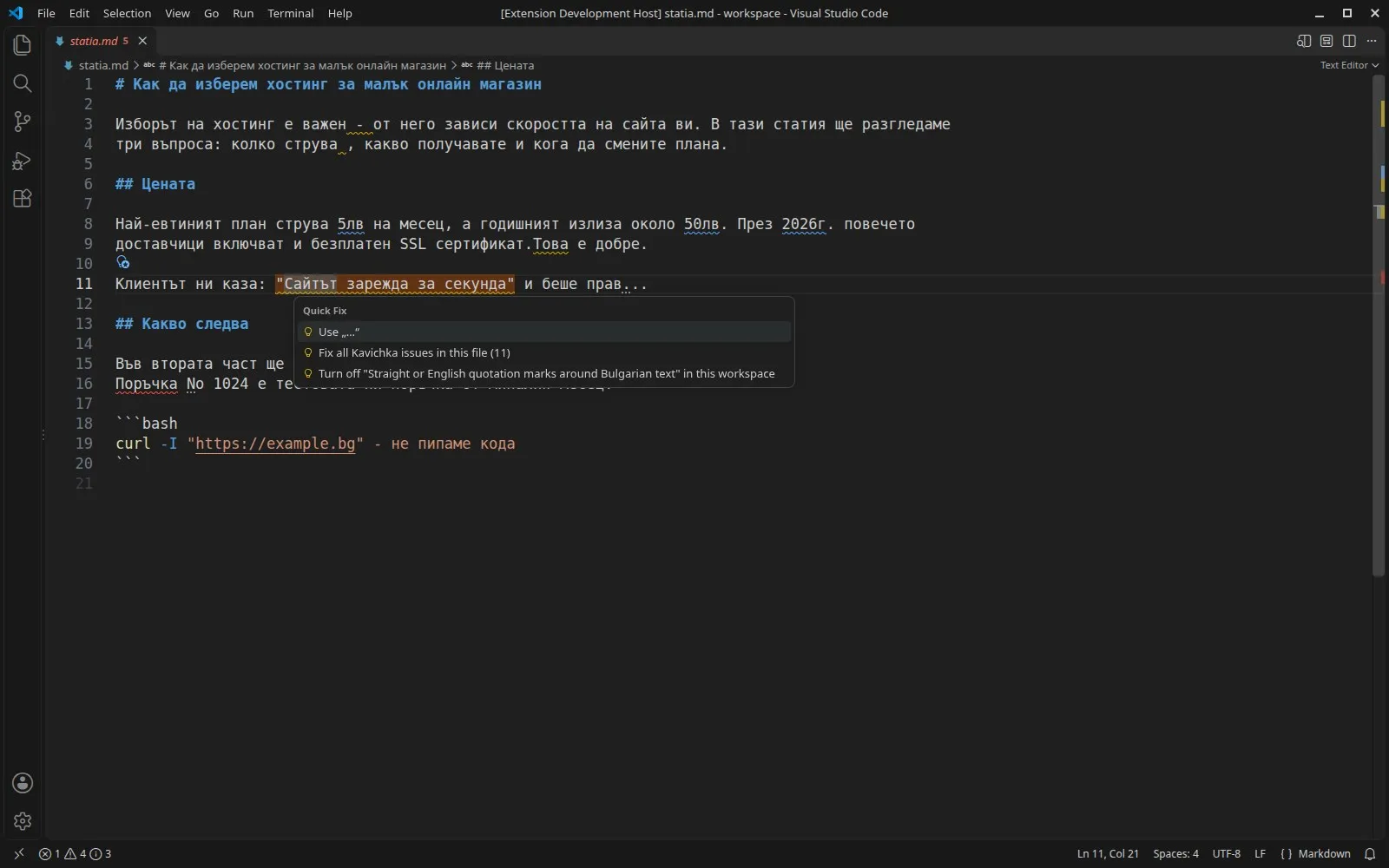
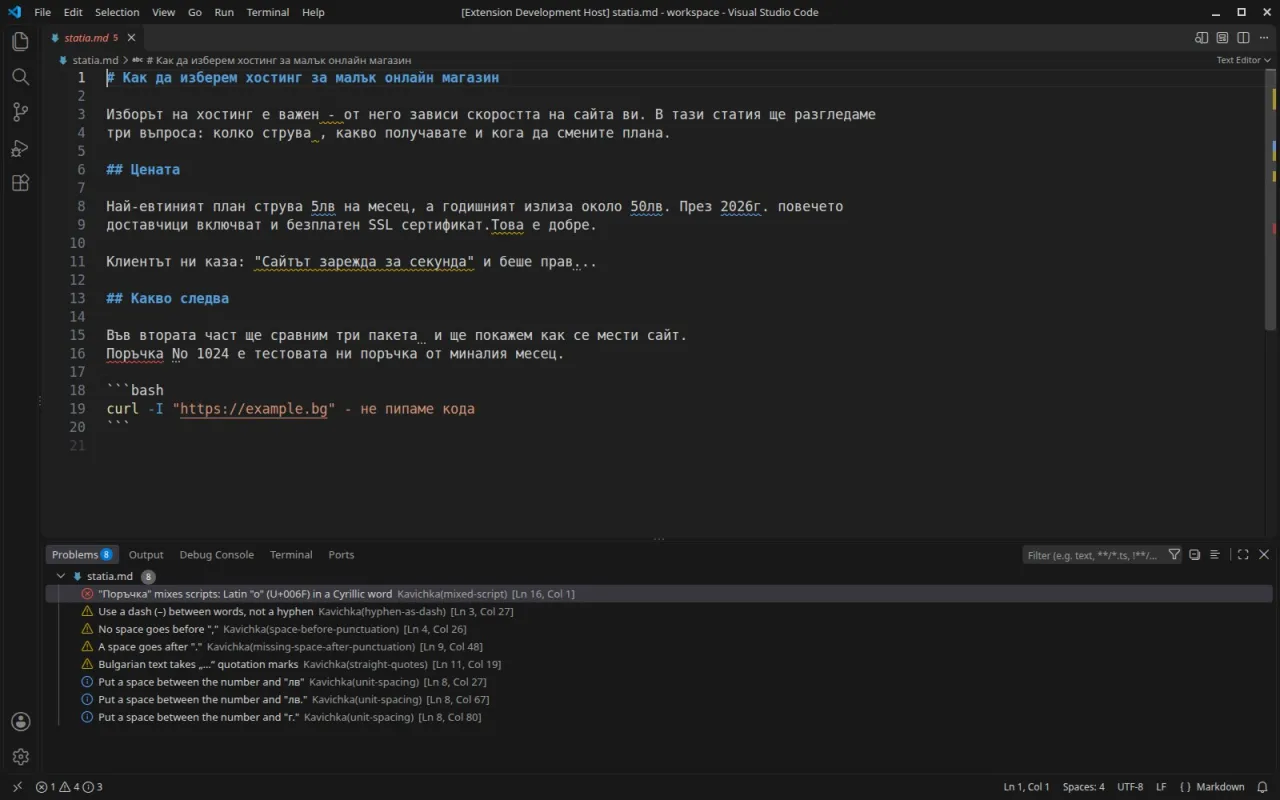
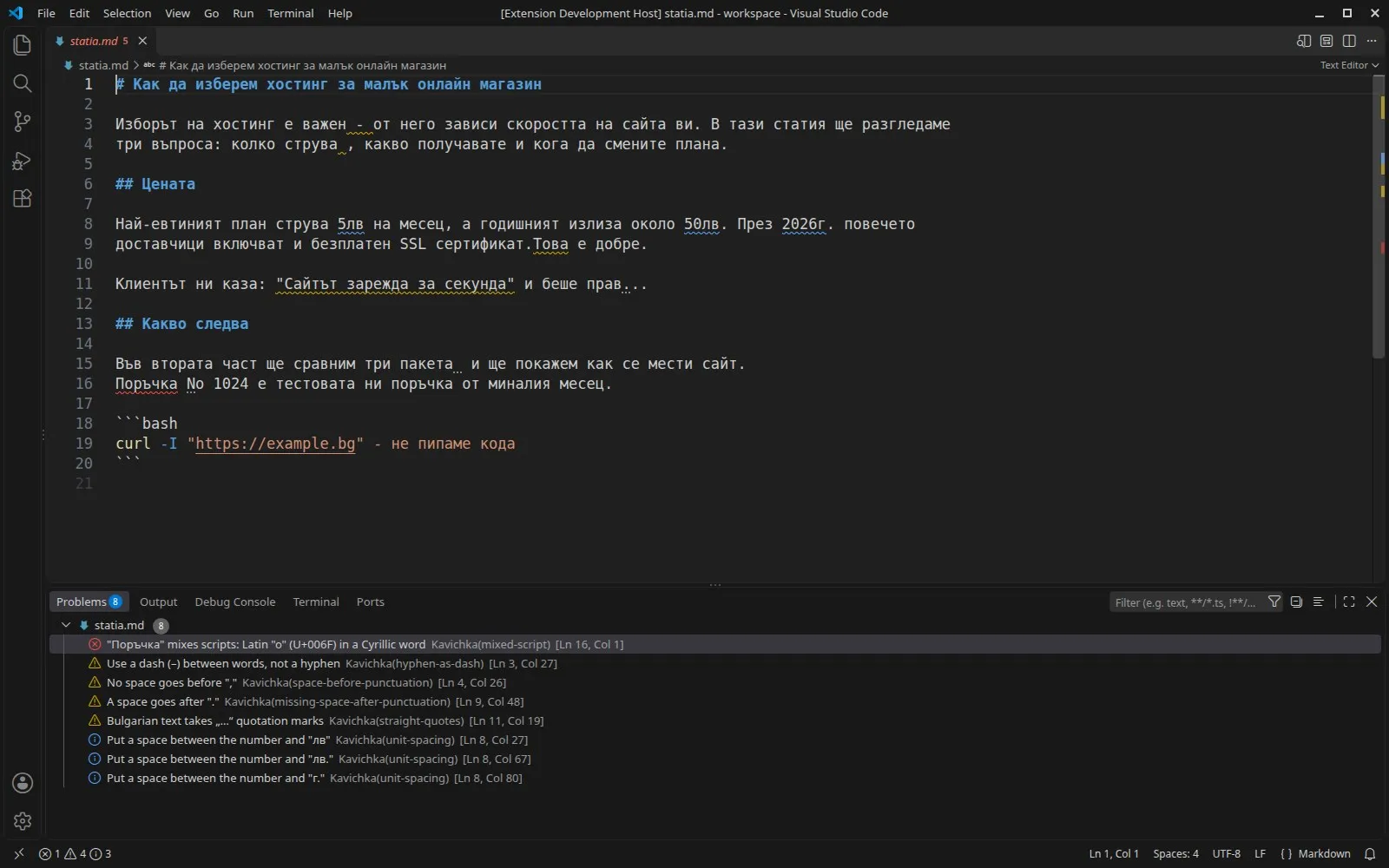
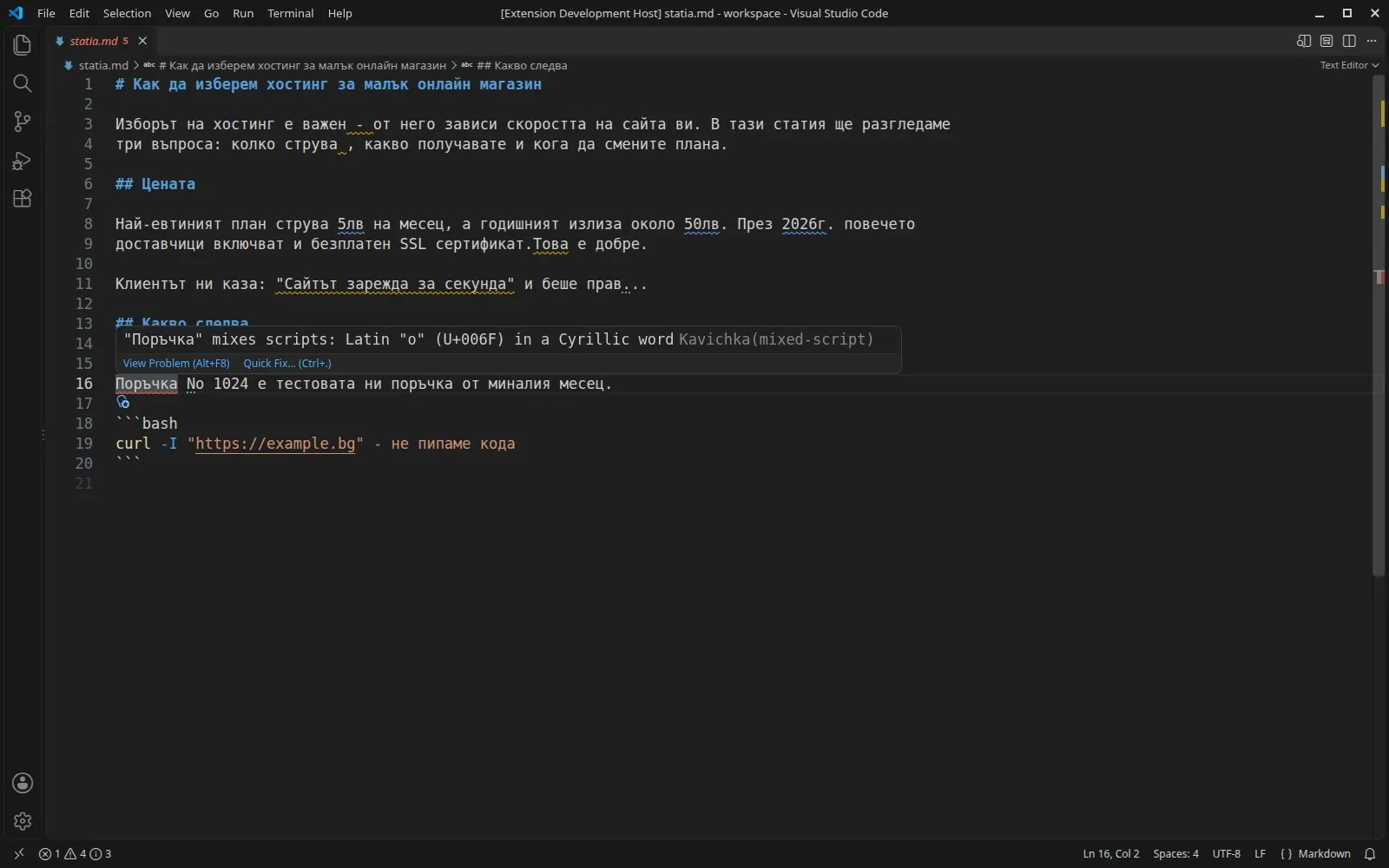
VS Code with a Bulgarian Markdown article, Kavichka underlines and the Problems panel listing eight findings

What it solves

The gap

Bulgarian text in code and templates collects mistakes nobody sees: a Latin letter typed in the middle of a Cyrillic word, straight quotes, hyphens for dashes, 3км without a space. Spell checkers miss most of them and VS Code even marks correct Cyrillic letters in strings as suspicious.
What it is

Kavichka checks only the human text in each file, reports each real problem with its exact cause and fixes one problem or the whole file in one step.

How you use it

Clean, searchable Bulgarian text in every file of a project, with fixes that leave the code around it alone.

For developers, content editors and agencies who keep Bulgarian text in VS Code, Kavichka is a typography linter that understands Markdown, templates and code strings.

Who it is for

Use it when

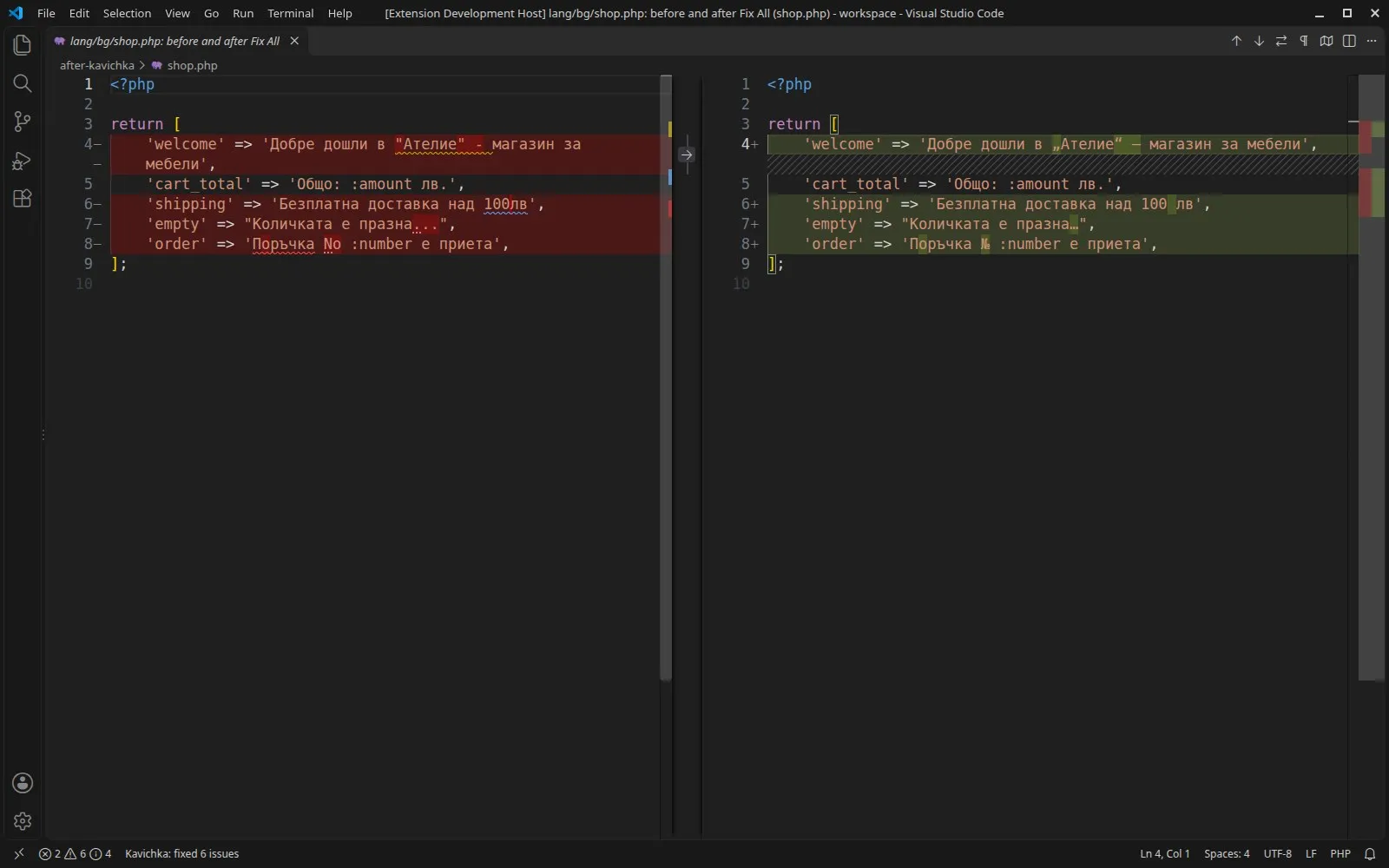
  • Cleaning a Laravel lang/bg folder or translation JSON before a release
  • Editing Bulgarian Markdown articles and site copy with correct typography
  • Finding words that break search because they contain a Latin letter

Built for

  • Web developers who build Bulgarian sites and apps
  • Content editors and technical writers who work in VS Code

What is inside

The letters you cannot see

A Latin o, a, e, p or c inside a Cyrillic word looks identical on screen. Kavichka names the letter and its code point, then turns the word into one script with a quick fix. A whole line of Russian is left alone, while a single ы in a Bulgarian sentence is reported as a layout slip.

Typography Bulgarian readers notice

„Кавички“ instead of straight quotes, a dash with spaces instead of a hyphen, no space before a comma and one after it, 2026 г. and 3 км with a space, an ellipsis character and № before numbers. Quote style, dash style and the space before units are settings.

Text only, never your code

Markdown is checked without its code blocks and links, templates by their text and readable attributes, code by its strings and comments. Escaped quotes and template expressions are skipped, and Blade, Vue, Svelte and Twig files work without installing their extensions.

Fix one, fix all

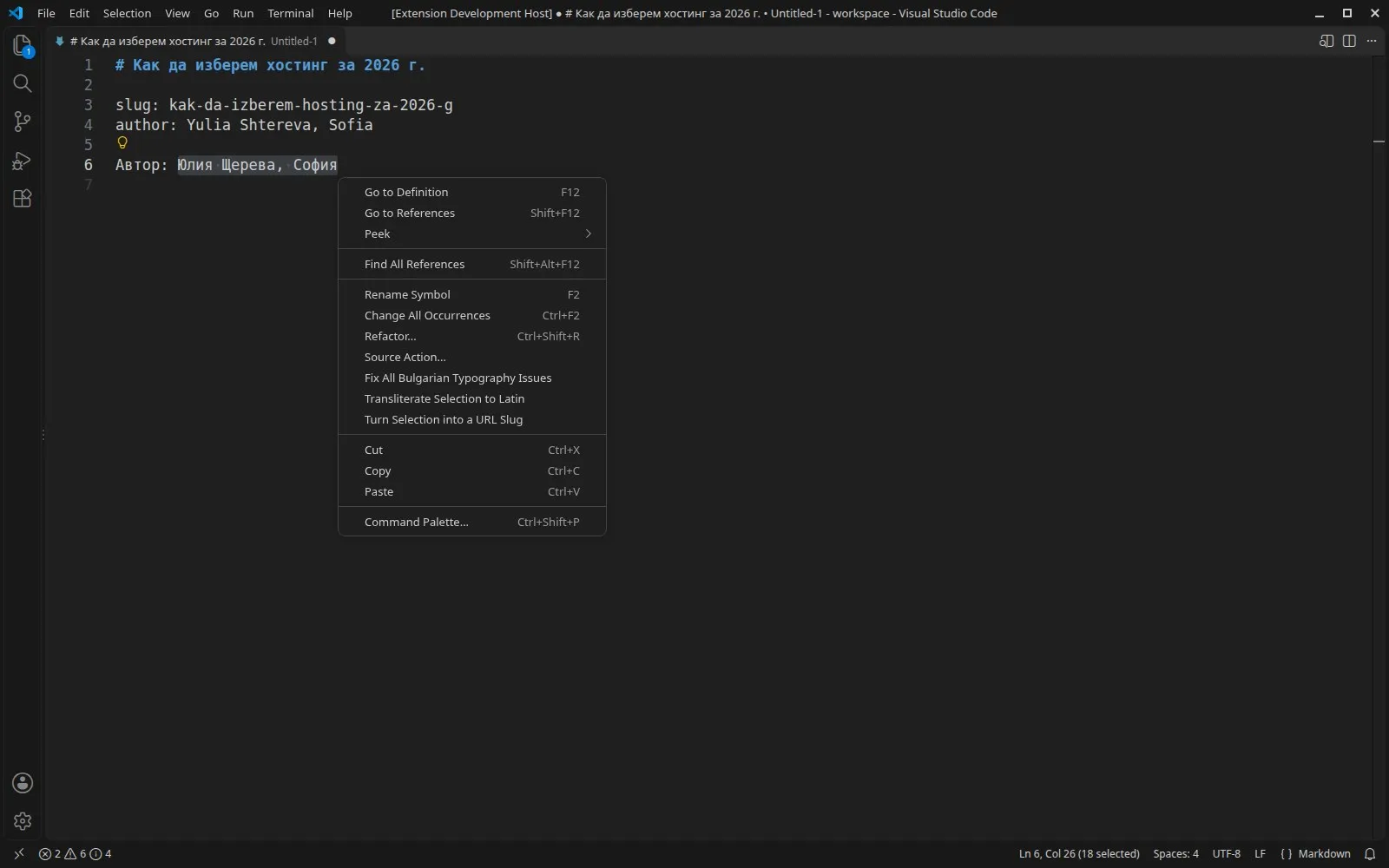
Each problem has a quick fix. Fix All corrects a file or a selection in one undo step, and fix on save or the source.fixAll.kavichka save action keeps it that way. Commands transliterate names and turn titles into URL slugs by the Bulgarian Transliteration Act.

Specs

Availability
Coming soon
Vendor
PN Scripts
Type
Extension
Platforms
JavaScript
Pricing
One-time purchase Price to be announced.
License
Proprietary
Deployment
Download (.vsix package for Visual Studio Code)
Maturity
v1.0.1

Compatibility

Platform or runtime Supported versions Tested up to
Visual Studio Code 1.85 or newer 1.141.0 (Linux)

Stack

  • Visual Studio Code extension API
  • JavaScript
  • Bulgarian typography

Kavichka is coming soon

It is finished and tested. It is not on sale yet; this page will say where to get it when it is.

Coming soon

Not published on its store yet, so there is no buy or download link. PN Scripts does not take payment for it here.

Questions

A Visual Studio Code extension that checks Bulgarian text for Latin letters hidden in Cyrillic words and for typography problems such as straight quotes, hyphens used as dashes and missing spaces before units, with quick fixes, Fix All, transliteration and slugs.

Visual Studio Code 1.85 or newer. It has no dependencies and makes no network requests. It was tested in VS Code 1.141.0 on Linux; editors built on VS Code were not tested.

It does not check spelling or grammar, does not pair quotation marks across lines, does not convert nested quotations to inner marks and leaves number ranges such as 10-20 unchanged.

It is plain JavaScript on the VS Code extension API. The rules and the text finder for prose, templates and code are covered by a Node test suite, and the extension was run inside VS Code 1.141.0 with integration tests for diagnostics, quick fixes, Fix All, settings, commands and fix on save. Created with AI assistance; the rules and the editor integration were checked by PN Scripts with the automated tests and in a real VS Code, which took the screenshots.

It is not on sale yet. When it is, this page will link to the store; PN Scripts does not take payment on this site.