
The gap
Exporting a set of props or modular pieces from one .blend file means selecting, moving to the origin, exporting and naming each piece by hand, and doing it again after every change.

Blender add-ons
Export every object or collection of a Blender scene to its own GLB, glTF, FBX or OBJ file in one click, and let a budget gate stop LODs that break their triangle budget, ladder order or size before they reach your engine.
Coming soon
Not published on its store yet, so there is no buy or download link. PN Scripts does not take payment for it here.
The gap
Exporting a set of props or modular pieces from one .blend file means selecting, moving to the origin, exporting and naming each piece by hand, and doing it again after every change.
What it is
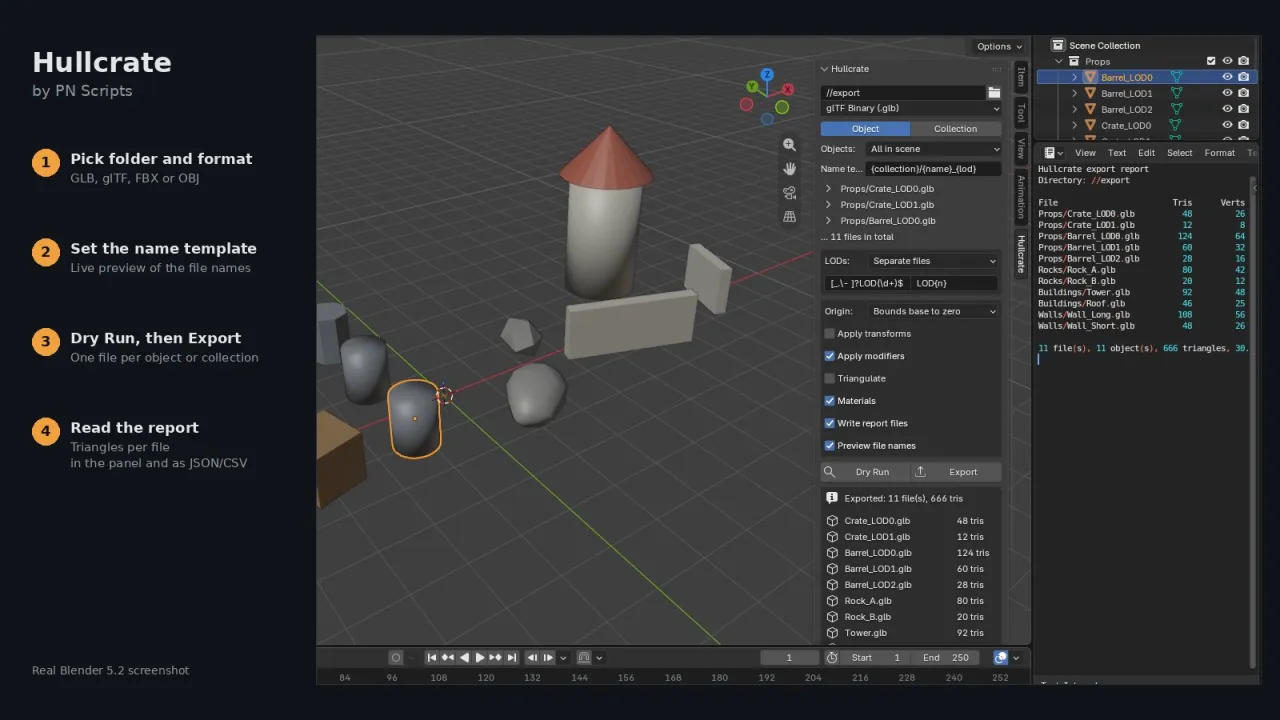
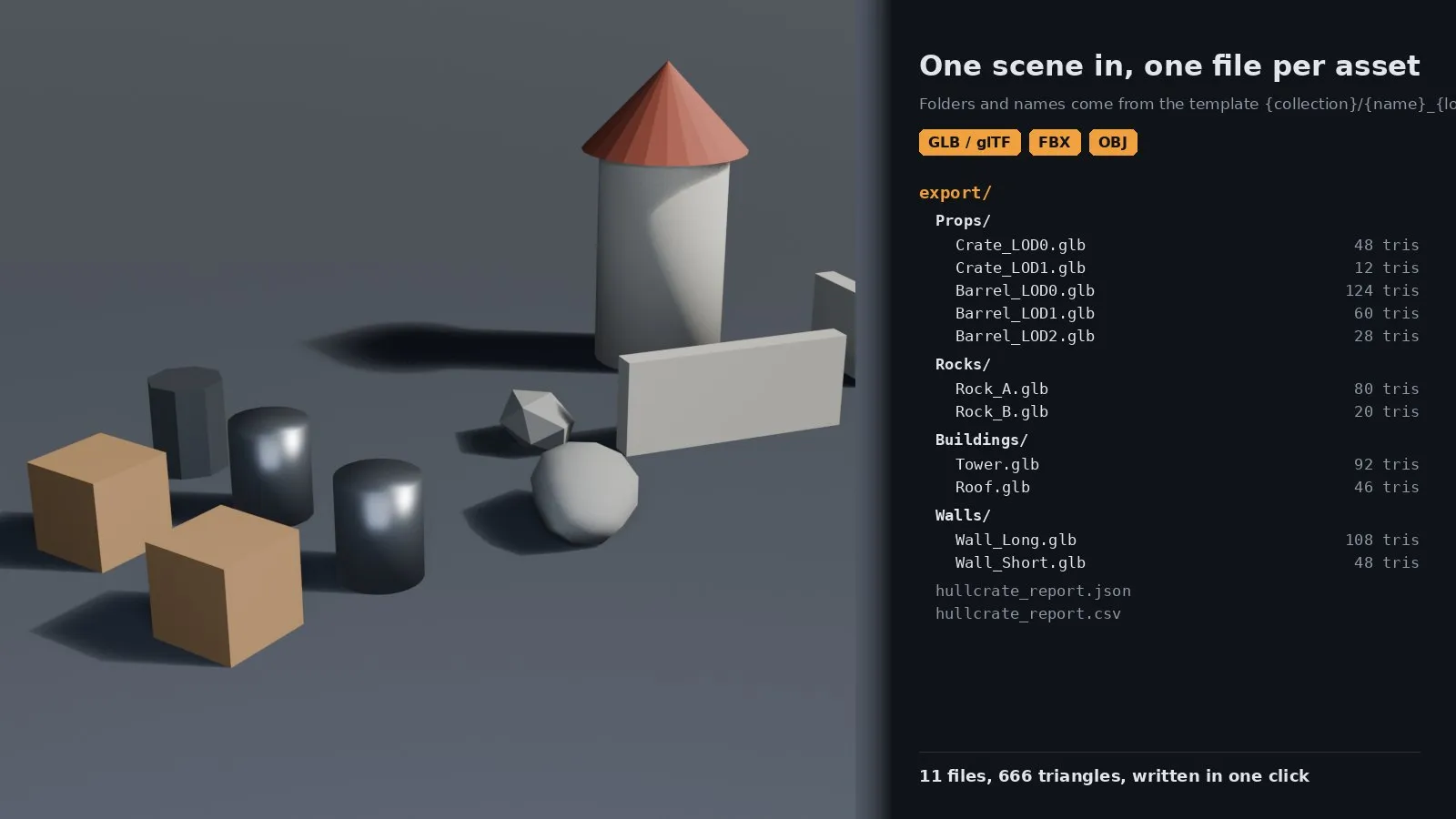
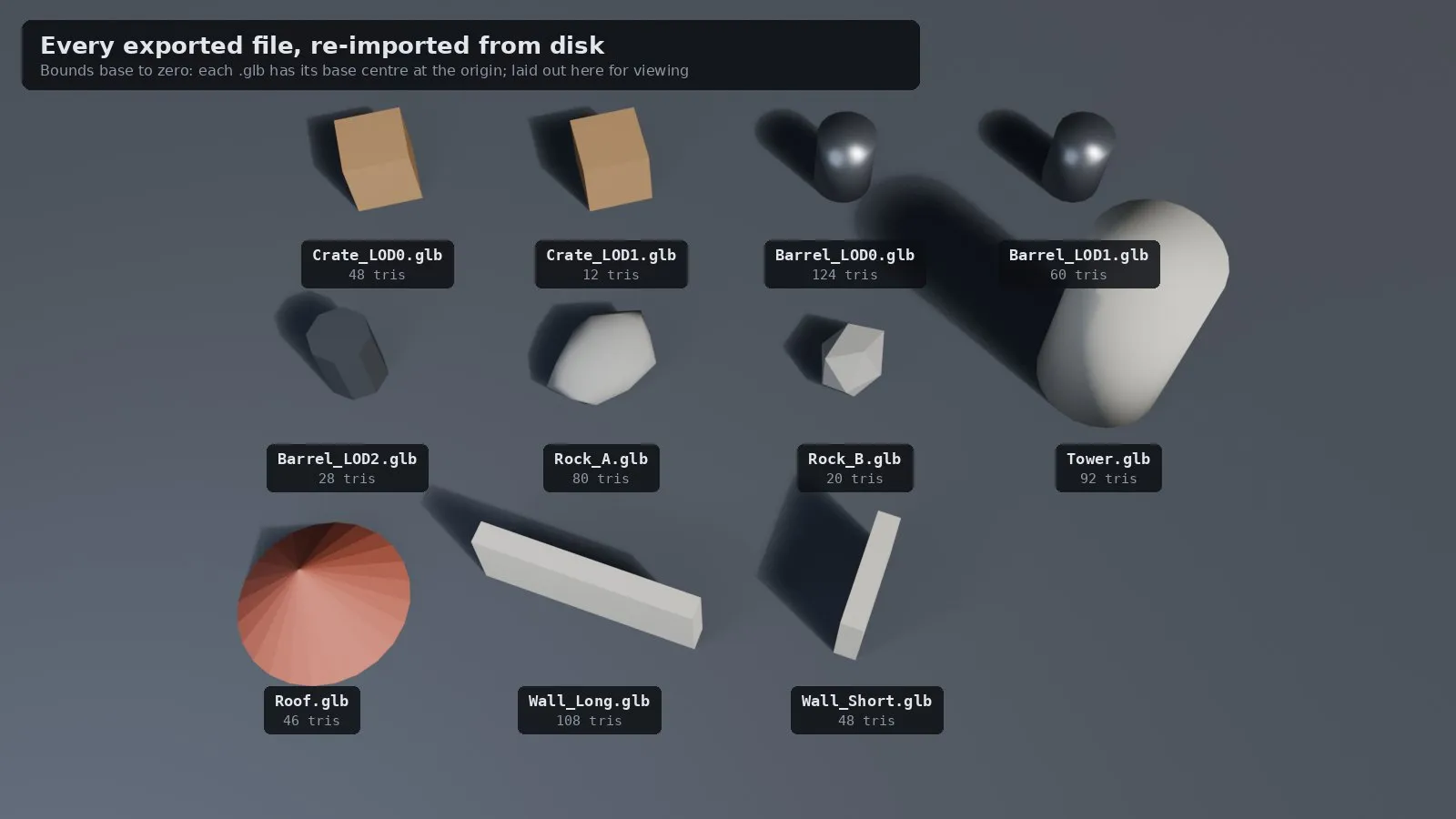
Hullcrate plans the files from your collections and object names, moves each export to its origin, writes them with Blender's own exporters and tells you what it wrote and how many triangles each file has.
How you use it
One click replaces a repeated manual export routine, and the presets and templates make the result the same every time.
For game artists and developers who keep many assets in one .blend file and need repeatable exports to an engine.
Use it when
Built for
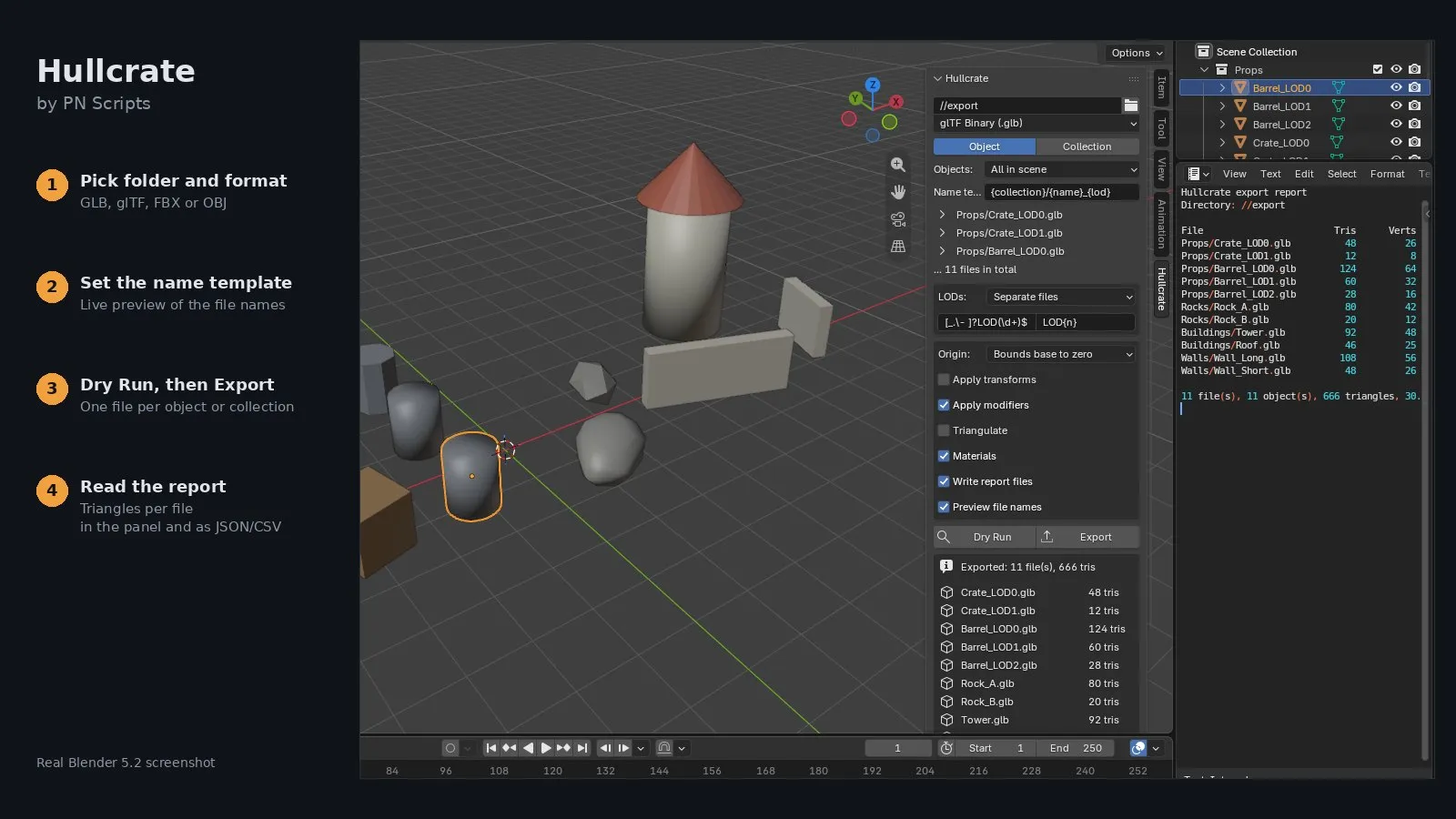
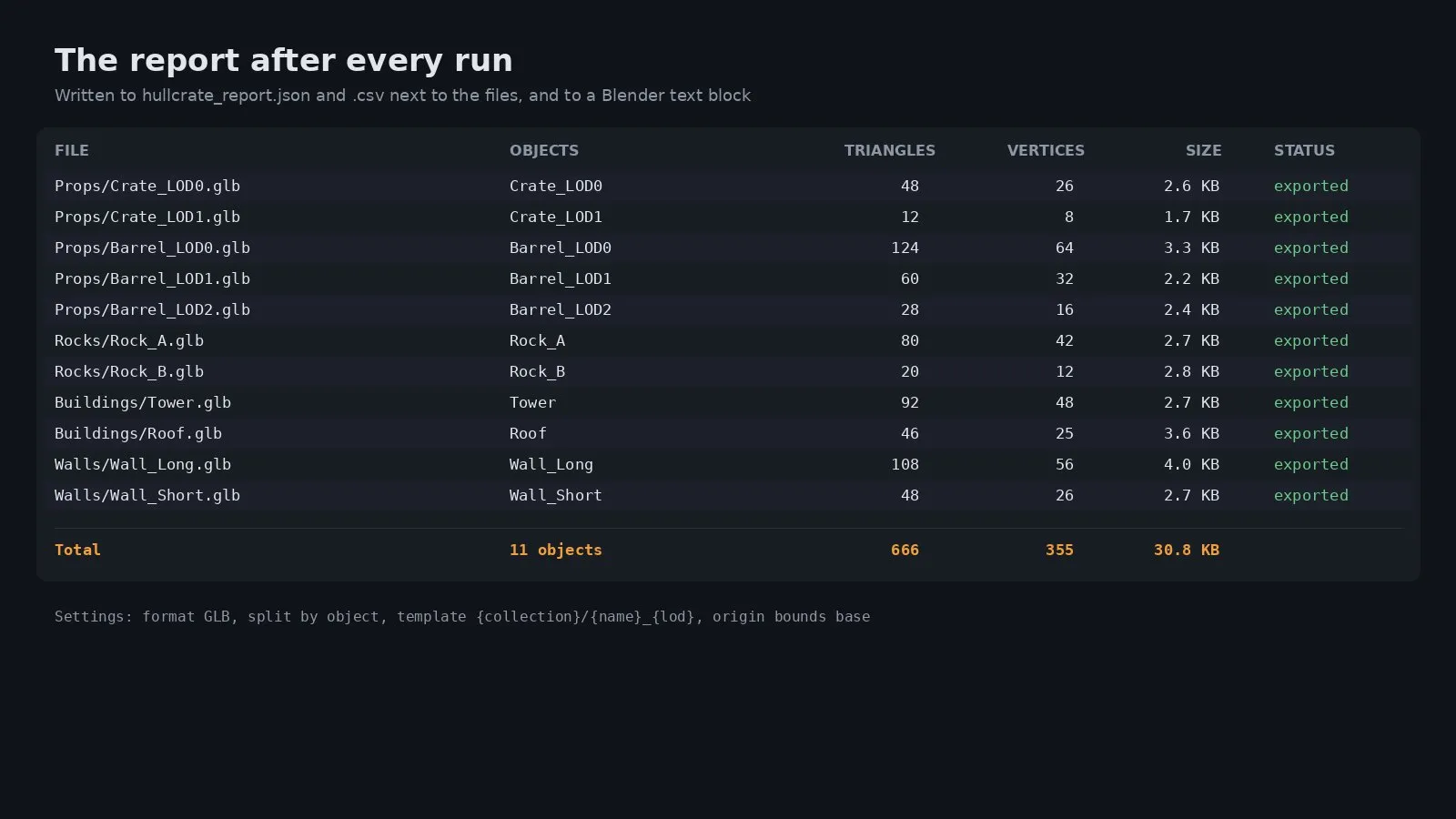
Pick a folder, a format and whether to split by object or by collection. Hullcrate collects the selected, visible or all geometry objects, plans one file per object or collection and writes them with Blender's own exporters. Collections can export only their direct objects or, at the top level, everything nested in them. A dry run shows the planned files with triangle and vertex counts; after an export, the same table goes to a Blender text block and to hullcrate_report.json and hullcrate_report.csv with file sizes, and presets keep whole export setups inside the .blend file.
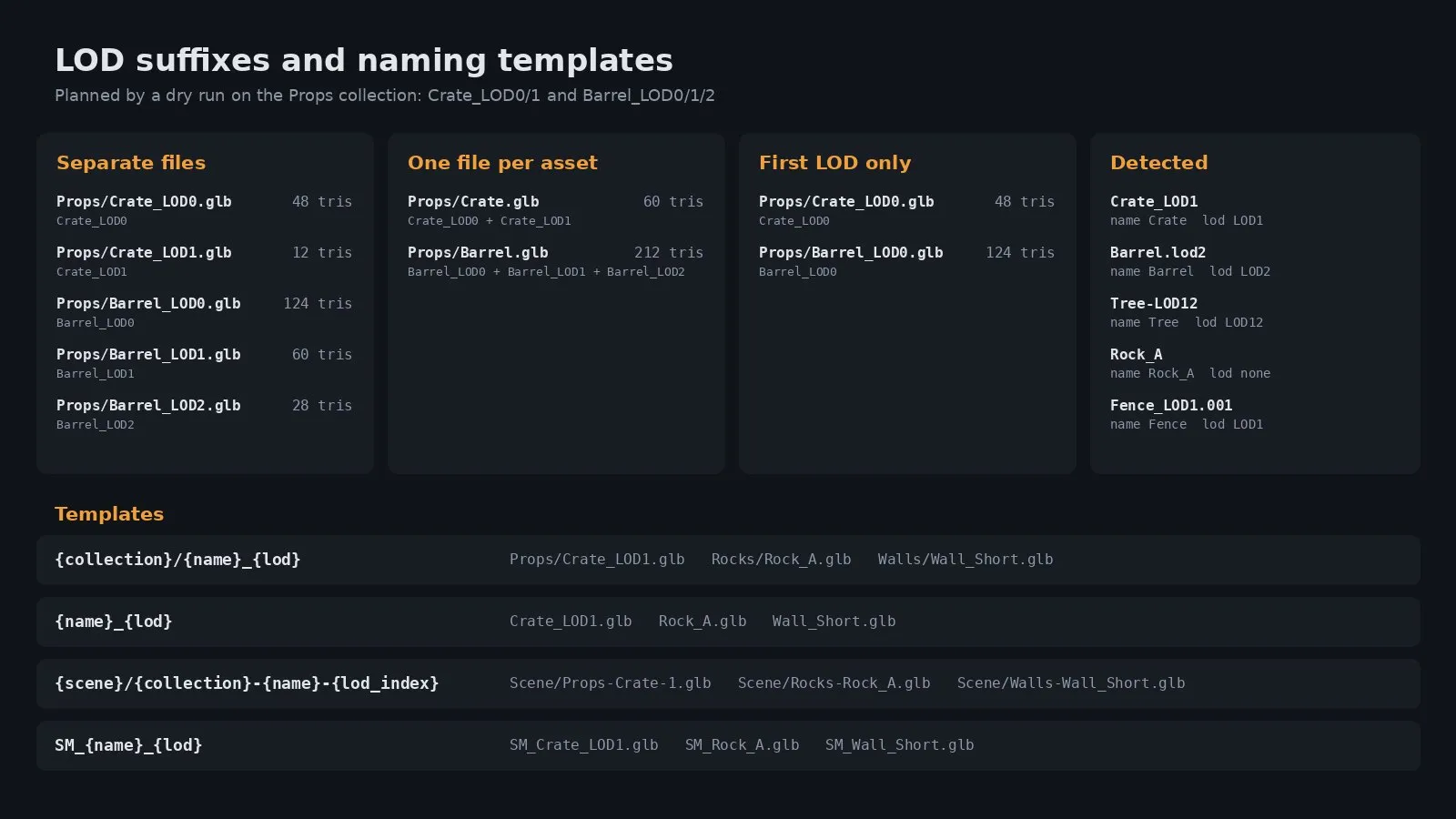
The name template decides file names and folders, for example {collection}/{name}_{lod}. LOD suffixes like _LOD0 or .lod2 are split from the name, and the LOD mode decides whether LODs become separate files, one file per asset or only the first LOD. Illegal characters are replaced and duplicate names get a number and a warning.
Each export can keep its world position, move the object origin to world zero (the instance offset for collections) or put the bottom centre of its bounds on zero. Apply transforms bakes rotation and scale into the vertices so the exported object has an identity transform. The original objects are never moved; Hullcrate works on temporary copies.
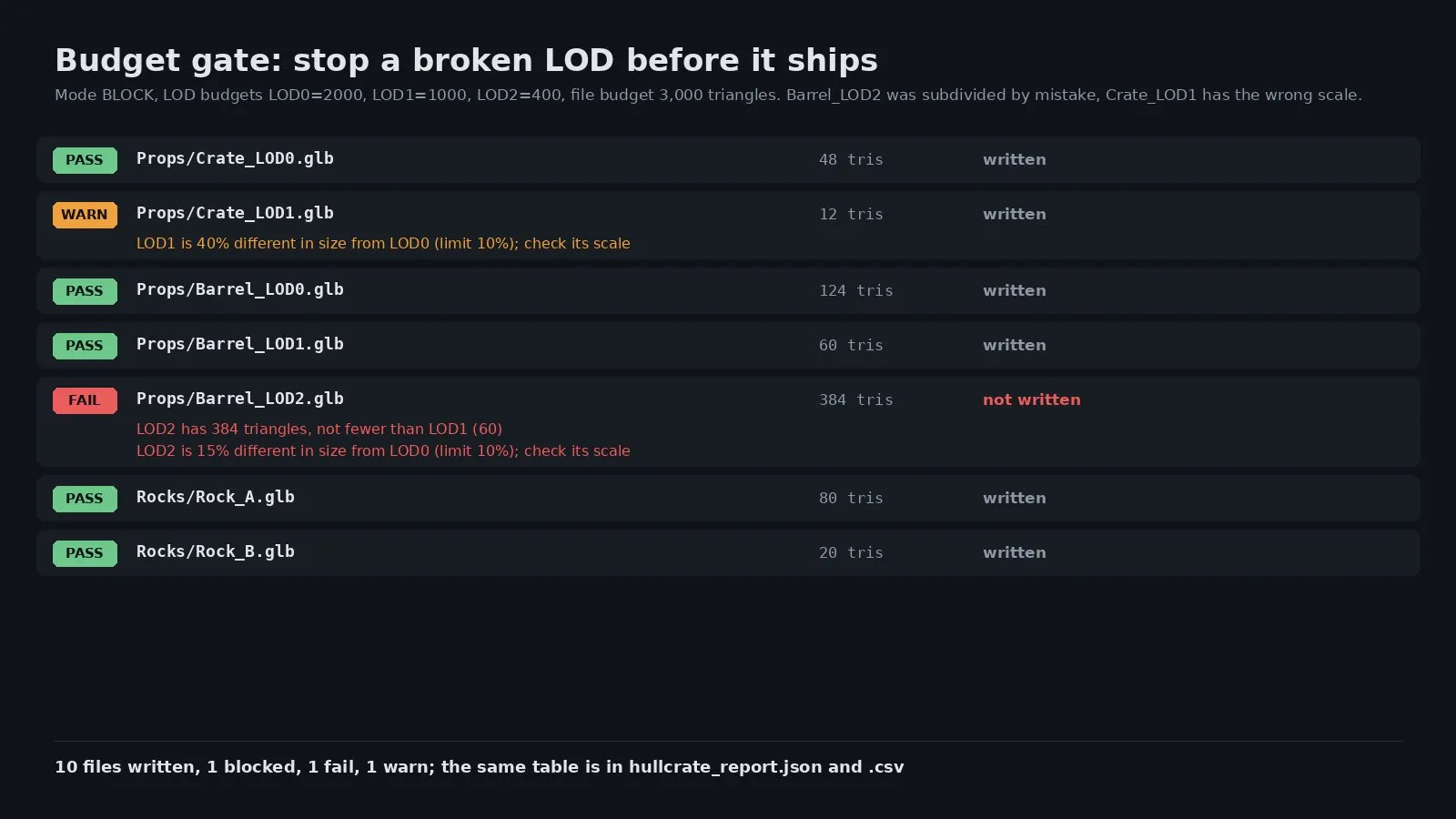
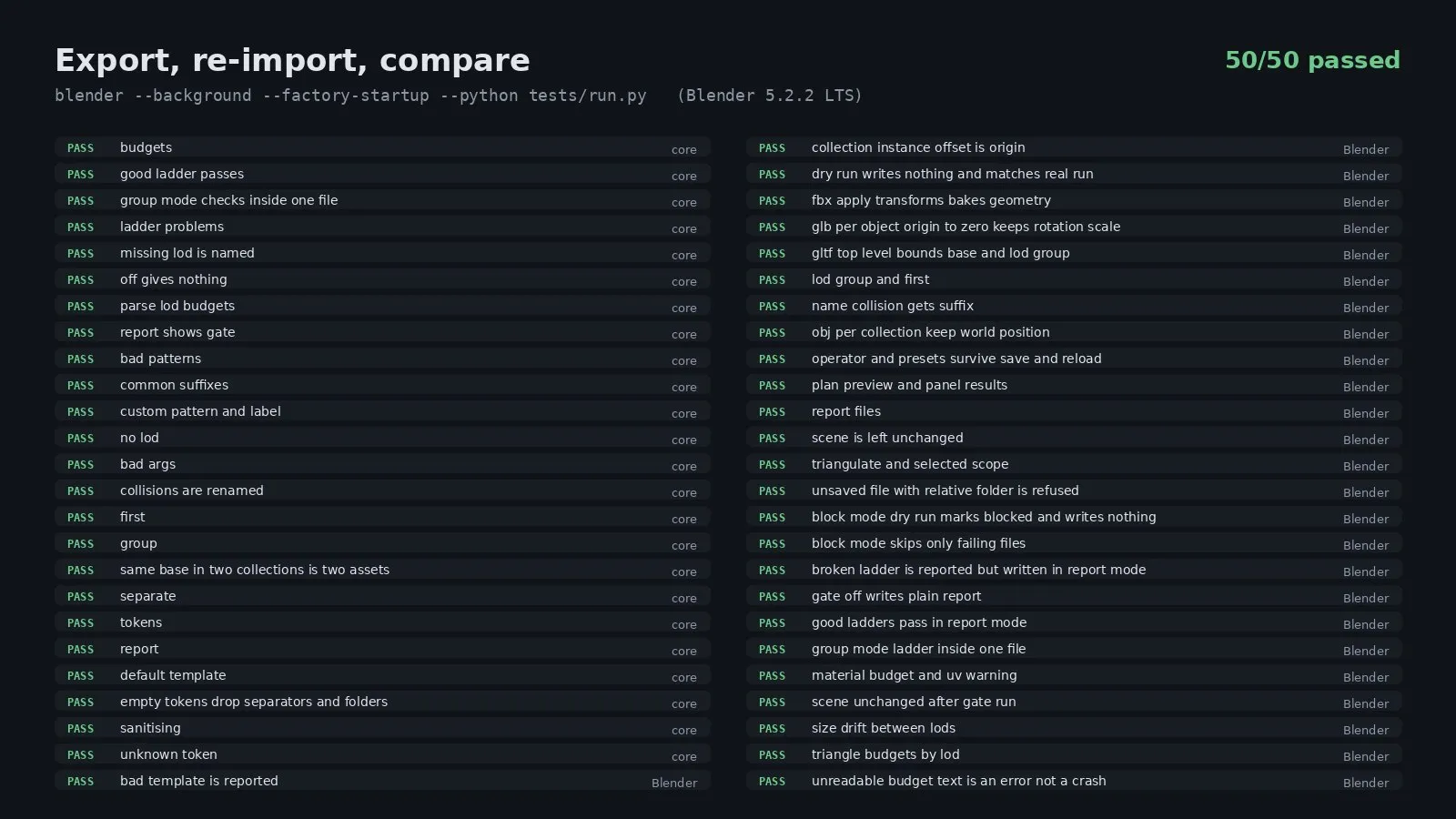
Choose Off, Report or Block failing files. Set a triangle limit per file, a limit per LOD such as LOD0=5000, LOD1=2500, a material limit, the largest share of the previous LOD a LOD may keep and how far a LOD's size may drift from LOD0. Hullcrate measures every file first, because a LOD ladder spans several files, then writes the files that pass. Each problem is named in the panel, the report text and the JSON and CSV files. Warnings (a LOD that keeps too many triangles, a size drift, a missing UV map) never block; failures (over budget, a LOD with no fewer triangles than the one before) block in Block mode.
This file could not be loaded.
This file could not be loaded.
This file could not be loaded.
This file could not be loaded.
This file could not be loaded.
This file could not be loaded.
This file could not be loaded.
1 of 7
| Platform or runtime | Supported versions | Tested up to |
|---|---|---|
| Blender | 4.2 or newer | 5.2.2 |
It is finished and tested. It is not on sale yet; this page will say where to get it when it is.
Coming soon
Not published on its store yet, so there is no buy or download link. PN Scripts does not take payment for it here.
by PN Scripts
Coming soon External marketplace: sold or published through Gumroad, not on this site
by PN Scripts
Coming soon External marketplace: sold or published through Gumroad, not on this site