
The gap
UV problems show up late: an overlap ruins a bake, a mirrored island lights a normal map from the wrong side, and texel density drifts between the assets of one scene. Finding them object by object in the UV Editor is slow.

Blender add-ons
A Blender add-on that checks the UVs of every selected mesh at once, selects each problem in one click and fixes it without touching your geometry.
Coming soon to Gumroad
Not published on its store yet, so there is no buy or download link. PN Scripts does not take payment for it here.
The gap
UV problems show up late: an overlap ruins a bake, a mirrored island lights a normal map from the wrong side, and texel density drifts between the assets of one scene. Finding them object by object in the UV Editor is slow.
What it is
UVTriage inspects every selected mesh at once, lists each problem with a select button and fixes it with operators that change UVs only, so the geometry stays exactly as it was.
How you use it
Select the meshes, pick the target and press Inspect UVs in the UVTriage tab, then select a problem or run a fix from the same panel.
A UV checking tool, not an unwrapper: it checks the result of any unwrapper, reports it per object and fixes UVs without touching the mesh.
Use it when
Built for
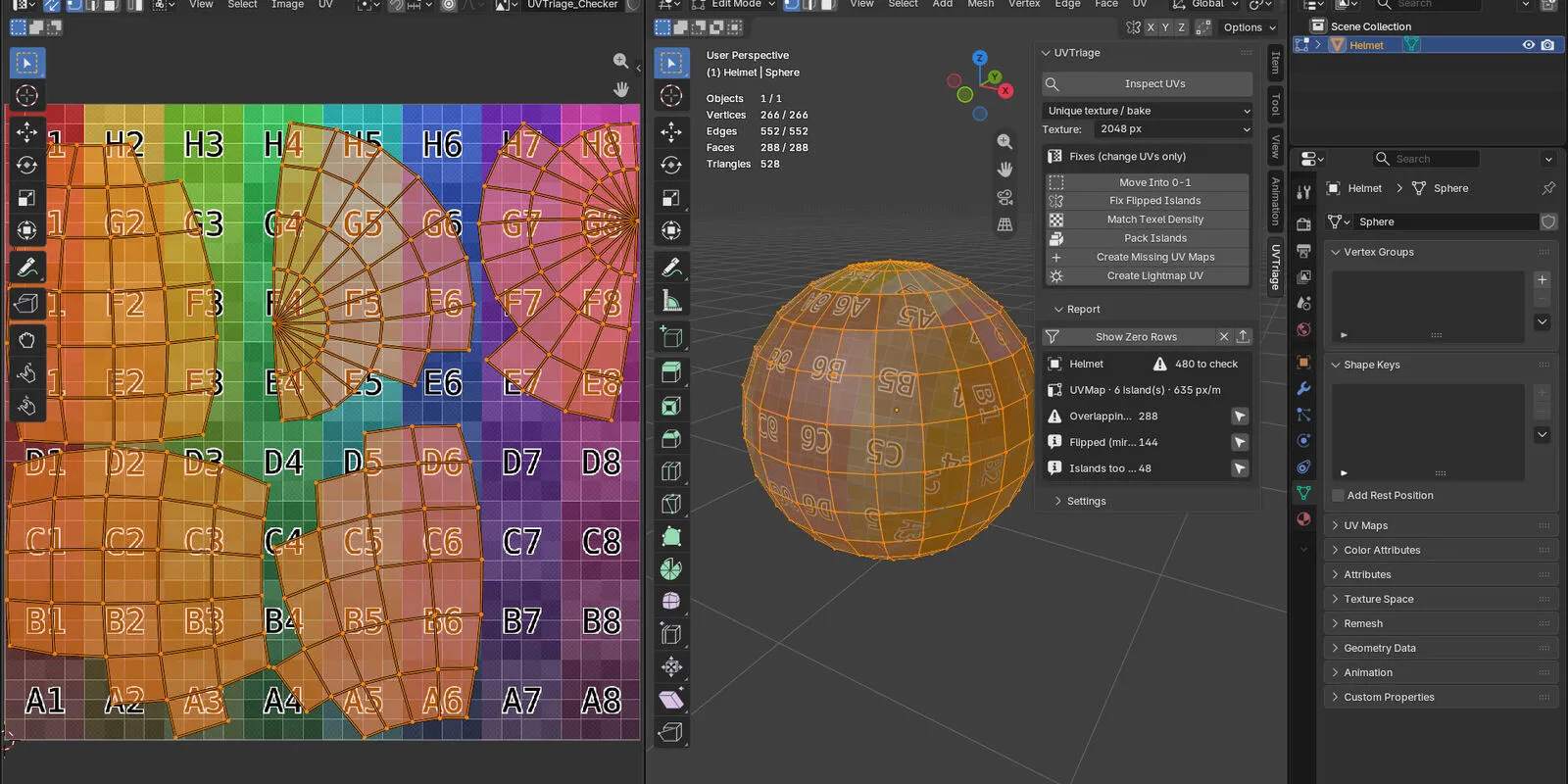
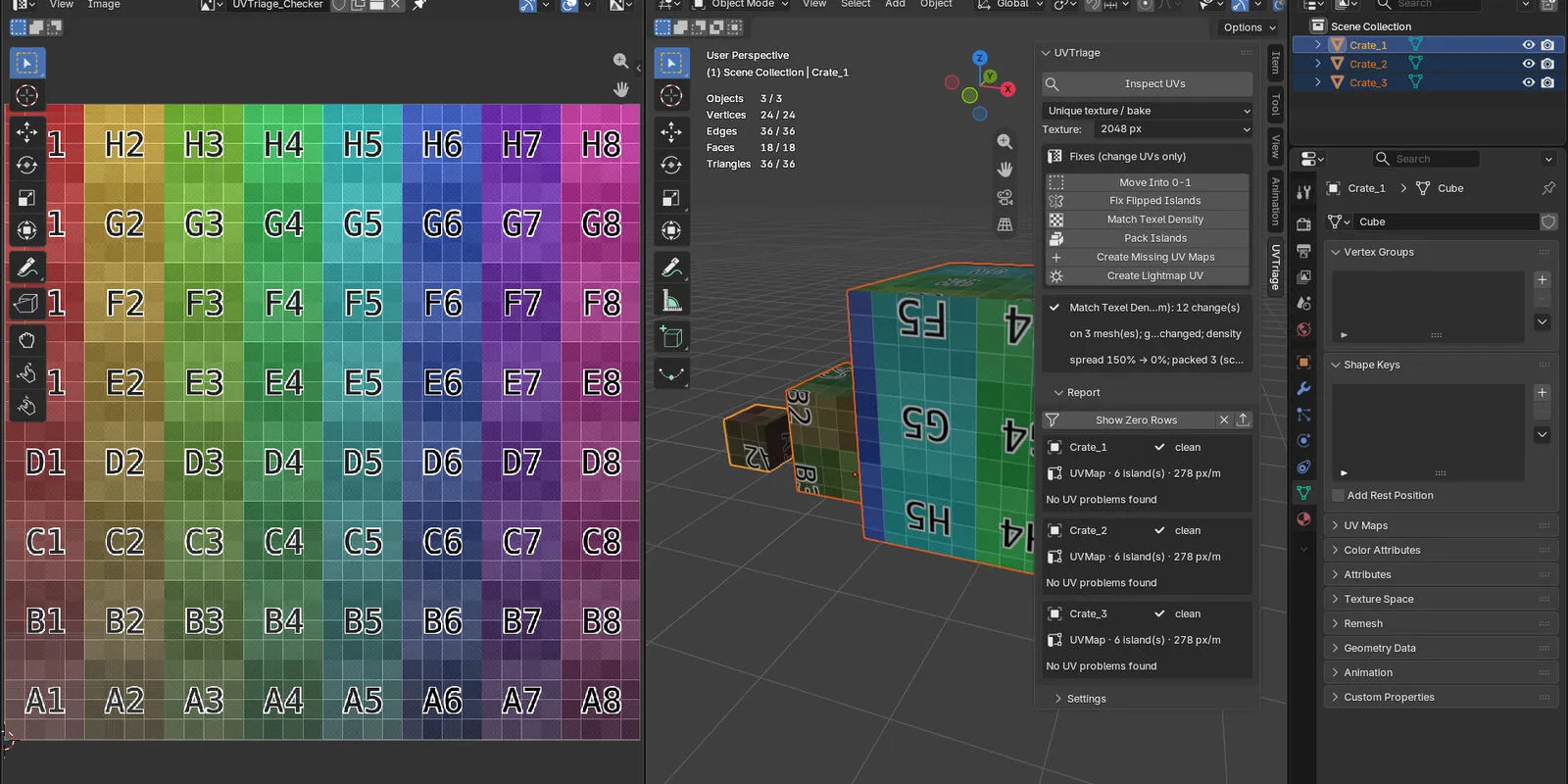
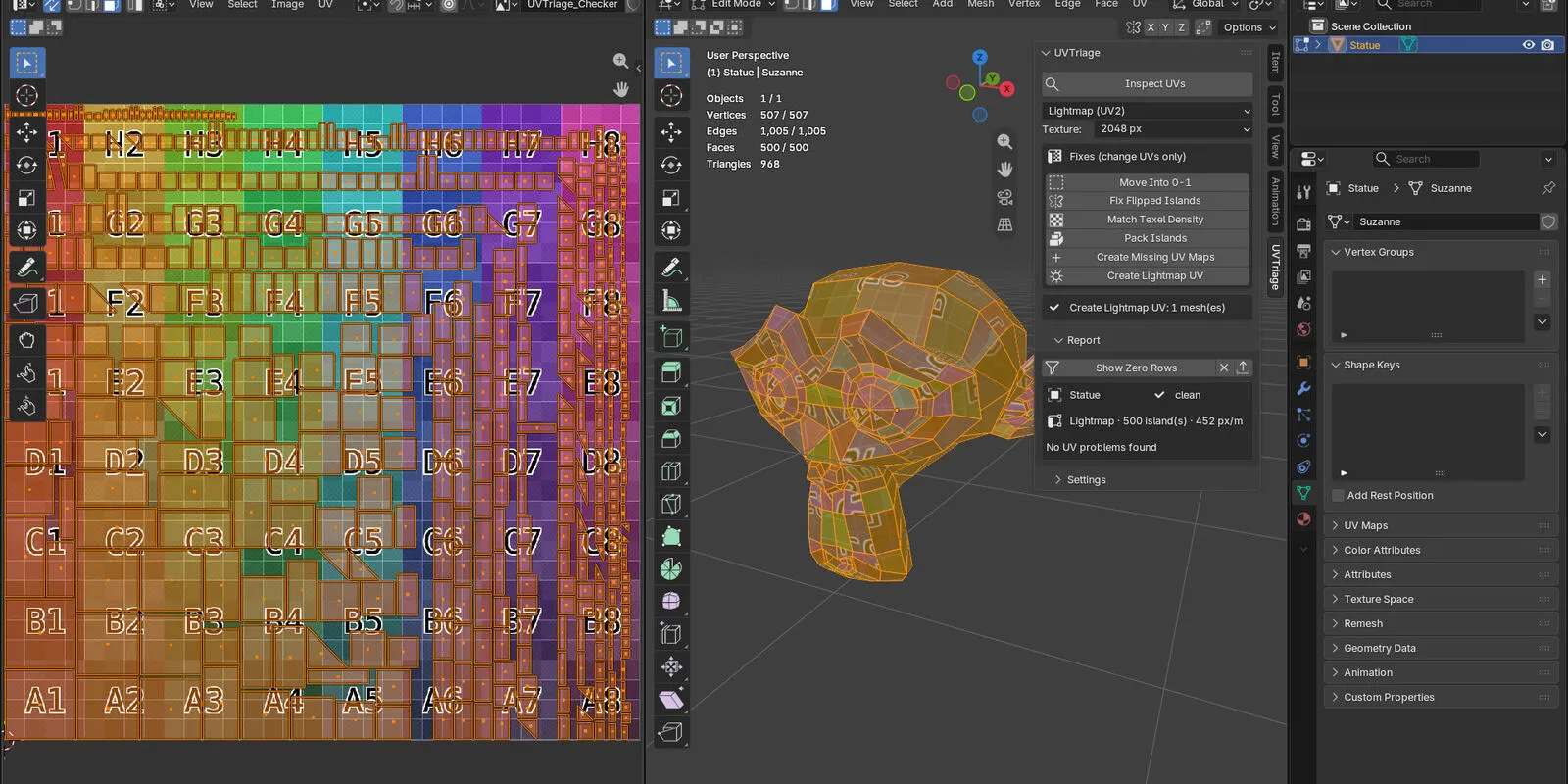
Inspect UVs checks every selected mesh and lists, per object, the UV map, the islands, the texel density and each problem with a count. Nothing changes until you choose a fix.
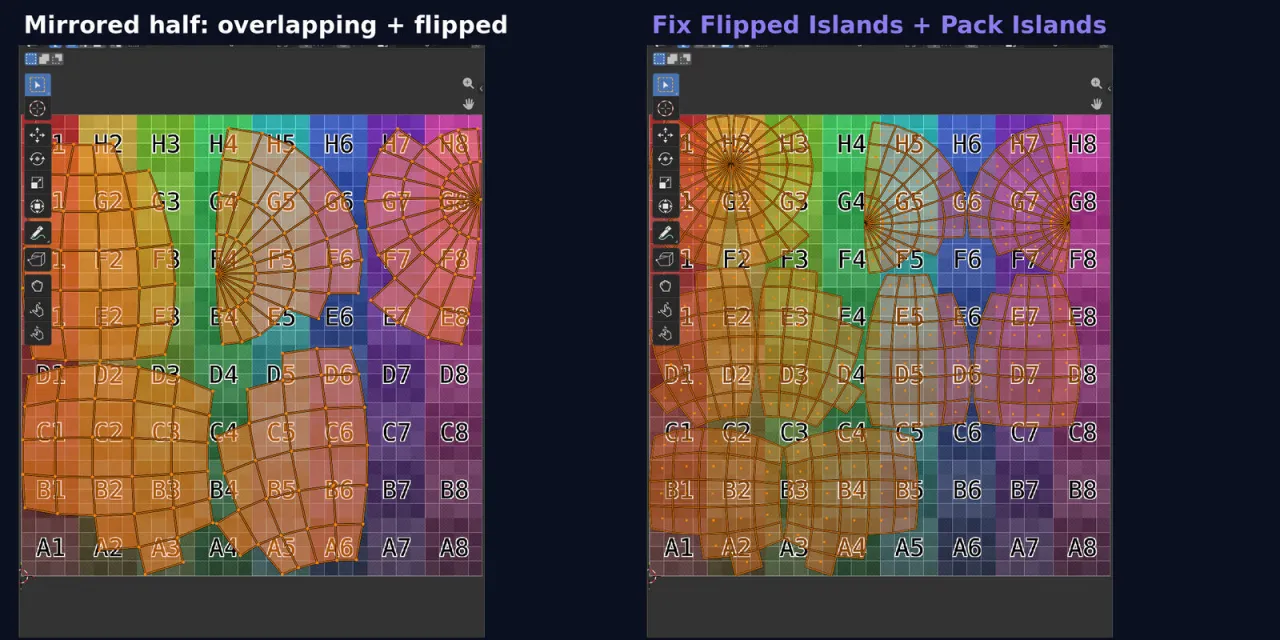
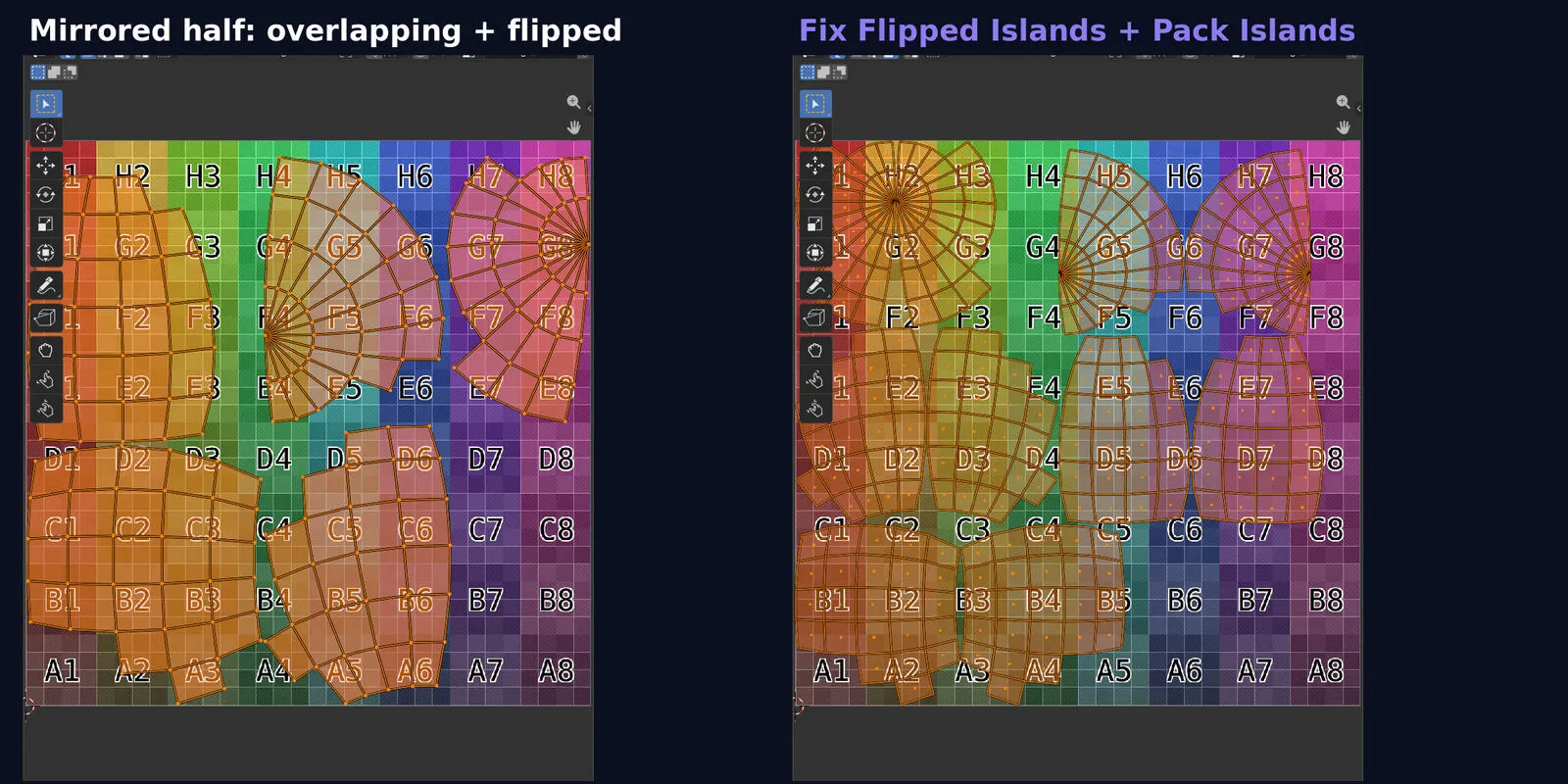
A select button per problem opens Edit Mode with exactly those faces selected, so you see the overlap, the mirrored half or the stretched faces in the UV Editor.
Pick the target: a unique texture or bake, a tiling texture or trim sheet (overlaps and UVs outside 0-1 are fine there), or a lightmap (UV2).
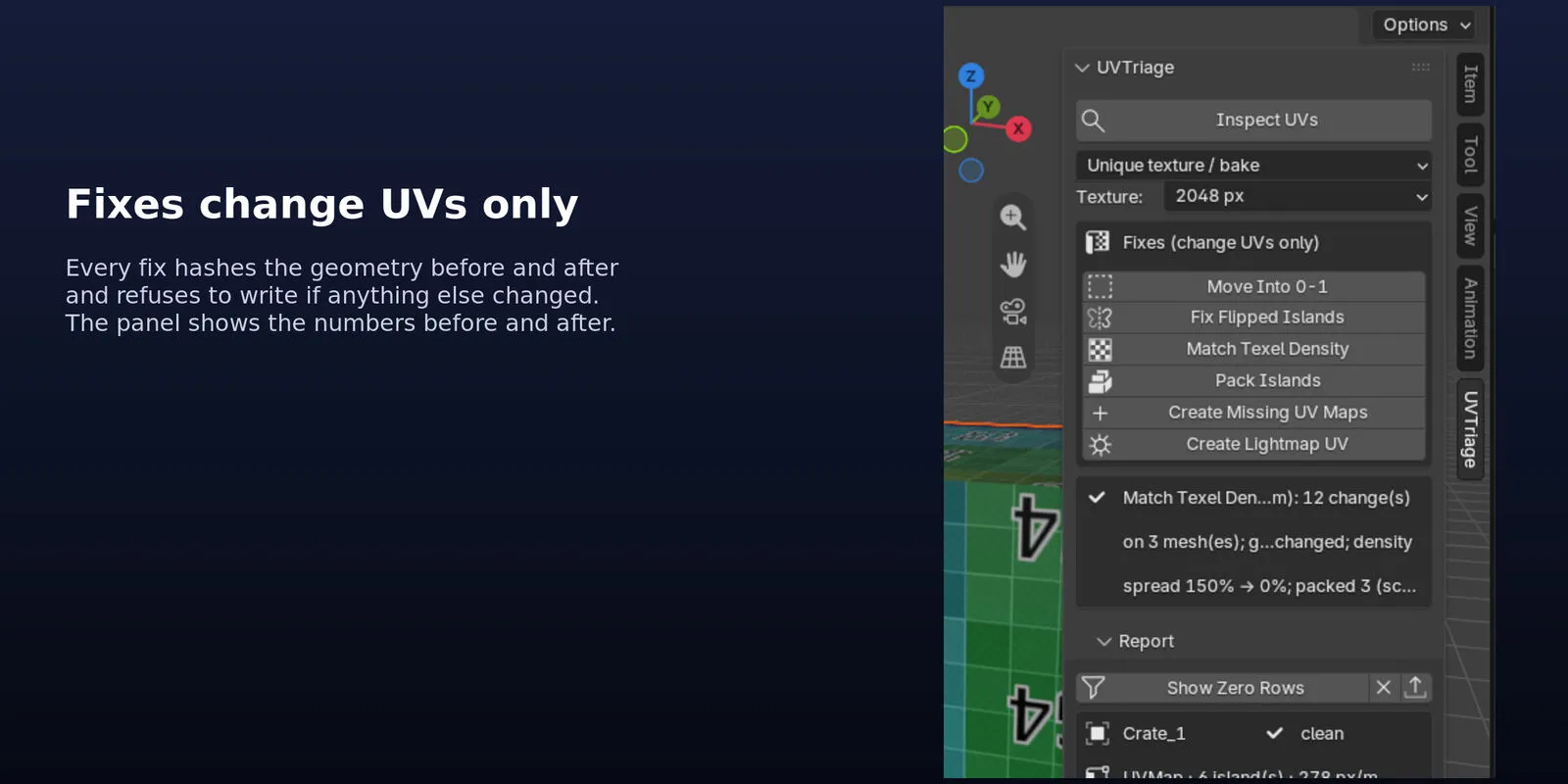
Move Into 0-1, Fix Flipped Islands, Match Texel Density and Pack Islands with padding in pixels. Every fix hashes the geometry first and refuses to write if anything but UVs would change.
Create Missing UV Maps adds a UV map where there is none; Create Lightmap UV adds a second map for baked lighting with even texel density and padding.
Export the report as JSON or CSV: target, texture size, every object with its islands and density, all findings and the last fix.
This file could not be loaded.
This file could not be loaded.
This file could not be loaded.
This file could not be loaded.
This file could not be loaded.
1 of 5
| Platform or runtime | Supported versions | Tested up to |
|---|---|---|
| Blender | 4.2 or newer | 5.2 |
UVTriage is coming soon to Gumroad. This page links to the store as soon as it is on sale there.
Coming soon to Gumroad
Not published on its store yet, so there is no buy or download link. PN Scripts does not take payment for it here.
Blender add-ons
Coming soon External marketplace: sold or published through Gumroad, not on this site
by PN Scripts
Coming soon External marketplace: sold or published through Gumroad, not on this site
by PN Scripts
Coming soon External marketplace: sold or published through Gumroad, not on this site