
The gap
Meshes from scans, CAD, AI generators and booleans arrive with hidden faults, messy topology, hard edges that subdivision rounds away and UVs that break bakes: each needs its own check and its own fix.

Blender add-ons
QuadMend, MeshTriage, HoldLoop and UVTriage in one purchase: find and repair mesh problems, rebuild holes and boolean cuts with clean quads, keep hard edges sharp under subdivision and check your UVs.
Coming soon to Gumroad
Not published on its store yet, so there is no buy or download link. PN Scripts does not take payment for it here.
The gap
Meshes from scans, CAD, AI generators and booleans arrive with hidden faults, messy topology, hard edges that subdivision rounds away and UVs that break bakes: each needs its own check and its own fix.
What it is
MeshTriage finds and repairs the faults, QuadMend rebuilds holes and n-gons with quads, HoldLoop adds measured holding loops for subdivision and UVTriage checks and fixes the UVs, each without changing more than it reports.
How you use it
Inspect with MeshTriage, repair with a preset, fill holes with QuadMend, finish boolean cuts with HoldLoop and check the UVs with UVTriage.
A mesh and UV check-and-repair kit for Blender, not a remesher: all four keep your mesh and change only what is broken or chosen.
Use it when
Built for
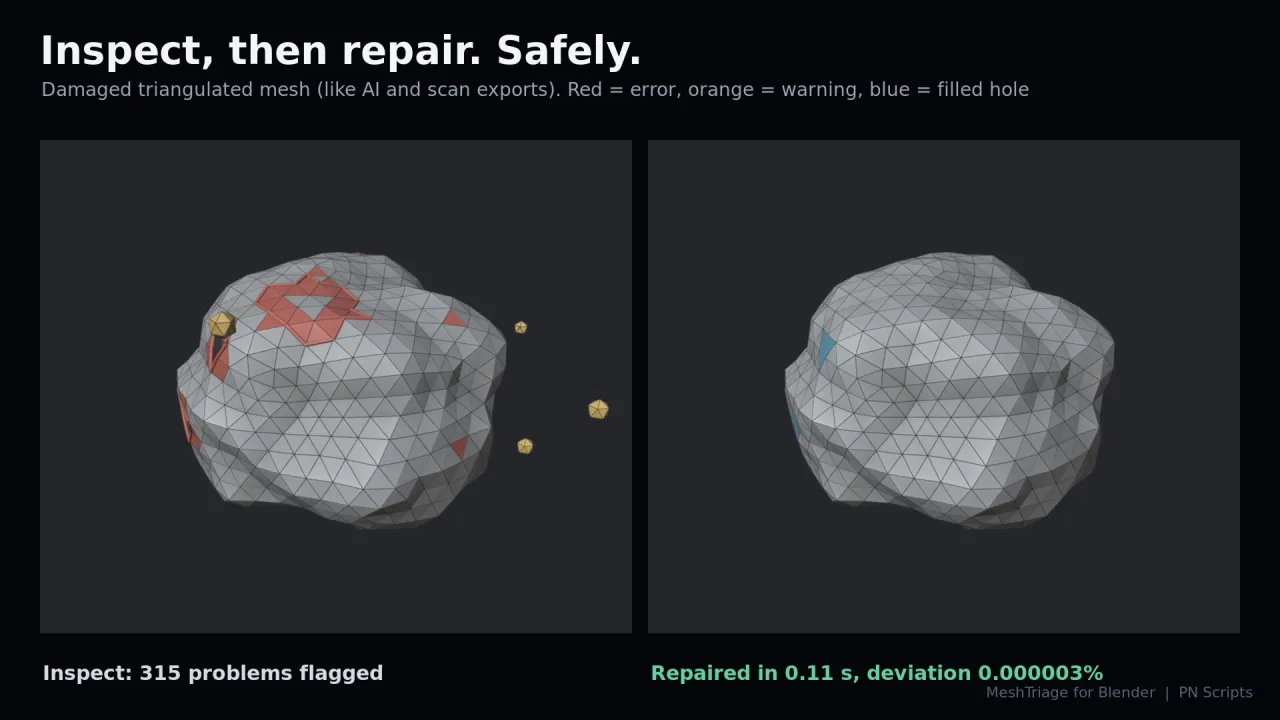
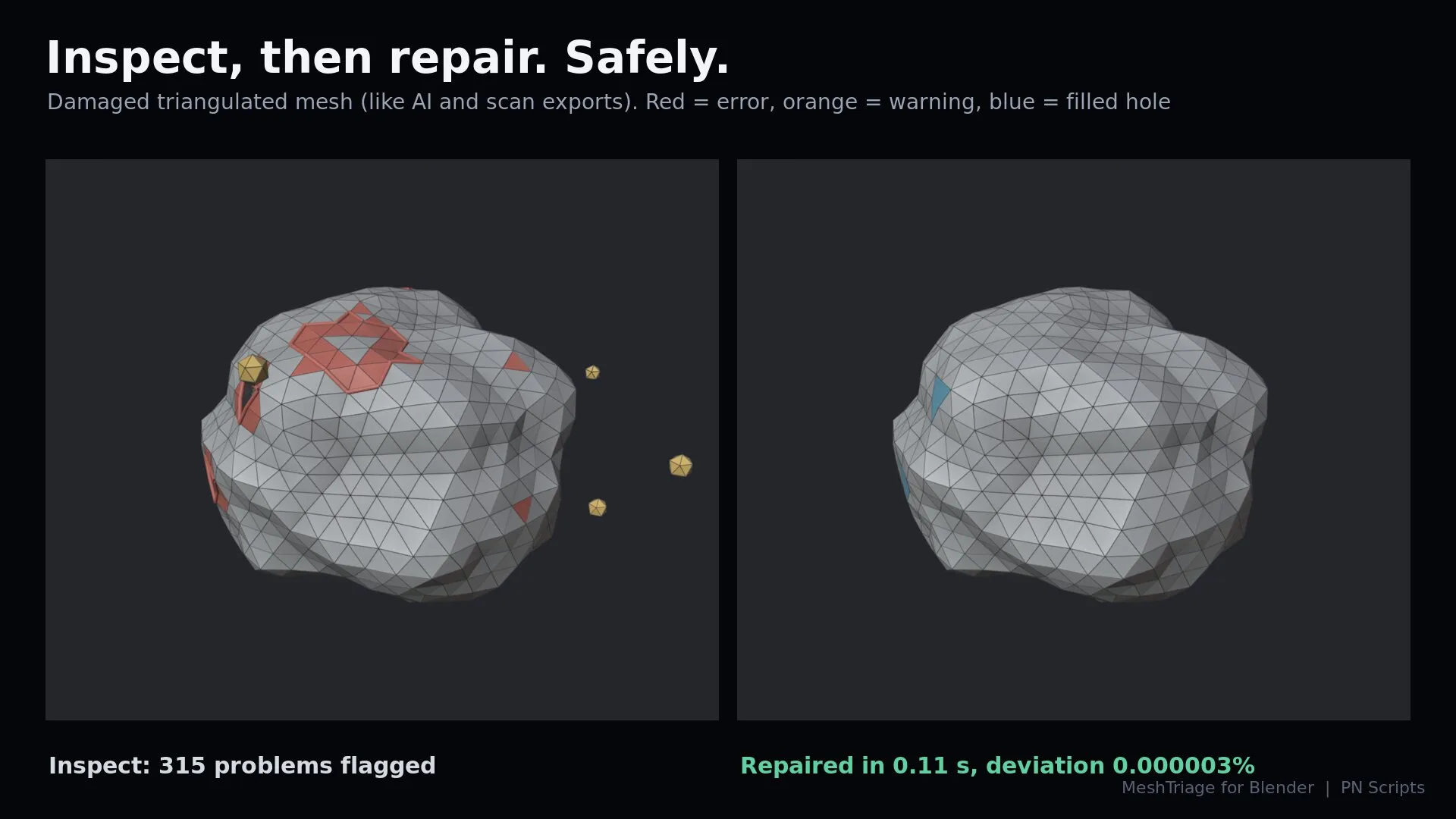
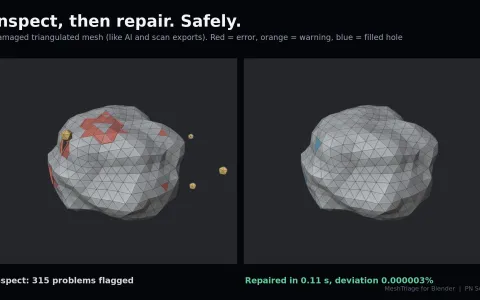
Inspect any number of meshes with 17 checks, select each problem in one click, and repair with presets made for the source. Every repair reports how far the surface moved; the safety guard keeps a mesh unchanged when a repair would go too far.
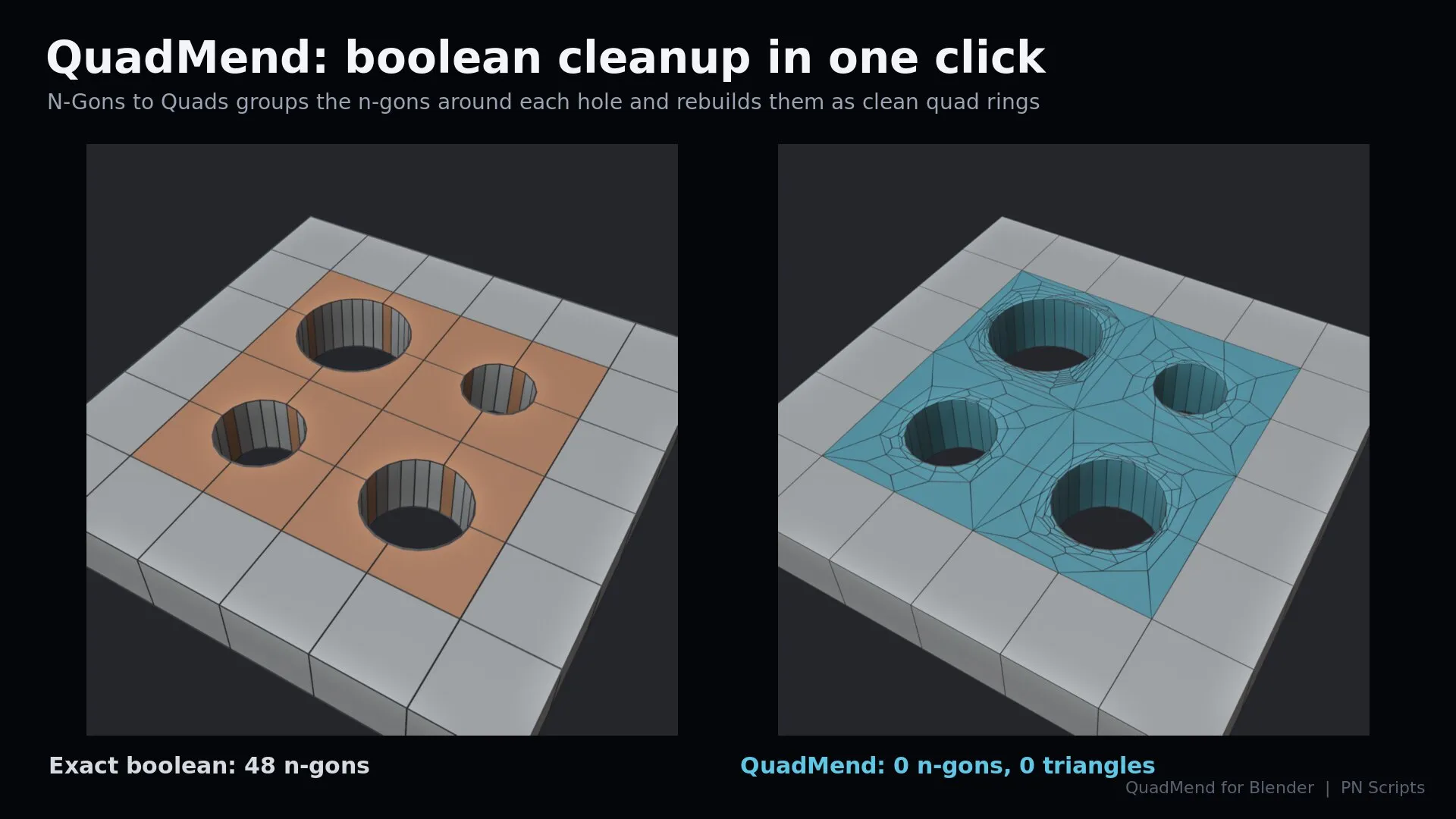
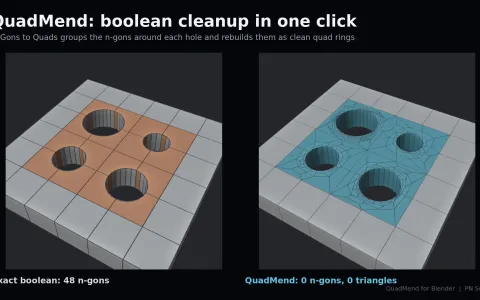
Fill holes and rebuild selected faces with all-quad patches: automatic patterns, concave splitting, Smooth fills, Ring Fill, N-Gons to Quads after a boolean, Quad Bridge and Fill All Holes. UVs, materials and smooth shading are kept.
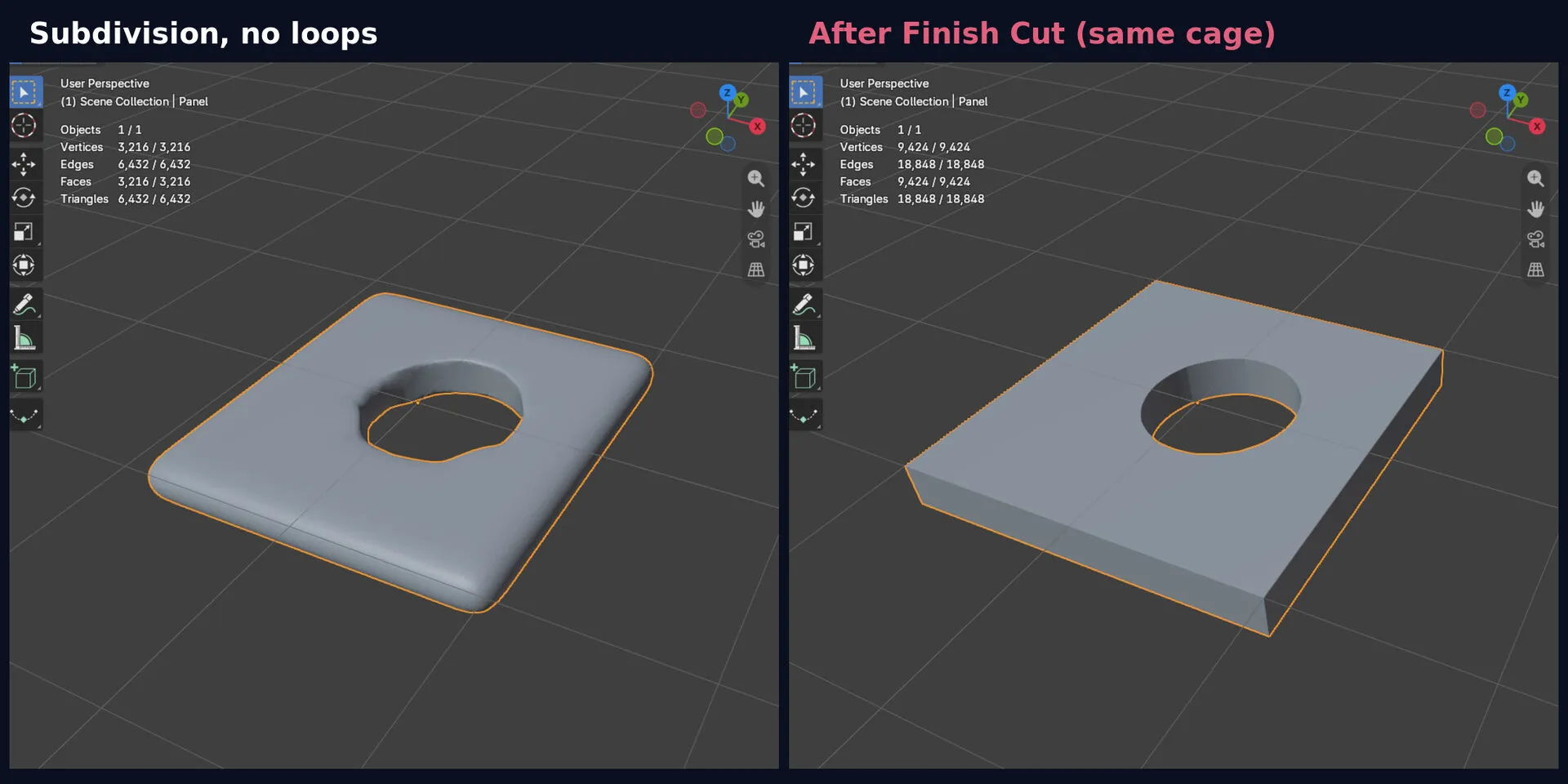
Holding loops where a Subdivision Surface would round your hard edges: Check Subdivision measures the rounding, Auto Hold adds loops only where they are needed, and Finish Cut cleans up after a boolean. The cage never moves.
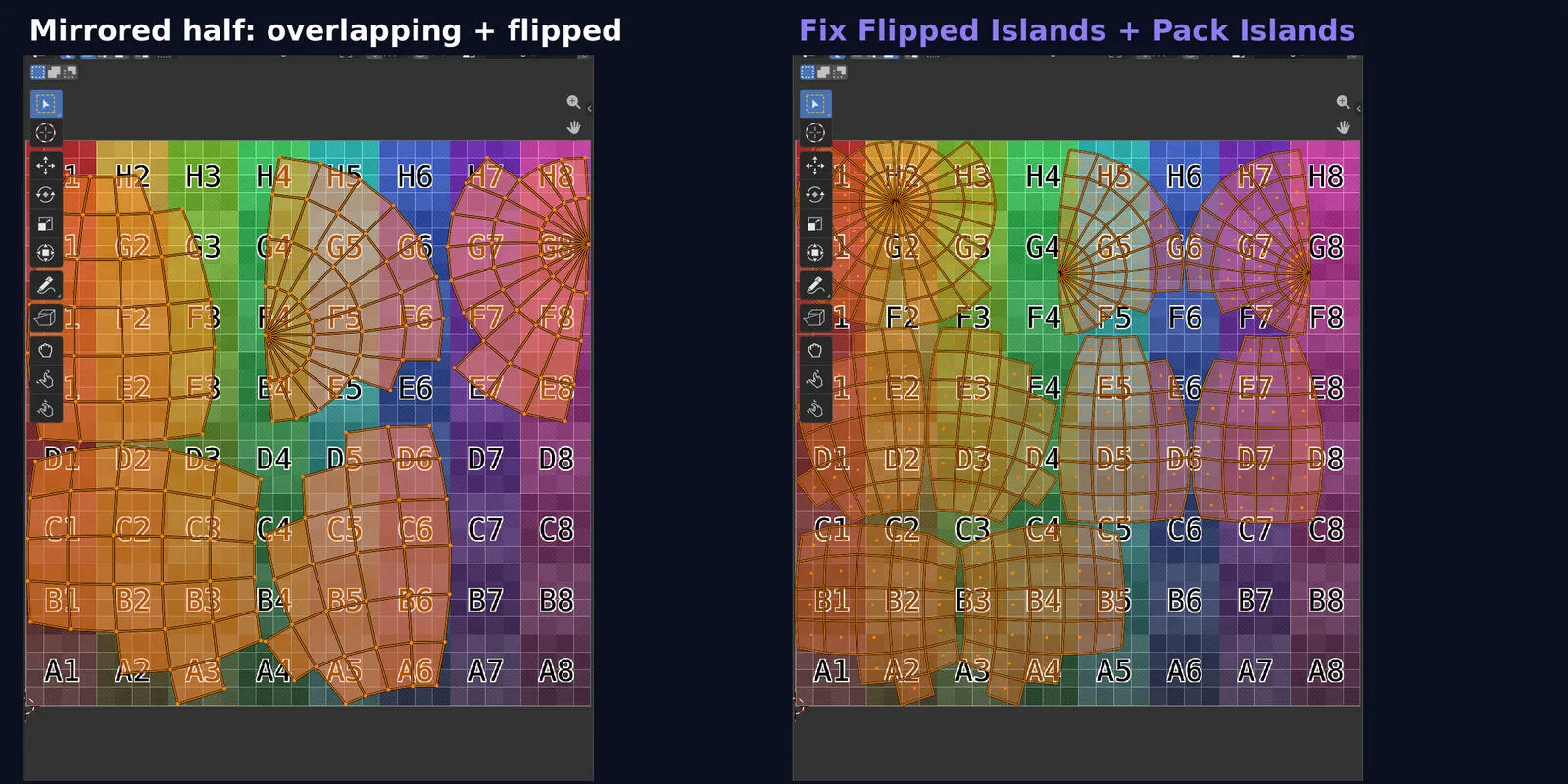
One Inspect UVs over all selected meshes: overlaps, mirrored, collapsed and stretched UVs, UVs outside 0-1, texel density and padding, with a select button per problem and fixes that change UVs only.
MeshTriage finds the holes and QuadMend fills them: with both of them installed, the MeshTriage report offers Fill Holes with QuadMend. After a boolean, HoldLoop's Finish Cut runs QuadMend's N-Gons to Quads before it adds the loops.
This file could not be loaded.
This file could not be loaded.
This file could not be loaded.
This file could not be loaded.
1 of 4
| Platform or runtime | Supported versions | Tested up to |
|---|---|---|
| Blender | 4.2 or newer | 5.2 |
The PN Scripts Blender Mesh Toolkit is coming soon to Gumroad. This page links to the store as soon as it is on sale there.
Coming soon to Gumroad
Not published on its store yet, so there is no buy or download link. PN Scripts does not take payment for it here.
by PN Scripts
Coming soon External marketplace: sold or published through Gumroad, not on this site
by PN Scripts
Coming soon External marketplace: sold or published through Gumroad, not on this site

by PN Scripts
Coming soon External marketplace: sold or published through Gumroad, not on this site