
The gap
A Subdivision Surface rounds every hard edge unless a holding loop sits close to it. Adding those loops by hand with Bevel or Loop Cut is slow, and it is easy to move the cage, miss an edge or add loops where none are needed.

Blender add-ons
A Blender add-on that adds holding loops where a Subdivision Surface would round your hard edges. It measures the rounding, adds loops only where they are needed and never changes the shape of your cage.
Coming soon to Gumroad
Not published on its store yet, so there is no buy or download link. PN Scripts does not take payment for it here.
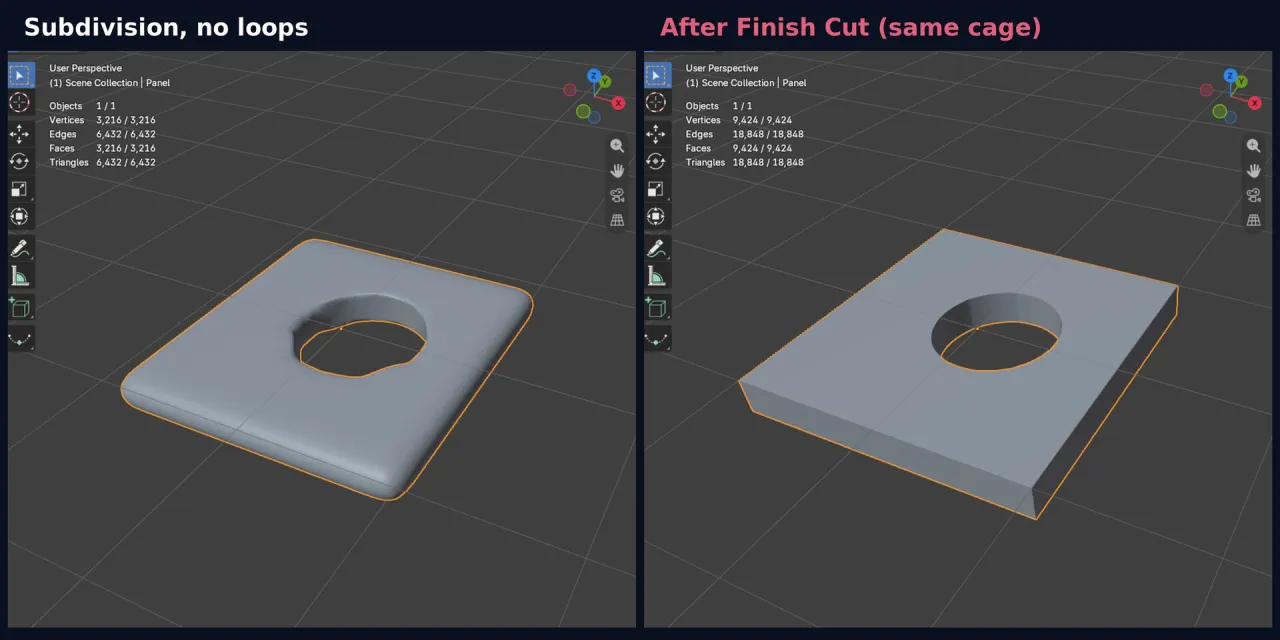
The gap
A Subdivision Surface rounds every hard edge unless a holding loop sits close to it. Adding those loops by hand with Bevel or Loop Cut is slow, and it is easy to move the cage, miss an edge or add loops where none are needed.
What it is
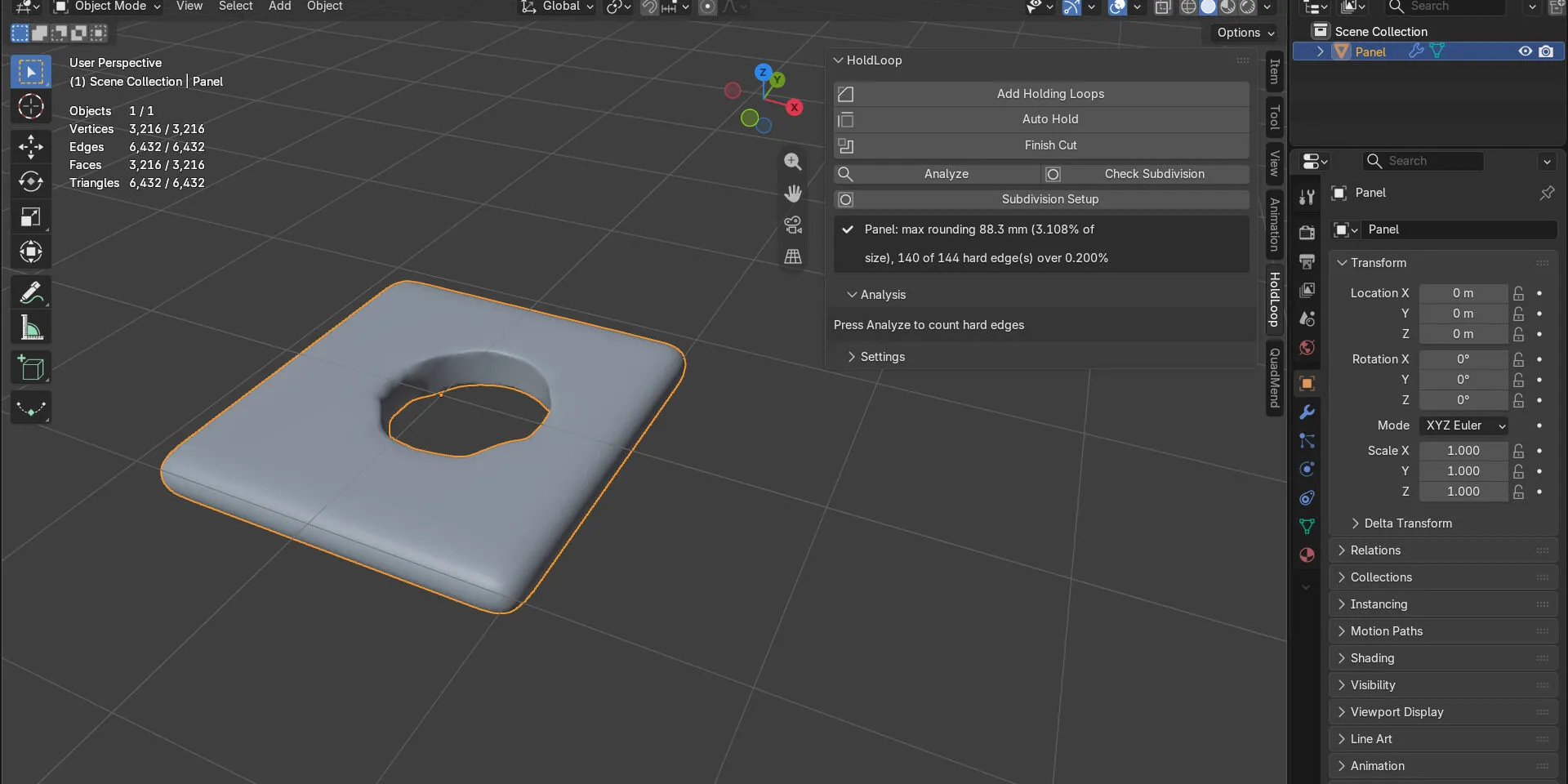
HoldLoop finds the hard edges, measures how much subdivision rounds each one, and adds loops only where the rounding is over your limit, at the widest distance that meets it. The cage is measured before every write and never changes shape.
How you use it
Select the meshes, press Auto Hold in the HoldLoop tab of the sidebar (N), and read the edge rounding before and after in the panel.
A small tool for one job: holding loops, measured and guarded. It keeps your topology and adds loops next to hard edges, nothing else.
Use it when
Built for
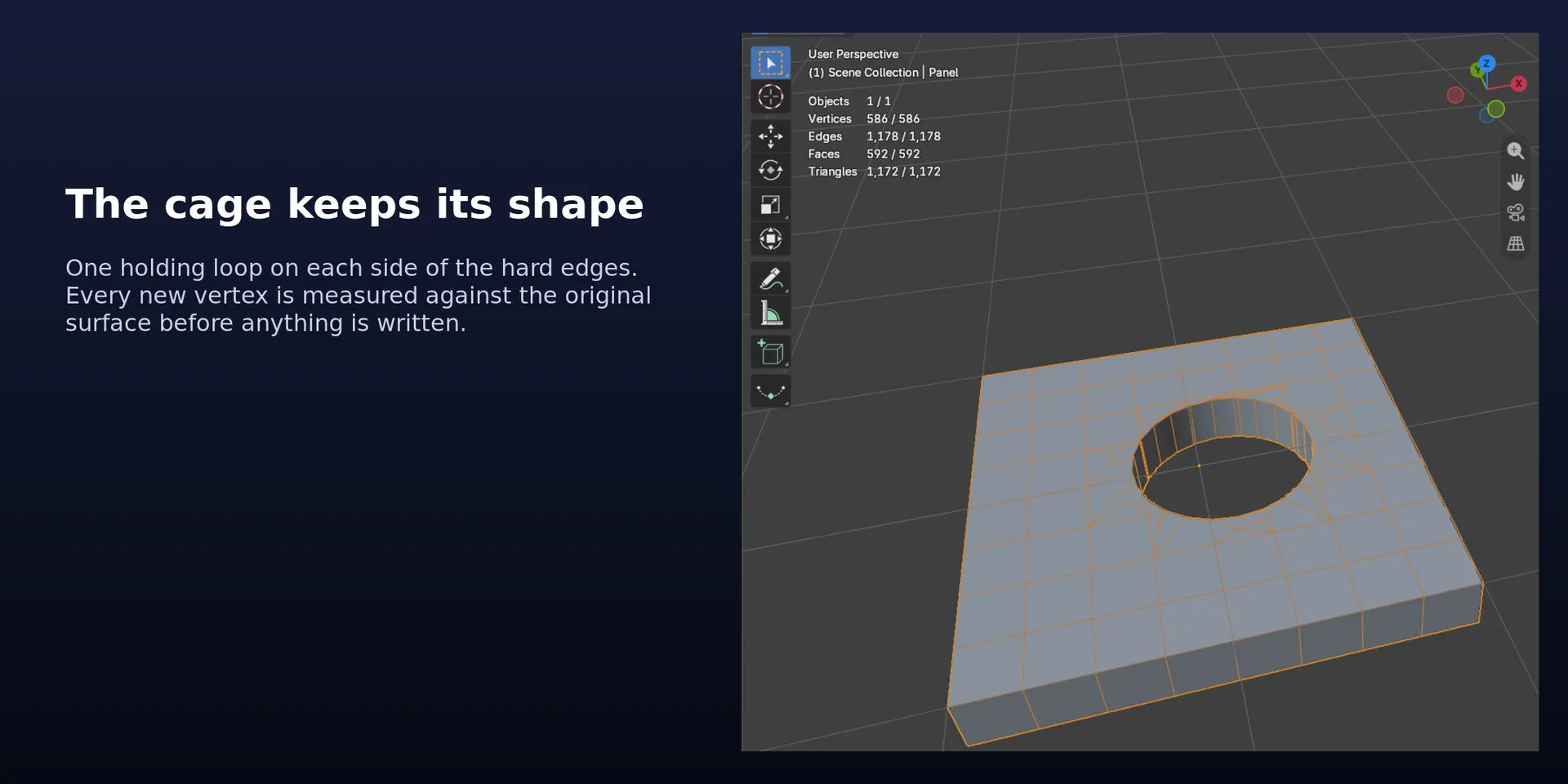
Every hard edge, by angle or Sharp mark, or only the edges you select, gets one holding loop on each side. The distance is a percent of the object size or a length, and you can change it live in the redo panel.
Check Subdivision measures how far Blender's own Subdivision Surface pulls away from each hard edge, shows the worst value and selects the edges over your limit.
Loops only where the rounding is too large, at the widest distance that still meets your limit. Edges that are already sharp enough get nothing.
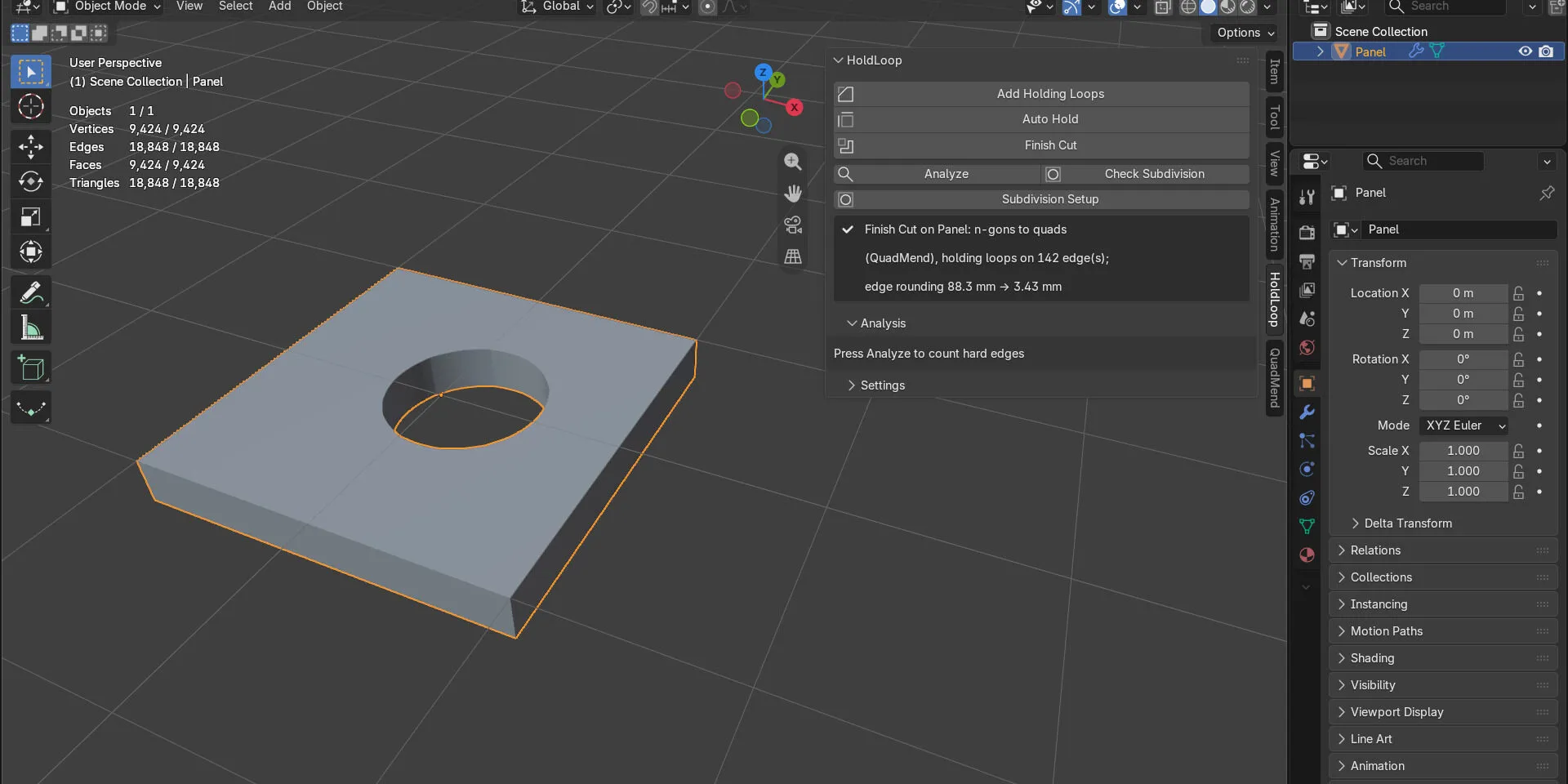
One click: QuadMend's N-Gons to Quads around the cut when QuadMend is installed, then Auto Hold, smooth shading and a Subdivision Surface. On the demo panel the edge rounding went from 88.3 mm to 3.43 mm.
The middle row of each loop lands on the original edge, and every new vertex is measured against the original surface. If the cage would move, nothing is written and the panel says why.

This file could not be loaded.
This file could not be loaded.
This file could not be loaded.

This file could not be loaded.
This file could not be loaded.
1 of 5
| Platform or runtime | Supported versions | Tested up to |
|---|---|---|
| Blender | 4.2 or newer | 5.2 |
HoldLoop is coming soon to Gumroad. This page links to the store as soon as it is on sale there.
Coming soon to Gumroad
Not published on its store yet, so there is no buy or download link. PN Scripts does not take payment for it here.
Blender add-ons
Coming soon External marketplace: sold or published through Gumroad, not on this site
by PN Scripts
Coming soon External marketplace: sold or published through Gumroad, not on this site
by PN Scripts
Coming soon External marketplace: sold or published through Gumroad, not on this site